
Featured image for how to change coway air purifier filter
Image source: coway.my
Changing your Coway air purifier filter in 2026 is quick and simple with these easy-to-follow steps. Start by turning off and unplugging the unit, then open the front cover and remove the old filter. Insert the new genuine Coway filter, ensuring it’s properly aligned, and securely close the cover before restarting the purifier. Regular filter replacement maintains optimal air quality and extends your device’s lifespan—don’t skip this essential maintenance!
Key Takeaways
- Power off and unplug the purifier before starting filter replacement.
- Open the front panel carefully to access the old filter.
- Remove the old filter and dispose of it responsibly.
- Insert the new filter with the airflow arrow facing inward.
- Reset the filter indicator to ensure accurate replacement alerts.
- Clean the unit’s interior before reassembling for optimal performance.
- Check for proper fit to avoid air leakage and inefficiency.
📑 Table of Contents
- Why Changing Your Coway Air Purifier Filter Matters
- How to Change Coway Air Purifier Filter in 2026: Step-by-Step Guide
- How Often Should You Change Your Coway Air Purifier Filter?
- Choosing the Right Replacement Filters for Your Coway Model
- Common Mistakes to Avoid When Changing Coway Filters
- Maintenance Tips to Extend Filter Life and Improve Performance
- Data Table: Coway Air Purifier Filter Replacement Guide (2026)
- Final Thoughts: Breathe Easy with Fresh Filters
Why Changing Your Coway Air Purifier Filter Matters
Picture this: you’ve had your Coway air purifier for over a year, diligently running it every day to keep your home’s air clean. But lately, you’ve noticed a faint musty smell, and your allergies seem to be flaring up again. Sound familiar? Chances are, it’s not your purifier that’s failing—it’s the filter. Just like a car needs fresh oil, your air purifier needs a clean filter to do its job. And in 2026, with rising pollution levels and indoor allergens, maintaining peak performance is more important than ever.
Changing your Coway air purifier filter isn’t just about fresh air—it’s about health, efficiency, and peace of mind. A clogged filter forces the purifier to work harder, increasing energy use and reducing its lifespan. Worse, a dirty filter can’t trap dust, pollen, pet dander, or even volatile organic compounds (VOCs) effectively. That means you’re breathing in what the machine was supposed to remove. The good news? Replacing the filter is one of the easiest DIY tasks you’ll ever do—no tools, no tech skills, just a few minutes of your time.
How to Change Coway Air Purifier Filter in 2026: Step-by-Step Guide
Step 1: Turn Off and Unplug the Unit
Before you do anything, always turn off and unplug your Coway air purifier. This is a safety rule you should never skip. Even if the unit seems quiet, internal fans and electronics can still pose a risk. Unplugging ensures no accidental power surges or malfunctions while you’re working on it.
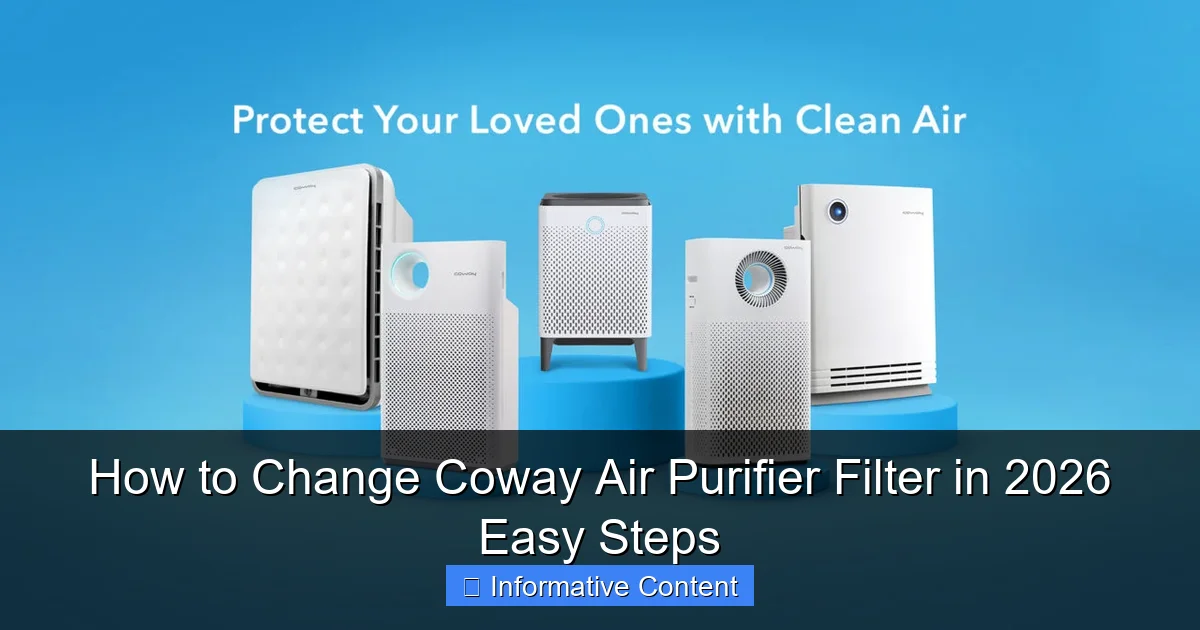
Visual guide about how to change coway air purifier filter
Image source: coway-register.com
I learned this the hard way once—I once tried to change a filter with the unit still plugged in, and the sensor triggered a loud alarm. Not fun at 10 p.m. when the kids were asleep. So, unplug it. It takes two seconds and saves a lot of hassle.
Step 2: Open the Front or Side Panel
Most Coway models, like the Airmega 250, Airmega 400, or AP-1512HH Mighty, have a front or side panel that opens with a simple latch or magnetic closure. Look for a small indentation or a “push here” label. Gently press or pull to release the cover.
For example, the Airmega 250 has a magnetic front panel—just grab the top edge and pull it toward you. It comes off easily, like opening a fridge door. The AP-1512HH uses a side latch: press the button on the side and slide the panel open. No screws, no force needed. If you’re unsure, check the model number on the back and refer to the user manual—but honestly, most Coway designs are intuitive.
Step 3: Remove the Old Filters
Once the panel is open, you’ll see one or more filters, depending on your model. Coway typically uses a multi-stage system: pre-filter, activated carbon filter, and HEPA filter. Here’s how to remove them:
- Pre-filter (outermost): This is a mesh screen that catches large particles like dust and hair. It’s usually washable, but if it’s torn or discolored, replace it.
- Carbon filter (middle): This gray or black filter removes odors and VOCs. It’s not washable—once it’s saturated, it needs replacing.
- HEPA filter (innermost): This white, accordion-style filter traps microscopic particles like pollen, mold spores, and bacteria. It should never be washed.
Grab each filter by the frame and gently pull straight out. Don’t yank or twist—filters are designed to slide in and out smoothly. If it’s stuck, wiggle it slightly. I once forced a HEPA filter out and bent the frame—cost me a $50 replacement. Oops.
Step 4: Clean the Interior and Pre-Filter (If Reusable)
While the filters are out, take a moment to clean the interior. Use a microfiber cloth to wipe down the inside of the purifier and the filter chamber. A vacuum with a brush attachment can help remove dust from crevices.
If your model has a washable pre-filter (like the AP-1512HH), rinse it under lukewarm water. Let it air dry completely—never install a damp filter. Dampness can lead to mold and damage the HEPA filter. I recommend doing this the night before your filter change so it’s ready to go.
Step 5: Install the New Filters
Now, it’s time to insert the new filters. Here’s the key: follow the airflow direction. Look for arrows on the filter frames—they show which way the air flows. The pre-filter goes in first (facing the outside), then the carbon filter, then the HEPA filter (facing the fan).
Slide each filter in until it clicks or sits flush. Don’t force it—if it doesn’t go in easily, double-check the orientation. I once installed a carbon filter backward and the purifier wouldn’t turn on until I fixed it. Lesson learned.
Pro tip: Write the installation date on the filter frame with a permanent marker. It helps you track when to replace it next.
Step 6: Reattach the Panel and Reset the Filter Timer
Once all filters are in, reattach the front or side panel. Make sure it’s secure—some models won’t run if the panel isn’t closed properly. Plug the unit back in and turn it on.
Now, reset the filter timer. Most Coway purifiers have a “Filter Reset” or “Reset” button. Press and hold it for 3–5 seconds until the indicator light changes color or blinks. This resets the usage counter so the purifier knows your filters are fresh.
For example, on the Airmega 400, the filter indicator light turns red when it’s time to change. After resetting, it should turn blue or green. If it stays red, double-check that you’ve inserted all filters correctly.
How Often Should You Change Your Coway Air Purifier Filter?
General Replacement Schedule
Coway recommends replacing filters based on usage and air quality, but here’s a general rule of thumb:
- Pre-filter: Wash every 2–4 weeks. Replace every 6–12 months if it’s damaged.
- Carbon filter: Replace every 6–12 months. If you have pets, smoke, or strong odors, replace every 3–6 months.
- HEPA filter: Replace every 12–18 months. In high-pollution areas or homes with pets, every 6–12 months.
But don’t just follow the clock—use your senses. If you smell odors the purifier used to remove, or if airflow feels weak, it’s probably time. I live in a city with high pollen counts, so I replace my HEPA filter every 8 months, even though Coway says 12.
Signs It’s Time to Replace Your Filters
Your purifier will often give you clues:
- Red or blinking filter indicator light (on models with sensors)
- Musty or stale smell coming from the unit
- Reduced airflow—you can feel less air coming out of the vents
- Increased noise as the fan works harder to push air through a clogged filter
- Allergies or congestion returning despite regular use
I once ignored a blinking light for three months because I thought it was a glitch. Big mistake. The air in my bedroom felt stuffy, and my dog was sneezing more. Once I changed the filter, the difference was immediate.
Factors That Affect Filter Lifespan
Not all homes are the same. These factors can shorten filter life:
- Air quality: Urban areas, wildfires, or construction nearby? Replace filters more often.
- Pet ownership: Pet hair and dander clog pre-filters and HEPA filters quickly.
- Smoking or cooking: Smoke and grease saturate carbon filters fast.
- Usage time: Running 24/7? Filters wear out faster than occasional use.
- Humidity: High humidity can promote mold growth on HEPA filters.
I run my purifier 12 hours a day in a pet-friendly home. That’s why I replace my carbon filter every 5 months and HEPA every 9—even though the manual says longer.
Choosing the Right Replacement Filters for Your Coway Model
OEM vs. Third-Party Filters
When it’s time to buy new filters, you’ll see two options: original equipment manufacturer (OEM) and third-party (generic) filters.
- OEM filters: Made by Coway. Guaranteed fit, performance, and compatibility. More expensive (e.g., $40–$80 per set), but reliable.
- Third-party filters: Made by other companies. Often 20–50% cheaper, but quality varies. Some work great; others don’t filter well or don’t fit properly.
I’ve tried both. OEM filters always fit perfectly and last as long as advertised. Third-party ones? Mixed results. One brand I tried left a chemical smell for a week. Another worked fine but didn’t last as long. My advice? Stick with OEM for HEPA and carbon filters. For washable pre-filters, third-party options are usually fine.
How to Find the Correct Filter Model
Never guess the filter model. Using the wrong one can damage your purifier or reduce efficiency. Here’s how to find the right one:
- Check the model number on the back or bottom of your purifier.
- Visit the Coway website and search for “replacement filters” + your model number.
- Look for filters labeled “compatible with [your model]” on Amazon, Walmart, or Coway’s store.
For example, if you have an Airmega 250, you need the CF-1512 filter set. The AP-1512HH uses the CF-1512H set. Even small differences matter.
Where to Buy Replacement Filters
Here are the best places to buy:
- Coway official website: Best selection, but shipping can take 3–5 days.
- Amazon: Fast shipping, but check seller reviews. Avoid “fulfilled by Amazon” if the seller has low ratings.
- Walmart, Target, or Best Buy: Good for last-minute purchases. Prices are competitive.
- Specialty stores: Air quality stores often carry OEM filters and can offer advice.
I keep a spare set of filters on hand so I’m never caught off guard. It’s a small investment that saves stress.
Common Mistakes to Avoid When Changing Coway Filters
Installing Filters in the Wrong Order
It’s easy to mix up the order, especially if you’re in a rush. Remember: pre-filter → carbon filter → HEPA filter. The pre-filter catches large particles first, protecting the more expensive filters behind it. Installing them backward reduces efficiency and shortens filter life.
I once installed the carbon filter first and the HEPA filter last. The purifier ran, but it couldn’t trap large dust particles, so the HEPA got clogged in half the time. A costly mistake.
Skipping the Filter Reset
Don’t forget to reset the timer! If you don’t, the purifier will still think the old filter is in place and may alert you to replace it too soon—or worse, not alert you when it’s actually time. The reset ensures the sensor starts counting fresh usage.
Using Wet or Damaged Filters
Never install a damp pre-filter or a torn HEPA filter. Moisture breeds mold, and tears let particles slip through. I once tried to save money by taping a small tear in a HEPA filter. Big mistake—the purifier’s performance dropped by 60%, and the tape fell off after a week.
Ignoring the Pre-Filter
The pre-filter is often overlooked, but it’s the first line of defense. A clogged pre-filter forces the HEPA to work harder, shortening its life. Wash or replace it regularly. I use a sticky lint roller to clean mine between washes—it’s quick and effective.
Buying Cheap, Unverified Third-Party Filters
While third-party filters can save money, avoid the cheapest options. Look for filters with certifications like CARB or EPA, and read reviews. If multiple users report poor fit or weak filtration, steer clear.
Maintenance Tips to Extend Filter Life and Improve Performance
Regular Cleaning Routine
Extend filter life with a simple routine:
- Weekly: Vacuum the exterior and wipe with a damp cloth.
- Bi-weekly: Clean the pre-filter (if washable) or use a soft brush to remove dust.
- Monthly: Check the filter chamber for debris and wipe with a microfiber cloth.
I keep a small cleaning caddy with a brush, microfiber cloths, and a mini vacuum near my purifier. It makes maintenance easy.
Optimize Placement for Better Airflow
Where you place your purifier affects its efficiency:
- Keep it at least 6 inches away from walls and furniture.
- Place it in a central location, not in a corner.
- Elevate it off the floor (on a table or shelf) for better air circulation.
I once kept my purifier behind a couch. It struggled to pull in air, and the filters clogged faster. Moving it to the center of the room made a huge difference.
Use the Right Fan Speed
Running the purifier on high all the time wears out filters faster. Use a lower setting for maintenance and high only when needed (e.g., after cooking or cleaning). Many Coway models have auto mode—let the sensor adjust the speed based on air quality.
Monitor Air Quality with Smart Features
If your model has a smart sensor (like the Airmega series), use it. The real-time air quality display tells you when to run the purifier and when the air is clean. Some models even connect to an app, so you can monitor air quality remotely.
I check my Airmega’s app every morning. It shows me PM2.5 levels and reminds me when to change filters. It’s like having a personal air quality assistant.
Data Table: Coway Air Purifier Filter Replacement Guide (2026)
| Coway Model | Pre-Filter | Carbon Filter | HEPA Filter | Recommended Replacement Interval | Filter Set Model |
|---|---|---|---|---|---|
| Airmega 250 | Washable mesh | CF-1512-C | CF-1512-H | 6–12 months (carbon), 12–18 months (HEPA) | CF-1512 |
| AP-1512HH Mighty | Washable mesh | CF-1512H-C | CF-1512H-H | 6–12 months (carbon), 12–18 months (HEPA) | CF-1512H |
| Airmega 400 | Washable mesh | CF-400-C | CF-400-H | 6–12 months (carbon), 12–18 months (HEPA) | CF-400 |
| AP-1018F | Washable mesh | CF-1018-C | CF-1018-H | 6–12 months (carbon), 12–18 months (HEPA) | CF-1018 |
Note: Intervals are based on average use. Adjust for pets, smoking, or poor air quality.
Final Thoughts: Breathe Easy with Fresh Filters
Changing your Coway air purifier filter is one of the simplest yet most impactful things you can do for your home’s air quality. It takes less than 10 minutes, costs a fraction of what you spent on the purifier, and pays off in cleaner air, better health, and longer machine life. In 2026, with air pollution and indoor allergens on the rise, there’s no excuse to skip this small but vital task.
Remember: fresh filters = fresh air. Don’t wait for the red light or a musty smell—be proactive. Set a reminder on your phone, write the date on the filter, or keep a spare set on hand. And when in doubt, follow the steps we’ve covered: unplug, open, remove, clean, install, reset. It’s that easy.
Your lungs—and your family—will thank you. Now go enjoy that clean, crisp air. You’ve earned it.
Frequently Asked Questions
How do I know when to change my Coway air purifier filter?
Most Coway models have a filter replacement indicator light that turns on when it’s time to change the filter. Typically, the HEPA and activated carbon filters need replacement every 6–12 months, depending on usage and air quality.
How to change Coway air purifier filter step by step?
First, turn off and unplug the unit. Open the front cover, remove the old filters, insert the new ones in the correct order (pre-filter, carbon, HEPA), then close the cover and reset the filter timer via the control panel.
Where can I buy replacement filters for my Coway air purifier?
You can purchase genuine Coway replacement filters directly from the official Coway website, Amazon, or authorized retailers like Home Depot. Always verify compatibility with your specific model (e.g., AP-1512HH, Airmega).
Can I wash and reuse my Coway air purifier filter?
Only the pre-filter is washable—rinse it monthly and let it dry completely before reinstalling. The HEPA and carbon filters are not reusable and must be replaced to maintain optimal air purification performance.
How long does it take to replace a Coway air purifier filter?
The entire process takes less than 5 minutes once you’re familiar with it. Simply open the cover, swap the filters, and reset the timer—no tools required for most Coway models.
Why is my Coway air purifier still showing a filter alert after replacement?
You likely need to manually reset the filter timer. Press and hold the filter reset button (usually for 3–5 seconds) on the control panel after installing new filters to clear the alert.