
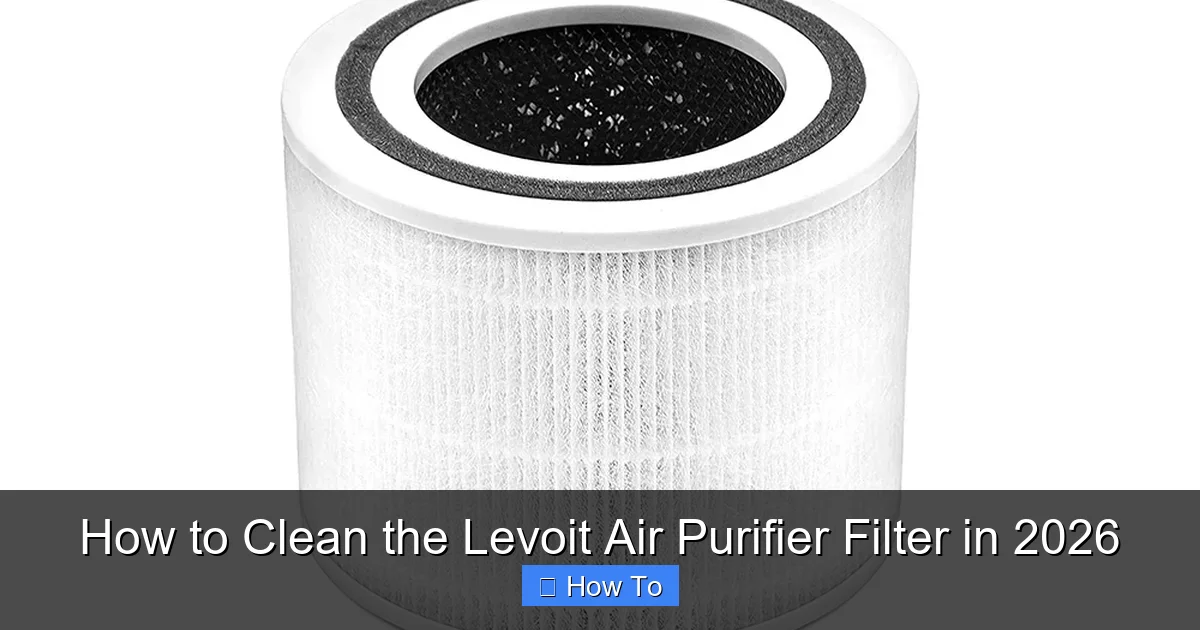
Featured image for how to clean the levoit air purifier filter
Image source: dasher.sg
Cleaning your Levoit air purifier filter in 2026 is essential for maintaining peak performance and air quality. Start by turning off and unplugging the unit, then carefully remove the filter—gently vacuuming the surface to remove dust and debris. Never rinse or soak the HEPA filter, as it’s not washable; instead, replace it every 6–12 months depending on usage. For reusable pre-filters, wipe with a damp cloth or rinse lightly, ensuring it’s completely dry before reinstalling. Regular maintenance ensures cleaner air and extends the life of your purifier.
“`html
How to Clean the Levoit Air Purifier Filter in 2026
Key Takeaways
- Turn off and unplug the purifier before cleaning for safety.
- Remove the filter gently to avoid damaging delicate components.
- Vacuum the pre-filter monthly to remove surface dust and debris.
- Never wash the HEPA filter—water damages its structure and efficiency.
- Replace filters on schedule as recommended by Levoit for optimal performance.
- Wipe the exterior regularly with a dry or slightly damp cloth.
- Reset the filter indicator after maintenance to track usage accurately.
Why This Matters / Understanding the Problem
Let’s be honest: air purifiers are a game-changer for clean indoor air. But if you’re not cleaning the filter, you’re basically running a fancy dust fan. I learned this the hard way when my Levoit air purifier started sounding like a jet engine and my allergies flared up—despite the unit being “on.”
After a quick check, I realized the filter was clogged with dust, pet hair, and who-knows-what-else. That’s when it hit me: how to clean the Levoit air purifier filter in 2026 isn’t just a chore—it’s essential for performance, efficiency, and even the lifespan of your machine.
Over time, filters trap allergens, smoke, and airborne particles. But if they’re not cleaned (or replaced) regularly, they become a breeding ground for mold, bacteria, and bad smells. Plus, a clogged filter forces your purifier to work harder, increasing energy use and noise.
Whether you have a Levoit Core 300, Vital 100, or another model, the core principle is the same: clean the pre-filter often, and know when to replace the main HEPA filter. This guide walks you through exactly how to clean the Levoit air purifier filter in 2026—with real-world tips, no-nonsense advice, and zero fluff.
Pro insight: I used to think “clean filter” meant just wiping the outside. Spoiler: it doesn’t. The magic happens inside, and skipping steps can actually make air quality worse.
What You Need
Before diving in, gather these tools. Nothing fancy—most are already in your home. The key is using the right method, not expensive gear.
- Soft brush (like a makeup or paintbrush) or clean microfiber cloth
- Vacuum cleaner with a hose and brush attachment (crucial!)
- Compressed air (optional, but great for tight spaces)
- Warm water and mild dish soap (only for pre-filter, if removable)
- Bucket or sink (if washing pre-filter)
- Clean towel (for drying)
- Replacement filter (have one on hand for when the HEPA needs replacing—more on that later)
- Flashlight (helps spot hidden dust inside the unit)
<
<
Note: Most Levoit models (like the Core 300, 400S, and Vital 100) have a removable pre-filter and a non-washable HEPA filter. This guide focuses on cleaning what you can safely clean. Never wash the main HEPA filter—more on why in a bit.
Warning: Using water on the HEPA filter will ruin it. I tried it once—big mistake. It warped, smelled musty, and needed replacement after just two weeks. Stick to vacuuming and brushing.
Step-by-Step Guide to How to Clean the Levoit Air Purifier Filter in 2026
Step 1: Power Off and Unplug the Unit
First things first: turn off and unplug your Levoit air purifier. This isn’t just about safety—it’s about preventing dust from getting sucked deeper into the motor while you’re working.
I learned this after accidentally triggering the fan while cleaning. Dust flew everywhere, and I had to start over. Not fun.
Wait at least 2–3 minutes after unplugging. This gives any residual dust time to settle. Plus, it’s a good habit for any electronics maintenance.
Step 2: Remove the Outer Cover and Access the Filter
Most Levoit models have a twist-off or snap-on cover. For example:
- Core 300/400S: Twist the top ring counterclockwise to unlock, then lift off the cover.
- Vital 100/200: Press the side latches and gently pull the front cover.
Once the cover is off, you’ll see the filter housing. Gently pull the filter out. It should slide out easily—no tools needed.
Take a moment to inspect the pre-filter (the outer mesh layer). If it’s caked with dust or pet hair, it’s definitely time for a cleaning. This is the first line of defense, so keeping it clean is part of knowing how to clean the Levoit air purifier filter in 2026 the right way.
Step 3: Clean the Pre-Filter (The One You Can Wash)
The pre-filter is usually a fine mesh or foam layer wrapped around the main HEPA filter. It’s designed to catch large particles—hair, lint, dust bunnies—so the HEPA doesn’t get overwhelmed.
Here’s how to clean it properly:
- Use a soft brush to gently sweep off loose dust. I use an old makeup brush—works like a charm.
- Attach the brush nozzle to your vacuum and run it over the pre-filter. Focus on corners and edges where dust hides.
- If the pre-filter is very dirty (or has pet hair), rinse it under warm water with a drop of mild dish soap. Gently rub with your fingers—don’t scrub.
- Rinse thoroughly. No soap residue should remain. Leftover soap can attract dust and cause odors.
- Shake off excess water and let it air dry completely on a towel for at least 1–2 hours. Never reinstall a damp filter.
Pro tip: I keep two pre-filters. When one’s drying, I swap in the clean one. No downtime for my purifier!
Step 4: Vacuum the Main HEPA Filter (Do NOT Wash It!)
This is critical: the HEPA filter cannot be washed. Water damages the delicate fibers and reduces its ability to trap fine particles like pollen, smoke, and mold spores.
Instead, use your vacuum’s brush attachment to gently clean the surface of the HEPA filter. Run it slowly over both sides, especially the outer edges.
If you have compressed air, you can use it on the inlet side (the side facing inward) to blow out trapped dust. Hold the can upright and use short bursts. Don’t shake the can—this can release liquid propellant, which is bad news for filters.
After vacuuming, inspect the filter with a flashlight. If you see dark spots, mold, or a musty smell, it’s time to replace it—cleaning won’t help. More on that in the FAQs.
Step 5: Clean the Interior of the Air Purifier
While the filter is out, take a few minutes to clean the inside of the unit. Dust and debris often settle in the housing, especially near the fan and sensors.
- Use the vacuum’s brush attachment to clean the fan blades and air intake vents.
- Wipe the inside walls with a dry microfiber cloth. If there’s stubborn grime, lightly dampen the cloth—but never let water near the motor or electronics.
- For tight spots, a compressed air can works wonders.
This step is easy to skip, but it makes a big difference. A clean interior means better airflow and more efficient filtration—key to mastering how to clean the Levoit air purifier filter in 2026 from the inside out.
Step 6: Reassemble the Unit
Now it’s time to put everything back together. Make sure:
- The pre-filter is fully dry and properly seated around the HEPA filter.
- The HEPA filter is inserted in the correct orientation. Most Levoit filters have an arrow showing airflow direction. Make sure it points into the unit.
- The outer cover is securely locked (twist or snap it into place).
Once reassembled, plug the purifier back in and turn it on. Listen for smooth operation. If it’s noisy or vibrating, double-check that the filter is seated properly and the cover is locked.
Step 7: Reset the Filter Indicator (If Applicable)
Many Levoit models (like the Core 300S, 400S, and Vital 200S) have a filter reset button. This tells the unit the filter has been cleaned or replaced.
To reset:
- Press and hold the “Filter Reset” button for 3–5 seconds.
- The indicator light should turn green or go out.
- Wait a few minutes for the system to recalibrate.
Note: You should only reset the indicator after cleaning the pre-filter or replacing the HEPA filter. Don’t reset it if you’re just cleaning the pre-filter and plan to reuse the HEPA. That would reset the usage timer prematurely.
Pro Tips & Common Mistakes to Avoid
Over the years, I’ve cleaned dozens of Levoit filters (mine and my family’s). Here are the real-world lessons I wish I knew earlier.
Pro tip 1: Clean the pre-filter every 2–4 weeks if you have pets, allergies, or live in a dusty area. Otherwise, every 6–8 weeks is fine. Set a phone reminder—I use Google Calendar with a recurring event.
Pro tip 2: Use compressed air on the fan blades every few months. Dust buildup here reduces airflow and makes the motor work harder. I do this during my quarterly deep clean.
Common mistake: Reinstalling a damp pre-filter. I did this once, and within a week, the purifier started smelling musty. Mold loves moisture and darkness—your air purifier is a perfect home. Always dry completely.
Common mistake: Using a stiff brush or scrubbing the HEPA. The fibers are fragile. One aggressive scrub can tear them, reducing filtration efficiency. Think of it like cleaning a delicate screen—gentle is best.
Pro tip 3: Label your filters. If you have multiple purifiers or keep spares, label them with the date of last cleaning/replacement. I use masking tape and a marker. Saves guessing later.
Warning: Don’t use household cleaners or disinfectants on the filter. Bleach, vinegar, or alcohol can damage the fibers. Stick to water and mild soap for the pre-filter only.
Pro tip 4: Clean the exterior too. Wipe the outside with a damp cloth weekly. Dust on the case can get sucked back in, reducing efficiency. I keep a microfiber cloth next to mine.
FAQs About How to Clean the Levoit Air Purifier Filter in 2026
Q: Can I wash the HEPA filter?
No—and I can’t stress this enough. Washing the HEPA filter will ruin it. The fibers are designed to trap particles through mechanical and electrostatic means. Water breaks the electrostatic charge and can warp the structure. Only vacuum or use compressed air. If it’s dirty, replace it.
Q: How often should I clean the pre-filter?
Every 2–4 weeks if you have pets, smoke, or allergies. Otherwise, every 6–8 weeks is fine. I clean mine every 3 weeks because I have two cats. If you live in a dusty city or near construction, clean it more often. It’s a key part of how to clean the Levoit air purifier filter in 2026 effectively.
Q: When should I replace the HEPA filter?
Every 6–12 months, depending on usage. If you run it 24/7, replace it closer to 6 months. If you use it a few hours a day, 12 months is fine. Replace sooner if you notice:
- Reduced airflow or louder noise
- Musty or bad odors
- Visible mold or dark spots
- Allergy symptoms returning
Q: My filter indicator light is on, but I just cleaned the pre-filter. What do I do?
The indicator tracks HEPA filter usage, not pre-filter cleaning. Only reset it when you’ve replaced the entire HEPA filter. If you just cleaned the pre-filter, leave the indicator as is. The light will turn off automatically after the HEPA is replaced and reset.
Q: Can I use a hair dryer to speed up drying the pre-filter?
Technically yes, but I don’t recommend it. High heat can warp or melt the mesh. If you must, use the cool setting and keep the dryer at least 12 inches away. Air drying is safer and just as fast.
Q: Is it safe to run the purifier without the pre-filter?
No. The pre-filter protects the HEPA from large particles. Running without it will clog the HEPA faster and reduce its lifespan. Always reinstall the pre-filter, even if it’s just been vacuumed.
Q: My purifier is making a rattling noise after cleaning. What’s wrong?
Check that the filter is seated properly and the cover is securely locked. A loose filter or cover can vibrate during operation. Also, make sure the pre-filter isn’t folded or bunched up. If the noise persists, inspect the fan for debris.
Final Thoughts
Cleaning your Levoit air purifier filter isn’t just about maintenance—it’s about breathing easier, saving energy, and getting the most out of your investment. Knowing how to clean the Levoit air purifier filter in 2026 means you’re not just running a machine; you’re running a healthy one.
It’s a simple routine: unplug, remove, vacuum, dry, reassemble, reset. Takes 15–20 minutes every few weeks. But the payoff? Cleaner air, quieter operation, and fewer allergy flare-ups.
And remember: the pre-filter is your friend. Clean it often. Respect the HEPA—don’t wash it. And keep a replacement on hand so you’re never caught off guard.
Start today. Set a reminder. Clean your filter. Then take a deep breath—you’ve earned it.
Your air purifier works hard for you. Give it a little TLC, and it’ll keep working hard for years to come.
Final tip: Share this guide with family or roommates. The more people who know how to clean the Levoit air purifier filter in 2026, the better your air stays—no matter who’s in charge of cleaning.
“`