

Featured image for how to maintain air purifier
Image source: shutterstock.com
Regular filter replacement is the most critical step to maintain air purifier performance in 2026, ensuring optimal airflow and contaminant capture. Clean pre-filters monthly and monitor smart sensors to extend filter life and adapt to real-time air quality changes—simple habits that maximize efficiency and indoor air purity.
“`html
How to Maintain Air Purifier in 2026 for Best Performance
Key Takeaways
- Replace filters regularly: Follow manufacturer guidelines to ensure optimal air purification efficiency.
- Clean pre-filters monthly: Remove dust and debris to extend main filter lifespan.
- Wipe exterior weekly: Use a damp cloth to prevent dust buildup on surfaces.
- Check air quality sensors: Clean or calibrate sensors for accurate performance readings.
- Run purifier consistently: Use daily, even when air seems clean, for continuous protection.
- Keep vents unobstructed: Ensure 12+ inches of space around unit for proper airflow.
Why This Matters / Understanding the Problem
Let’s be real—most of us bought an air purifier to breathe easier, not to add another chore to our list. But here’s the thing: even the fanciest, most high-tech air purifier won’t do its job if you don’t take care of it. Think of it like your car. You can’t just fill it with gas and expect it to run forever without oil changes or tire rotations. The same goes for your air purifier.
In 2026, air quality is more unpredictable than ever. Wildfire smoke, seasonal allergens, urban pollution, and even indoor toxins from cleaning products or cooking can clog up your machine faster than you’d think. If you’re not maintaining your air purifier regularly, it’s basically running on fumes—filtering less, working harder, and costing you more in energy bills.
I learned this the hard way. Last winter, my apartment started smelling musty, and I couldn’t figure out why. Turns out, my air purifier’s filter was so clogged it was basically recirculating dirty air. Once I cleaned it properly, the difference was night and day. That’s when I realized: how to maintain air purifier in 2026 for best performance isn’t just a suggestion—it’s essential.
Regular maintenance keeps your unit efficient, extends its lifespan, and ensures you’re actually getting cleaner air. Plus, it saves you money in the long run by avoiding premature filter replacements or costly repairs. So, let’s dive into exactly how to keep your air purifier running like new—without the guesswork.
What You Need
Before we get into the nitty-gritty, let’s talk about what you’ll need. Don’t worry—this isn’t a complicated setup. Most of these items are probably already in your home.
Visual guide about how to maintain air purifier
Image source: paracohvac.com
- Replacement filters (HEPA, carbon, or pre-filter, depending on your model)
- Soft microfiber cloth (no paper towels—they can scratch surfaces)
- Mild dish soap (for washable parts)
- Vacuum with a brush attachment (great for dusting vents and fans)
- Compressed air can (optional, but helpful for tight spaces)
- Owner’s manual (yes, actually read it—it has model-specific tips!)
- Timer or calendar reminder (set it and forget it—until it’s time to check again)
Pro tip: Always check your manufacturer’s website for recommended filter types and replacement schedules. Some 2026 models even have smart sensors that alert you when maintenance is due—take advantage of that!
Step-by-Step Guide to How to Maintain Air Purifier in 2026 for Best Performance
Step 1: Turn Off and Unplug Your Air Purifier
First things first—safety first! Before you do anything, make sure your air purifier is turned off and unplugged from the wall. This isn’t just about avoiding shocks; it also prevents the fan from spinning while you’re cleaning, which could damage the motor or hurt your fingers.

Visual guide about how to maintain air purifier
Image source: cdn.ready-market.com.tw
I made the mistake of trying to wipe down the exterior while it was still plugged in once. Let’s just say my hand learned a quick lesson about moving parts. Don’t be like me.
Step 2: Remove and Inspect the Filters
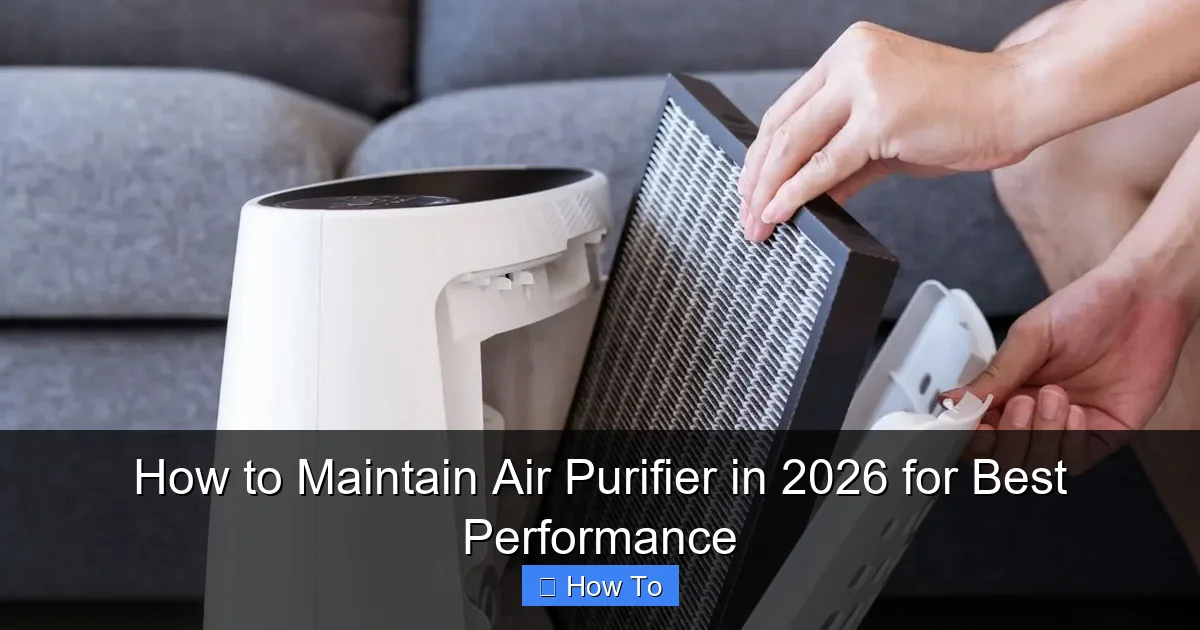
Now, open the front or side panel (depending on your model) and carefully remove the filters. Most units have a pre-filter, a HEPA filter, and sometimes a carbon filter. Take a close look at each one.
If your pre-filter is washable (many are), check for dust buildup. If it looks gray or clogged, it’s time to clean it. For HEPA and carbon filters, look for discoloration or a noticeable drop in airflow. Even if they’re not visibly dirty, most manufacturers recommend replacing HEPA filters every 6–12 months and carbon filters every 3–6 months—especially if you have pets, smoke, or live in a polluted area.
Here’s a quick test: hold the filter up to a light. If you can’t see through it, it’s definitely time for a replacement. This simple check can save you from breathing in partially filtered air.
Step 3: Clean the Washable Pre-Filter
If your pre-filter is washable (and most are), rinse it under lukewarm water. Use a drop of mild dish soap if it’s really grimy, but avoid harsh chemicals—they can degrade the material over time.
Gently scrub with your fingers or a soft brush, then rinse thoroughly. Make sure there’s no soap residue left—it can affect airflow and even release odors when the unit runs.
Let it air dry completely—this is crucial. Never reinstall a damp filter. Moisture can lead to mold growth, which defeats the whole purpose of having an air purifier. I usually lay mine on a towel near a window for a few hours. If you’re in a hurry, a fan can speed things up.
Step 4: Vacuum the Interior and Fan Blades
While the filter is out, use your vacuum’s brush attachment to gently clean the inside of the unit. Focus on the intake vents, fan blades, and any crevices where dust likes to hide.
Dust buildup on the fan can throw off the balance, causing noise or even motor strain over time. I was shocked the first time I vacuumed mine—there was a small dust bunny party going on in there!
If you have compressed air, give the fan blades a quick blast to dislodge stubborn particles. Just don’t spray too close—too much pressure can bend the blades.
Step 5: Wipe Down the Exterior and Sensors
Use a microfiber cloth lightly dampened with water (or a 50/50 water-and-vinegar mix for tougher grime) to wipe the outside of the unit. Pay special attention to the control panel and air quality sensors—these can get sticky or dusty, which affects accuracy.
Many 2026 models come with smart sensors that detect PM2.5, VOCs, or humidity. If these get coated in dust, your purifier might think the air is cleaner (or dirtier) than it actually is. That means it could run too little or too much—wasting energy or underperforming.
Avoid spraying liquid directly onto the unit. Instead, dampen the cloth first. And never use abrasive cleaners—they can scratch plastic or damage sensitive components.
Step 6: Reinstall Filters and Close the Unit
Once everything is clean and dry, carefully reinstall the filters in the correct order. Most units have labels or arrows showing airflow direction—don’t ignore them! Putting a filter in backward can reduce efficiency by up to 30%.
Double-check that all panels are securely closed. A loose door can cause air leaks, meaning unfiltered air bypasses the system entirely. That’s like locking your front door but leaving the window wide open.
Step 7: Plug In and Run a Test Cycle
Plug your air purifier back in and turn it on. Set it to the highest fan speed for about 10–15 minutes to blow out any loose dust and ensure everything is working smoothly.
Listen for unusual noises—grinding, rattling, or excessive whirring could indicate a problem. If something sounds off, turn it off immediately and recheck your installation.
Many 2026 models have a “filter reset” button or app notification after replacement. Don’t skip this step! It recalibrates the system so it accurately tracks filter life.
Step 8: Set a Maintenance Reminder
Here’s the secret to consistent care: schedule it. Use your phone calendar, a sticky note, or a smart home app to remind yourself every 1–3 months (depending on usage).
I set a recurring reminder for the first Sunday of every other month. It takes me about 15 minutes, and I feel good knowing my air is actually clean. Plus, my energy bill stays lower because the unit isn’t working overtime.
If your purifier has a built-in filter life indicator, use that as your guide—but don’t rely on it 100%. Sensors can be off, especially in high-pollution environments.
Pro Tips & Common Mistakes to Avoid
After maintaining dozens of air purifiers (mine and friends’), I’ve seen what works—and what doesn’t. Here are some hard-earned insights.

Visual guide about how to maintain air purifier
Image source: ztcshop.com
Pro Tip: Rotate your unit’s position occasionally. If it’s always facing the same direction, one side of the filter may clog faster. Turning it 90 degrees every few months promotes even wear.
Warning: Never wash a non-washable HEPA filter. I tried it once with an old unit, thinking “how bad could it be?” The filter fell apart, and I had to replace the whole thing. Check the label—if it says “do not wash,” believe it.
Common Mistake: Ignoring the pre-filter. It’s easy to focus only on the HEPA filter, but the pre-filter catches large particles like pet hair and dust. If it’s clogged, the HEPA filter has to work harder and wears out faster.
Pro Tip: Keep spare filters on hand. Prices fluctuate, and waiting until your filter is completely shot means you’re breathing dirty air in the meantime. I buy mine in bulk during Black Friday sales.
Warning: Don’t place your air purifier in a corner or behind furniture. It needs space for air to flow in and out. Blocking vents reduces efficiency by up to 50%. Give it at least 6–12 inches of clearance on all sides.
FAQs About How to Maintain Air Purifier in 2026 for Best Performance
Q: How often should I clean my air purifier?
A: It depends on usage, but aim for every 1–3 months. If you have pets, allergies, or live in a smoky area, check it monthly. A quick visual inspection takes just 30 seconds—make it a habit.
Q: Can I vacuum the HEPA filter instead of replacing it?
A: Technically, yes—but it’s not recommended. Vacuuming can damage the delicate fibers and reduce filtration efficiency. Plus, you’re just moving dust around, not removing it. Save the vacuum for the pre-filter and interior only.
Q: My air purifier is still noisy after cleaning. What’s wrong?
A: Noise can come from unbalanced fan blades, loose panels, or a failing motor. Recheck that everything is securely installed. If the noise persists, contact the manufacturer—some 2026 models have warranties that cover motor issues.
Q: Do I really need to replace the filter if it looks clean?
A: Yes. Over time, filters lose their electrostatic charge and become less effective—even if they look fine. Manufacturers base replacement schedules on performance, not appearance. When in doubt, follow the manual.
Q: Can I use my air purifier 24/7?
A: Absolutely! In fact, it’s better to run it continuously on a lower setting than to turn it on and off. Constant airflow keeps pollutants from settling. Just make sure to maintain it regularly so it doesn’t overwork.
Q: What if I forget to maintain it for months?
A: Don’t panic—just start now. Clean or replace the filters, vacuum the interior, and reset the system. Your purifier will bounce back. The longer you wait, though, the harder it is to restore peak performance.
Q: Are smart air purifiers easier to maintain?
A: Often, yes. Many 2026 models send app alerts when filters need changing or detect airflow issues. But don’t rely solely on tech—manual checks are still important. Sensors aren’t perfect, and apps can glitch.
Final Thoughts
Maintaining your air purifier doesn’t have to be a hassle. With just 15 minutes every few months, you can ensure it’s working at full strength—giving you cleaner air, lower energy bills, and peace of mind.
Remember, how to maintain air purifier in 2026 for best performance comes down to consistency, not complexity. Clean the pre-filter, replace the HEPA when needed, wipe down sensors, and listen to your unit. It’ll tell you when something’s off.
Think of it as a small act of self-care—for you and your home. Every breath you take should be as fresh as possible. So grab that microfiber cloth, set a reminder, and give your air purifier the love it deserves. Your lungs will thank you.
“`