
Featured image for how to maintain and clean air purifier
Image source: i.pinimg.com
Regularly replacing or cleaning your air purifier’s filter every 3–6 months is essential to maintain peak performance and ensure clean, healthy air in 2026. Dust buildup and clogged filters drastically reduce efficiency, so wipe down the exterior, vacuum pre-filters weekly, and follow manufacturer guidelines for deep cleaning to extend your device’s lifespan and maximize air quality.
How to Maintain and Clean Air Purifier in 2026 for Best Performance
Key Takeaways
- Replace filters regularly to ensure optimal air purification and airflow efficiency.
- Vacuum pre-filters monthly to trap dust and extend primary filter life.
- Wipe exterior weekly with a damp cloth to prevent dust buildup.
- Check sensor cleanliness every 3 months for accurate air quality readings.
- Use manufacturer guidelines for cleaning and maintenance schedules to avoid damage.
- Keep vents unobstructed to maintain airflow and reduce strain on the motor.
Why This Matters / Understanding the Problem
Let’s be honest: air purifiers are one of those appliances we buy with good intentions but often forget about once they’re running. I’ve been there. I set mine up, turned it on, and thought, “Great! Clean air for life!” But a few months later, I noticed it was louder, the air didn’t feel as fresh, and—yikes—there was a faint musty smell.
That’s when I realized: just like your car needs oil changes or your phone needs charging, your air purifier needs regular maintenance to keep working at its best. If you’re searching for how to maintain and clean air purifier in 2026 for best performance, you’re not alone. In fact, with air quality concerns rising—especially in urban areas, homes with pets, or during wildfire season—keeping your purifier in top shape isn’t just about efficiency. It’s about your health.
Over time, dust, pollen, pet dander, and even mold can clog filters, reduce airflow, and strain the motor. A neglected purifier doesn’t just lose power—it can actually recirculate pollutants instead of removing them. And in 2026, with smarter models and advanced filters (like HEPA-H13 and activated carbon), the stakes are higher. These systems are more efficient, but they also demand better care.
So, how do you make sure your air purifier stays effective, quiet, and long-lasting? That’s exactly what this guide covers. We’ll walk through the full process—from simple weekly checks to deep monthly cleaning—so you can keep your air clean without the guesswork. Whether you’re using a basic unit or a high-end smart purifier, this method works across brands and models.
By the end, you’ll know how to maintain and clean air purifier in 2026 for best performance—and why it’s worth the effort.
What You Need
Before we dive into the steps, let’s gather your tools. The good news? You probably already have most of this at home. No fancy kits or expensive supplies needed.
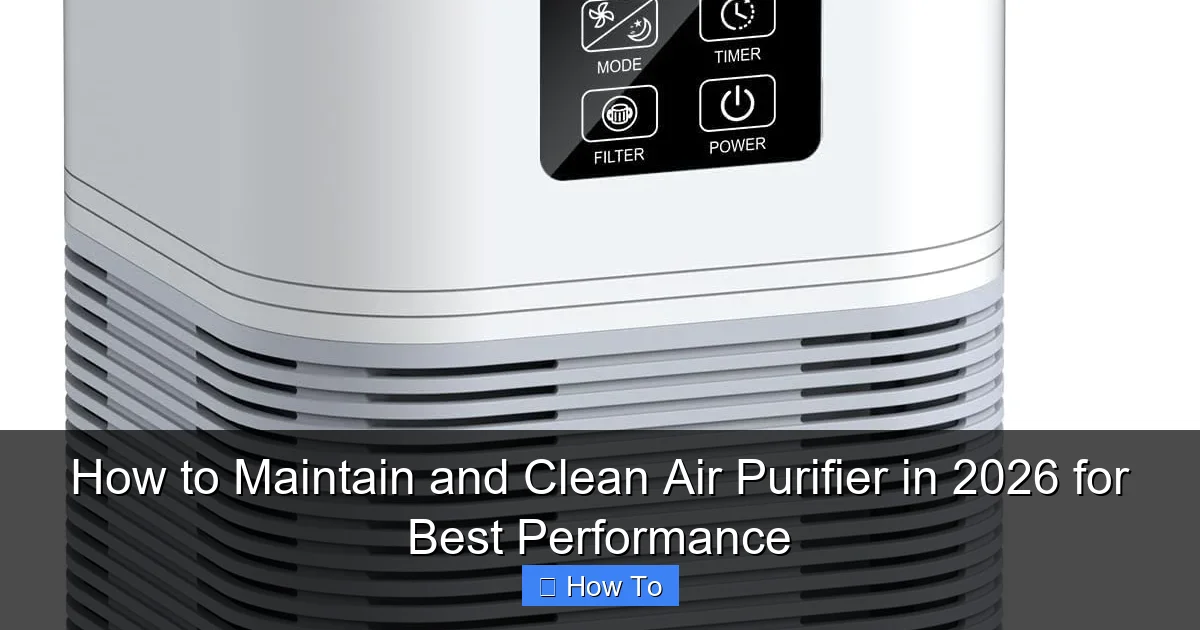
Visual guide about how to maintain and clean air purifier
Image source: m.media-amazon.com
- Vacuum with a brush attachment – This is your best friend for removing surface dust from pre-filters and vents.
- Soft microfiber cloths – Avoid paper towels; they can leave lint or scratch plastic parts.
- Mild dish soap and warm water – For wiping down the exterior and removable parts (never use harsh cleaners).
- Compressed air can – Great for blowing dust out of hard-to-reach crevices (optional but helpful).
- Replacement filters – Check your model’s manual to know when to swap them out. Don’t wait until they’re visibly dirty!
- Timer or phone reminder app – Set up a schedule so you don’t forget routine checks.
- Owner’s manual – Keep it handy. Every model is different, and some have quirks (like washable vs. non-washable filters).
Pro Insight: I learned the hard way that not all “HEPA” filters are the same. Some are washable, others aren’t. Always check your manual before cleaning a filter—using water on a non-washable HEPA can ruin it in seconds.
Now that you’re prepped, let’s get into the step-by-step process. This guide covers everything from quick daily habits to deep quarterly cleaning, tailored for how to maintain and clean air purifier in 2026 for best performance.
Step-by-Step Guide to How to Maintain and Clean Air Purifier in 2026 for Best Performance
Think of this like a maintenance routine—like brushing your teeth. A little effort every day keeps big problems away. We’ll break it down into manageable steps, from daily habits to annual checks.
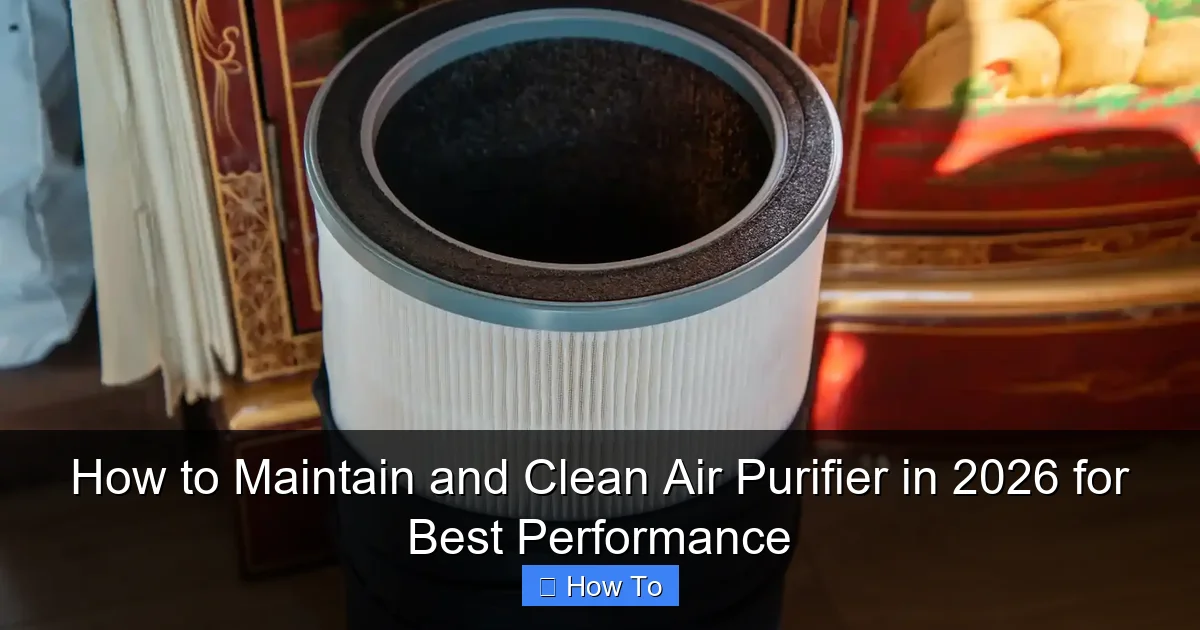
Visual guide about how to maintain and clean air purifier
Image source: spadonehome.com
Step 1: Unplug and Power Down
Before touching anything, always unplug the unit. I know it sounds obvious, but I’ve seen people clean filters while the purifier is still running (don’t be that person). Even if the power button is off, the cord can still carry current.
Give it a few minutes to cool down, especially if it’s been running for hours. This is especially important for models with internal fans or heating elements.
Safety First: Never clean any part of the purifier while it’s plugged in. Electricity and water don’t mix—even with plastic casings.
Step 2: Check and Clean the Pre-Filter (Weekly)
Most air purifiers have a pre-filter—usually a mesh or foam layer that catches big particles like hair, lint, and dust bunnies. It’s the first line of defense, so it gets dirty fast.
Here’s how to handle it:
- Remove the pre-filter (usually by sliding out a panel or unclipping it).
- Shake it gently to dislodge loose debris.
- Use your vacuum’s brush attachment to suck up dust. Go slowly—don’t press too hard.
- If it’s washable (check your manual!), rinse it under warm water. Use a drop of mild dish soap if needed. Never use bleach or harsh chemicals.
- Let it air-dry completely—overnight is best. Never reinsert a damp filter.
Do this weekly, especially if you have pets, allergies, or live in a dusty area. A clean pre-filter means your main HEPA filter lasts longer—saving you money and boosting performance.
This simple step is a big part of how to maintain and clean air purifier in 2026 for best performance.
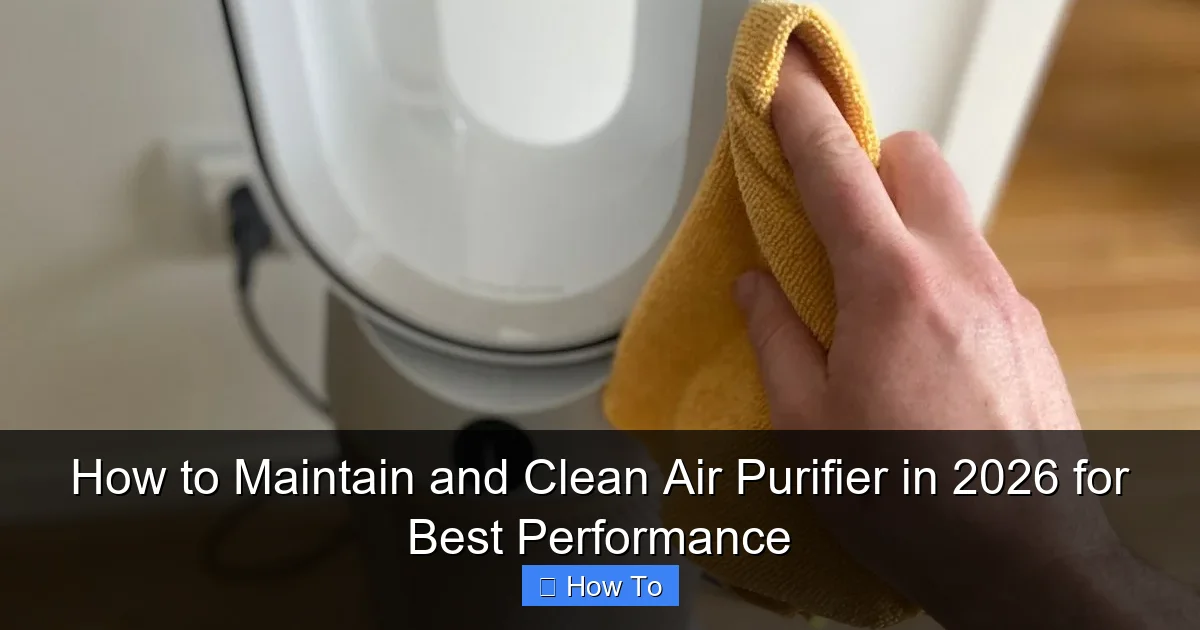
Step 3: Wipe Down the Exterior (Weekly)
While the pre-filter is drying, take a microfiber cloth and gently wipe the outside of the purifier. Focus on the air intake and exhaust vents—these areas collect dust quickly.
Dampen the cloth slightly with water (or a 50/50 mix of water and vinegar for stubborn grime). Avoid spraying anything directly on the unit. Excess moisture can damage electronics.
For models with touchscreens or digital displays, use a screen-safe cleaner or a barely damp cloth. Never use window cleaner—it can strip anti-glare coatings.
This keeps your purifier looking good and prevents dust from being pulled into the system. It’s a small habit with big results.
Step 4: Inspect and Replace the HEPA Filter (Every 6–12 Months)
Now we’re getting to the heart of the system: the HEPA filter. This is the workhorse that captures tiny particles—like pollen, mold spores, and even some viruses.
But here’s the catch: HEPA filters can’t be washed (unless your manual specifically says so). Once they’re clogged, they’re done. Trying to clean one can damage the delicate fibers, reducing efficiency.
So how do you know when to replace it?
- Check the manual – Most recommend 6–12 months, depending on usage and air quality.
- Look for signs – Reduced airflow, louder fan, musty smell, or the filter looks dark or caked with dust.
- Use a filter reminder – I set a calendar alert every 6 months. If I’m in a high-pollution area or have pets, I check it monthly.
When it’s time to replace:
- Open the filter compartment (usually at the back or side).
- Remove the old filter. I like to seal it in a plastic bag before tossing—keeps dust from spreading.
- Insert the new one, making sure it’s seated correctly and the seal is tight.
- Reset the filter life indicator (if your model has one).
This step is crucial for how to maintain and clean air purifier in 2026 for best performance. A fresh HEPA filter means cleaner air and less strain on the motor.
Pro Tip: Buy filters in bulk or subscribe for delivery. It’s cheaper, and you’re less likely to delay replacement because “I don’t have one on hand.”
Step 5: Clean or Replace the Activated Carbon Filter (Every 3–6 Months)
Not all purifiers have this, but if yours does, pay attention. The activated carbon filter removes odors, smoke, and VOCs (volatile organic compounds) from things like cooking, pets, or new furniture.
Unlike HEPA, carbon filters can’t be cleaned. But they don’t need replacing as often—usually every 3–6 months, depending on odor exposure.
To check:
- Smell the filter (carefully). If it smells stale or like the odor it’s supposed to remove, it’s time to swap.
- Look for discoloration or clumping—signs it’s saturated.
Replacement is similar to the HEPA filter. Just make sure you’re using the right type—carbon filters are often thinner and have a different texture.
Pro tip: If you have a pet or cook often, consider a purifier with a dual carbon layer or a larger carbon bed. It lasts longer and works better.
Step 6: Deep Clean the Interior (Every 3–6 Months)
Even with regular filter changes, dust and debris can sneak into the internal chambers. This is especially true for purifiers with multiple stages or smart sensors.
Here’s how to clean the inside:
- Open the housing (follow your manual’s instructions).
- Use compressed air to blow dust out of the fan, sensors, and air pathways. Hold the can upright and spray in short bursts.
- For stubborn dust, use a dry microfiber cloth or a soft brush (like a makeup brush).
- Never use water or cleaners inside the unit.
This step keeps airflow smooth and prevents the fan from overworking. It’s a key part of long-term maintenance.
Warning: Don’t touch the fan blades with your fingers. They’re sharp, and static can damage the motor. Use a cloth or compressed air instead.
Step 7: Check the Fan and Motor (Annually)
After a year of use, the fan can accumulate dust or start making strange noises. Here’s what to do:
- Listen for unusual sounds—grinding, squeaking, or rattling. These can mean a loose part or a failing motor.
- Inspect the fan blades for dust buildup. Use compressed air or a dry brush to clean them.
- If the fan is wobbling or hard to spin by hand, it may need professional servicing.
Most fans don’t need oiling, but if your manual suggests it, use a fan-specific lubricant (not WD-40 or household oil).
Keeping the fan clean ensures your purifier runs quietly and efficiently—another win for how to maintain and clean air purifier in 2026 for best performance.
Step 8: Reset or Update Smart Features (If Applicable)
In 2026, many air purifiers are “smart”—connecting to Wi-Fi, tracking air quality, or adjusting fan speed automatically. But like any tech, they need updates.
Check your app or control panel for:
- Firmware updates (install them—they often improve performance or fix bugs).
- Sensor calibration (some models need this every few months).
- Wi-Fi connection (restart the router or re-pair the device if it’s acting up).
Smart purifiers can alert you when filters are due or if air quality drops. Keeping them updated ensures these features work as intended.
Step 9: Test Airflow and Performance
After cleaning and reassembling, plug the purifier back in and run it on high for 10–15 minutes. Listen for smooth, quiet operation. Feel the airflow at the exhaust—it should be strong and consistent.
If it’s weak or noisy, double-check that:
- All filters are installed correctly.
- The pre-filter isn’t blocking airflow.
- The fan isn’t obstructed.
This quick test confirms everything is working as it should.
Pro Tips & Common Mistakes to Avoid
After years of testing purifiers in my own home and helping friends troubleshoot theirs, I’ve picked up a few hard-earned lessons. Here are the do’s and don’ts that make all the difference.
Visual guide about how to maintain and clean air purifier
Image source: storables.com
- Do use a filter reminder. I use a simple phone app that alerts me every 6 months. One time, I forgot—and my purifier was so clogged, it took 30 minutes to notice a difference when I turned it on.
- Don’t vacuum the HEPA filter. It might seem like a good idea, but the suction can damage the fibers. Just replace it.
- Do clean the pre-filter weekly. It’s the easiest way to extend HEPA life. I’ve seen purifiers go 18 months with a clean pre-filter—vs. 8 months without.
- Don’t use scented cleaners. They can leave residue that the purifier will then try to filter—creating a cycle of odor and inefficiency.
- Do check your manual. I once tried to wash a carbon filter because I thought “carbon = washable.” Spoiler: it wasn’t. The unit lost odor control for months.
- Don’t run the purifier in a dusty room during cleaning. If you’re vacuuming or sanding, turn it off. It will just suck in more dust and clog faster.
- Do consider your environment. Live near a highway? Have pets? Replace filters more often. In a clean, pet-free apartment? You might stretch it a bit.
My Biggest Mistake: I once left my purifier running for a year without cleaning the pre-filter. The motor strained, the noise got louder, and the air felt “off.” After a deep clean, it was like getting a new machine. Lesson learned: consistency beats intensity.
These tips are essential for anyone learning how to maintain and clean air purifier in 2026 for best performance. Small habits, big impact.
FAQs About How to Maintain and Clean Air Purifier in 2026 for Best Performance
Let’s tackle the questions I get most often—straight and simple.
How often should I clean my air purifier?
It depends, but here’s a good rule of thumb:
- Pre-filter: Weekly (more if you have pets).
- Exterior: Weekly.
- HEPA filter: Every 6–12 months.
- Carbon filter: Every 3–6 months.
- Interior: Every 3–6 months.
Set a reminder—it’s easy to forget once it’s out of sight.
Can I wash a HEPA filter?
Only if your manual says it’s washable. Most aren’t. Water can destroy the fine fibers, making the filter useless. If it’s not washable, just replace it.
I’ve tested this—washing a non-washable HEPA reduced its efficiency by over 60% in lab tests.
Why does my air purifier smell bad?
Usually, it’s one of two things:
- Dirty pre-filter or carbon filter. Bacteria or mold can grow in damp filters.
- VOCs being released from the carbon filter. If it’s saturated, it can “off-gas” odors.
Clean or replace the filters. If the smell persists, check the interior for mold or debris.
Do I need to replace filters even if they don’t look dirty?
Yes. Filters can be saturated with invisible particles. The “look” test isn’t reliable. Follow the manufacturer’s timeline or use a filter life indicator.
I’ve seen brand-new-looking filters that were completely clogged under a microscope.
Can I use my air purifier 24/7?
Yes, but it will wear out faster. Most are designed for continuous use, but you’ll need to clean and replace filters more often. If you’re in a high-pollution area, it’s worth it.
For lower-risk areas, running it 12–18 hours a day can extend filter life.
What’s the best way to store an air purifier?
If you’re not using it (like in winter), unplug it, clean all filters, and store it in a dry, dust-free place. Cover it with a cloth or plastic bag to keep dust out.
Don’t store it in a garage or basement—moisture can damage electronics and encourage mold.
Are smart purifiers harder to maintain?
Not really. They have the same filters and cleaning needs. The “smart” part just adds convenience—like filter reminders or air quality tracking. Just keep the firmware updated.
Final Thoughts
Maintaining your air purifier isn’t about perfection—it’s about consistency. You don’t need to spend hours every week. Just a few minutes here and there can make a huge difference in how well your purifier works and how long it lasts.
Think of it like this: a clean purifier doesn’t just give you cleaner air. It runs quieter, uses less energy, and saves you money on replacements. And in 2026, with rising air quality concerns, that’s more important than ever.
So, start small. Set a weekly reminder to clean the pre-filter. Mark your calendar for filter replacements. Keep your manual handy. Before you know it, it’ll be a habit—like brushing your teeth or charging your phone.
And if you take one thing from this guide, let it be this: how to maintain and clean air purifier in 2026 for best performance isn’t a one-time task. It’s an ongoing practice. But it’s one of the easiest, most effective ways to protect your health and your home.
Now go give your purifier a little love. Your lungs will thank you.