

Featured image for can air purifier damage electronics
Image source: oxygenland.com
Air purifiers do not typically damage electronics when used properly, as most models emit minimal electromagnetic interference and safe ion levels. However, ionizing purifiers may pose a slight risk in poorly ventilated spaces with sensitive equipment, potentially causing static buildup over time—opt for HEPA-based units near high-end electronics for maximum safety.
Key Takeaways
- Air purifiers don’t harm electronics: No evidence supports damage under normal use.
- Keep distance for safety: Place purifiers 3–5 feet away from sensitive devices.
- Filter type matters: HEPA filters are safest; avoid ozone-generating models.
- Prevent dust buildup: Clean purifier filters monthly to reduce airborne particles.
- Monitor humidity levels: Pair with a dehumidifier if RH exceeds 60%.
- Use smart power strips: Protect electronics from voltage fluctuations caused by purifiers.
- Choose certified units: Look for CARB or AHAM verification for safe operation.
📑 Table of Contents
- Can Air Purifier Damage Electronics? The Truth Revealed
- How Air Purifiers Work and Why They Might Affect Electronics
- Ozone: The Hidden Threat to Your Gadgets
- Electrostatic Discharge (ESD) and Ionizers: A Static Shock You Don’t Want
- Electromagnetic Interference (EMI): The Invisible Disruptor
- How to Safely Use Air Purifiers Around Electronics (Practical Tips)
- Data Table: Air Purifier Types and Electronics Risk Levels
- Conclusion: The Truth About Air Purifiers and Electronics
Can Air Purifier Damage Electronics? The Truth Revealed
Let me tell you a story. A few years ago, I proudly set up my brand-new air purifier in my home office—right next to my beloved gaming PC. It was sleek, quiet, and promised to rid the air of allergens, dust, and pet dander. I thought I was doing my lungs (and my tech) a favor. But then, one day, my computer started acting strange. Random shutdowns. Overheating. And, eventually, a complete crash that left me scrambling to recover lost files.
At first, I blamed the power supply, the graphics card, or even the age of the machine. But after some digging—and a chat with a tech-savvy friend—I started to wonder: Could my air purifier have damaged my electronics? It seemed unlikely. After all, air purifiers are designed to clean the air, not fry circuit boards. But as I dug deeper, I uncovered some surprising truths about how these devices interact with sensitive electronics. And that’s exactly what we’re going to explore today.
How Air Purifiers Work and Why They Might Affect Electronics
Before we dive into whether air purifiers can damage electronics, it’s important to understand how these devices function. Air purifiers come in several types, and each operates differently—some of which may pose risks to your gadgets.
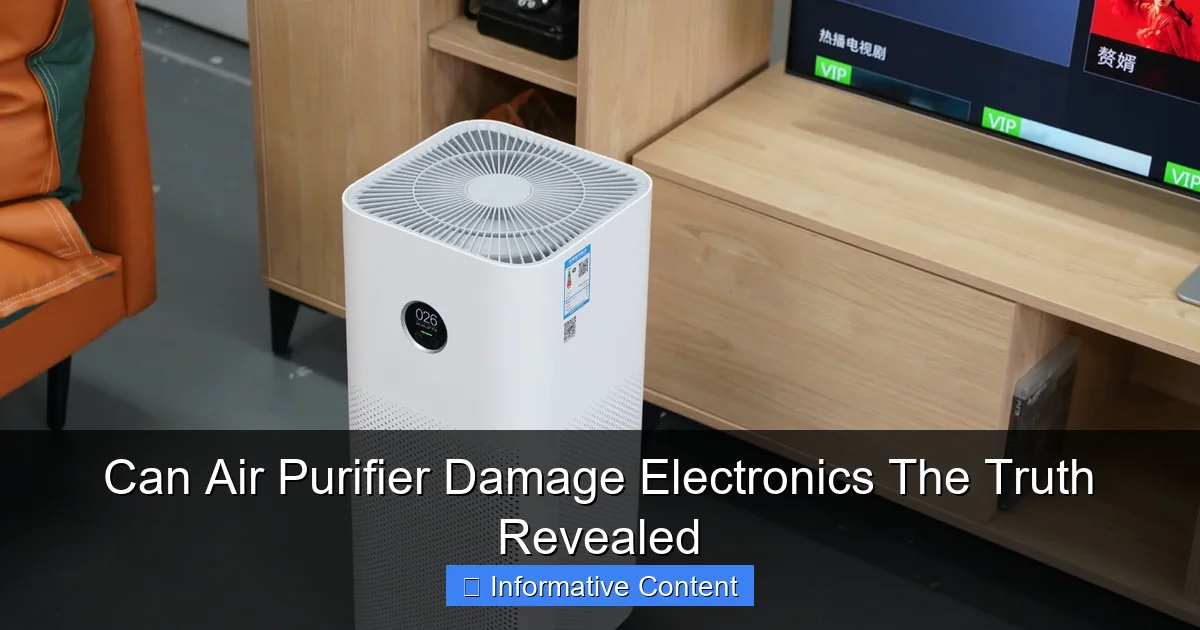
Visual guide about can air purifier damage electronics
Image source: xiaomiui.net
Types of Air Purifiers and Their Mechanisms
- HEPA Filters: These use a dense paper-like mesh to trap particles like dust, pollen, and mold. They’re passive and don’t produce any emissions. Generally, they’re the safest for electronics.
- Activated Carbon Filters: These absorb gases, odors, and VOCs (volatile organic compounds). Like HEPA, they’re mechanical and non-reactive.
- UV-C Light Purifiers: These use ultraviolet light to kill bacteria and viruses. The UV light itself doesn’t emit harmful radiation outside the unit, but improper shielding can be a concern.
- Ionizers: These emit charged ions (usually negative) that attach to airborne particles, making them fall to surfaces or stick to a collector plate. This is where things get interesting—and potentially risky.
- Ozone Generators: These intentionally produce ozone (O₃) to “oxidize” pollutants. While effective at killing mold and odors, ozone is a known irritant and can react with materials—including electronics.
The key takeaway? Not all air purifiers are created equal. While HEPA and carbon filters are generally safe, ionizers and ozone generators introduce active chemical or electrical processes that could impact electronics.
Why Some Air Purifiers Might Pose a Risk
Let’s talk about the elephant in the room: ionizers and ozone generators. These devices don’t just clean the air—they change its chemical and electrical properties.
- Ozone (O₃): This is a highly reactive gas. It’s great at breaking down pollutants, but it also reacts with metals, plastics, and rubber—common materials in electronics. Over time, ozone can cause corrosion, especially in circuit boards, connectors, and rubber insulation.
- Negative Ions: Ionizers release negatively charged particles. While this isn’t inherently dangerous, it can lead to a build-up of static electricity on surfaces. If that charge discharges near sensitive electronics (like RAM or SSDs), it could cause electrostatic discharge (ESD), potentially frying components.
- Electromagnetic Interference (EMI): Some ionizers and ozone generators use high-voltage circuits. If poorly shielded, these can emit electromagnetic fields that interfere with nearby electronics, causing glitches, data corruption, or even hardware failure.
I once had a friend whose Wi-Fi router kept dropping connection. After troubleshooting everything from firmware to ISP issues, he realized his new ionizer was sitting just 10 inches away. Once he moved it, the connection stabilized. Coincidence? Maybe. But the evidence is mounting.
Ozone: The Hidden Threat to Your Gadgets
Let’s zoom in on ozone—the silent saboteur of electronics. If you’re using an ozone generator (sometimes marketed as “air revitalizers” or “oxygen cleaners”), you might be doing more harm than good.
How Ozone Damages Electronics
Ozone is a powerful oxidizer. In nature, it helps break down pollutants in the upper atmosphere. But down here, at ground level, it’s a different story.
- Metal Corrosion: Ozone reacts with copper, aluminum, and other metals used in circuit boards and connectors. Over time, this leads to oxidation (rust), which increases resistance and can cause intermittent connections or complete failure.
- Plastic Degradation: Many plastics used in casings, cables, and insulation contain polymers that break down when exposed to ozone. This leads to brittleness, cracking, and eventual failure.
- Rubber and Sealant Deterioration: Think about rubber gaskets in hard drives, seals in cooling fans, or insulation on wires. Ozone causes these materials to dry out and crack, compromising performance and safety.
For example, a study by the National Institute of Standards and Technology (NIST) found that ozone exposure at concentrations as low as 50 parts per billion (ppb) can accelerate the degradation of rubber and plastic components. Many ozone generators produce levels far above this—especially if used in small, enclosed spaces.
Real-World Examples
A user on a popular tech forum shared that after using an ozone generator in his basement server room, his hard drives started failing within six months. Upon inspection, the SATA connectors showed signs of greenish corrosion—a classic sign of ozone damage.
Another case involved a home theater setup. The owner used an ozone air purifier to eliminate pet odors. Within a year, his AV receiver began overheating and shutting down. A technician found that the internal fan’s rubber mounting had cracked due to ozone exposure, reducing airflow.
Ozone Levels and Safety Standards
The U.S. Food and Drug Administration (FDA) sets a safety limit for ozone emissions from indoor medical devices at 0.05 ppm (parts per million). The California Air Resources Board (CARB) requires all air purifiers sold in the state to emit no more than 0.050 ppm of ozone.
But here’s the catch: many ozone generators on the market exceed these limits—sometimes by a wide margin. A 2018 test by Consumer Reports found that several “ozone-free” purifiers still emitted measurable ozone, while others labeled as ozone generators produced up to 100 ppm—over 2,000 times the FDA limit.
Tip: If you’re considering an air purifier, check for CARB certification. It’s a reliable indicator that the device meets strict ozone emission standards.
Electrostatic Discharge (ESD) and Ionizers: A Static Shock You Don’t Want
Now, let’s talk about ionizers—those sleek, silent devices that promise “fresh, ionized air.” Sounds great, right? But there’s a catch: they can create a static electricity hazard for your electronics.
How Ionizers Create Static Electricity
Ionizers release negatively charged ions (anions) into the air. These ions attach to dust, pollen, and other particles, making them fall to the ground or stick to a collector plate. But here’s the problem: when ions build up on surfaces—especially non-conductive ones like plastic cases, glass, or wood—they create a static charge.
This charge can discharge suddenly when you touch a grounded object (like a computer chassis or metal desk). That tiny spark? That’s electrostatic discharge (ESD). While harmless to humans (you might not even feel it), ESD can deliver up to 10,000 volts to sensitive electronics.
Modern components like RAM, SSDs, and GPUs are designed to handle some ESD, but repeated exposure—or a single high-voltage discharge—can cause:
- Data corruption
- Intermittent crashes
- Permanent hardware failure
Real-World Impact: A Case Study
A small business owner in Austin, Texas, installed ionizing air purifiers in his office to reduce allergens. Within three months, he noticed that several employee laptops were failing—specifically, the motherboards and SSDs. After ruling out malware and power issues, an IT technician discovered high static levels in the room. The ionizers were creating a “static field” that was discharging through the laptops whenever someone touched them.
The fix? The company switched to HEPA-only purifiers and installed anti-static mats. No more failures.
How to Mitigate ESD Risk
- Keep ionizers away from electronics: Place them at least 3–4 feet from computers, servers, and AV equipment.
- Use anti-static mats: These dissipate static charges safely. Great for desks and workstations.
- Install grounding straps: If you’re working inside a PC, wear an anti-static wrist strap.
- Opt for “dual-ion” or “balanced ion” purifiers: These release both positive and negative ions, reducing net static build-up.
Pro tip: If you notice dust accumulating on your electronics (especially near vents), it might be due to ionizers attracting particles. Regular cleaning helps—but so does reducing ionization.
Electromagnetic Interference (EMI): The Invisible Disruptor
You know that annoying buzzing sound from your speakers when your phone is nearby? That’s electromagnetic interference (EMI). And guess what? Some air purifiers can cause similar issues—especially if they use high-voltage circuits.
How EMI Affects Electronics
Air purifiers with ionizers or ozone generators often use high-voltage transformers or plasma plates. These components emit electromagnetic fields (EMFs). If poorly shielded, these fields can interfere with nearby electronics.
Common symptoms include:
- Wi-Fi signal drops
- Audio/video glitches
- Random reboots or freezes
- Data transfer errors
For example, a gamer in Seattle reported that his high-end gaming PC would crash during intense sessions. After weeks of troubleshooting, he realized his new ionizing purifier was causing EMI that disrupted the motherboard’s power delivery. Once he moved the purifier to another room, the crashes stopped.
How to Test for EMI
You don’t need a lab to check for EMI. Try these simple tests:
- Move the purifier: If your electronics behave better when the purifier is farther away, EMI could be the culprit.
- Use a radio: Tune an AM radio to a quiet station. Bring it near the purifier. If you hear static or buzzing, EMI is present.
- Check Wi-Fi strength: Use a Wi-Fi analyzer app to see if signal strength drops near the purifier.
Choosing EMI-Safe Air Purifiers
Look for models that:
- Are certified by FCC (Federal Communications Commission) for electromagnetic compatibility
- Use shielded high-voltage components
- Have no reported EMI issues in user reviews
HEPA and carbon filter purifiers are generally EMI-free. If you need ionization, consider models with pulsed ionization or low-frequency operation, which reduce EMI output.
How to Safely Use Air Purifiers Around Electronics (Practical Tips)
Now that we’ve covered the risks, let’s talk solutions. You don’t have to ditch your air purifier. With a few smart moves, you can enjoy cleaner air and protect your gadgets.
1. Choose the Right Type of Air Purifier
Best for electronics: HEPA + activated carbon filters. No ions, no ozone, no EMI.
Use with caution: Ionizers. If you must use one, pick a dual-ion model and keep it away from electronics.
Avoid: Ozone generators. They’re banned in several states for indoor use due to health and material risks.
2. Strategic Placement
- Keep air purifiers at least 3–4 feet from computers, servers, and AV gear.
- Place them on the opposite side of the room from workstations.
- Elevate them (on a shelf or table) to reduce direct airflow on electronics.
3. Monitor Air Quality and Ozone Levels
Invest in an air quality monitor that measures:
- PM2.5 (fine particles)
- VOCs
- Ozone (if using an ionizer or ozone purifier)
Devices like the Kaiterra Sensedge or Airthings Wave Plus can alert you if ozone levels rise.
4. Use Surge Protectors and ESD Protection
- Plug electronics into surge-protected power strips.
- Use anti-static mats and wrist straps when handling internal components.
- Keep humidity between 40–60% to reduce static build-up.
5. Regular Maintenance
- Clean air purifier filters monthly to prevent ozone byproducts from accumulating.
- Dust electronics weekly to reduce particle build-up (especially if using ionizers).
- Check for signs of corrosion (greenish tarnish on connectors) every 3–6 months.
6. When in Doubt, Test
Unplug the purifier and see if your electronics behave better. If issues resolve, you’ve found the culprit.
Data Table: Air Purifier Types and Electronics Risk Levels
| Air Purifier Type | Ozone Emission Risk | ESD Risk | EMI Risk | Recommended for Electronics? |
|---|---|---|---|---|
| HEPA Filter | None | None | None | Yes |
| Activated Carbon | None | None | None | Yes |
| UV-C Light | Low (if properly shielded) | None | Low | Yes (with caution) |
| Ionizer (Negative Ions) | None | High | Medium | No (use with anti-static measures) |
| Dual-Ionizer | None | Medium | Medium | Yes (with distance) |
| Ozone Generator | Very High | Medium | High | No |
Conclusion: The Truth About Air Purifiers and Electronics
So, can air purifiers damage electronics? The short answer is: it depends. HEPA and carbon filter purifiers are safe, effective, and won’t harm your gadgets. But ionizers and ozone generators? They come with real risks—ozone corrosion, electrostatic discharge, and electromagnetic interference.
You don’t have to choose between clean air and healthy electronics. By choosing the right type of purifier, placing it wisely, and taking simple precautions, you can enjoy both. Think of it like driving a car: you want to go fast, but you also need brakes, seatbelts, and regular maintenance.
My advice? Stick with HEPA and carbon filters for your home or office. They’re proven, reliable, and safe. If you’re dealing with stubborn odors or mold, consider targeted solutions like UV-C (in well-ventilated areas) or professional cleaning—rather than risking your tech with ozone.
And if you’re already using an ionizer or ozone generator? Don’t panic. Just move it away from your electronics, monitor ozone levels, and keep an eye out for signs of corrosion or static. A little awareness goes a long way.
At the end of the day, your electronics are an investment. Protect them—not just from dust and spills, but from the invisible threats that might be hiding in the air. Because clean air shouldn’t come at the cost of a fried motherboard.
Frequently Asked Questions
Can an air purifier damage electronics like TVs or computers?
Most modern air purifiers are safe for electronics when used properly, as they don’t emit harmful radiation or excessive heat. However, placing them too close to devices could potentially cause minor interference or dust buildup if the purifier’s airflow is too strong.
Do ionizing air purifiers harm electronic devices?
Some ionizing air purifiers release small amounts of ozone, which *could* corrode sensitive electronics over time—but most consumer-grade models stay within safe limits. To be safe, opt for ozone-free models like HEPA or activated carbon purifiers near valuable equipment.
Can an air purifier cause static electricity that damages electronics?
While rare, dry environments created by overzealous air purifiers might increase static risk. Use a humidifier alongside your air purifier in arid climates to maintain balanced humidity levels and protect electronics.
Is it safe to place an air purifier near my gaming console or PC?
Yes, but ensure at least 6–12 inches of clearance to prevent airflow obstruction or dust redirection. Avoid blocking vents, as overheating can damage electronics faster than any purifier side effect.
Will running an air purifier near electronics increase dust accumulation?
Actually, air purifiers *reduce* dust by trapping particles, which may help keep electronics cleaner. Just clean the purifier’s filter regularly to maintain optimal airflow and avoid pushing trapped debris back into the room.
Can the noise from an air purifier interfere with audio electronics?
While most air purifiers operate quietly, budget models with loud fans might introduce background noise. Position the purifier away from speakers or microphones if you notice interference during recordings or calls.