

Featured image for how to change holmes air purifier filter
Image source: images.nexusapp.co
Changing your Holmes air purifier filter is quick and essential for optimal performance—start by turning off and unplugging the unit. Locate the filter compartment, remove the old filter, and insert the new one, ensuring it’s properly aligned and sealed. Follow the 2026 guide’s step-by-step instructions to extend your purifier’s lifespan and maintain clean, healthy air.
Key Takeaways
- Turn off and unplug the purifier before replacing the filter for safety.
- Locate the filter compartment by removing the front or side panel as directed.
- Remove the old filter carefully to avoid spreading trapped particles.
- Insert the new filter with the airflow arrow pointing toward the unit.
- Reassemble and reset the unit, then press the filter reset button if available.
- Replace filters regularly every 3–6 months for optimal performance.
📑 Table of Contents
- How to Change Holmes Air Purifier Filter 2026 Guide
- Why Replacing Your Holmes Air Purifier Filter Matters
- Identifying Your Holmes Air Purifier Model
- Step-by-Step Guide to Changing Your Holmes Air Purifier Filter
- Tips for Maintaining Your Holmes Air Purifier
- Troubleshooting Common Filter Issues
- Conclusion
How to Change Holmes Air Purifier Filter 2026 Guide
It’s a quiet Tuesday evening, and you’re curled up on the couch with a good book, enjoying the soft hum of your Holmes air purifier in the background. You’ve had it for over a year now, and it’s been a reliable companion—especially during allergy season or when wildfire smoke rolls into town. But lately, you’ve noticed something: the air doesn’t feel quite as fresh. The unit seems to be working harder, and that once-pleasant hum now sounds more like a strained groan. You check the filter indicator light—yep, it’s blinking red. It’s time.
Changing the filter in your Holmes air purifier might seem like a small task, but it’s one of the most important things you can do to keep your indoor air clean and your device running efficiently. A clogged or old filter doesn’t just reduce performance—it can actually make your air quality worse by recirculating trapped pollutants. And let’s be honest, nobody wants to breathe in yesterday’s dust, pollen, or pet dander. The good news? Replacing your Holmes air purifier filter is simpler than you might think. Whether you’re a first-time user or just need a refresher, this 2026 guide walks you through every step—clearly, calmly, and without the jargon. No tools required, no guesswork, just straightforward advice to help you breathe easier.
Why Replacing Your Holmes Air Purifier Filter Matters
Think of your air purifier’s filter like the lungs of your home. Just as your lungs work to filter out harmful particles from the air you breathe, the filter in your Holmes unit captures dust, mold spores, pet dander, smoke, and even some bacteria and viruses. Over time, these trapped particles build up, reducing the filter’s ability to capture new contaminants. When that happens, your purifier has to work harder to push air through, which can lead to louder operation, higher energy use, and even premature motor wear.
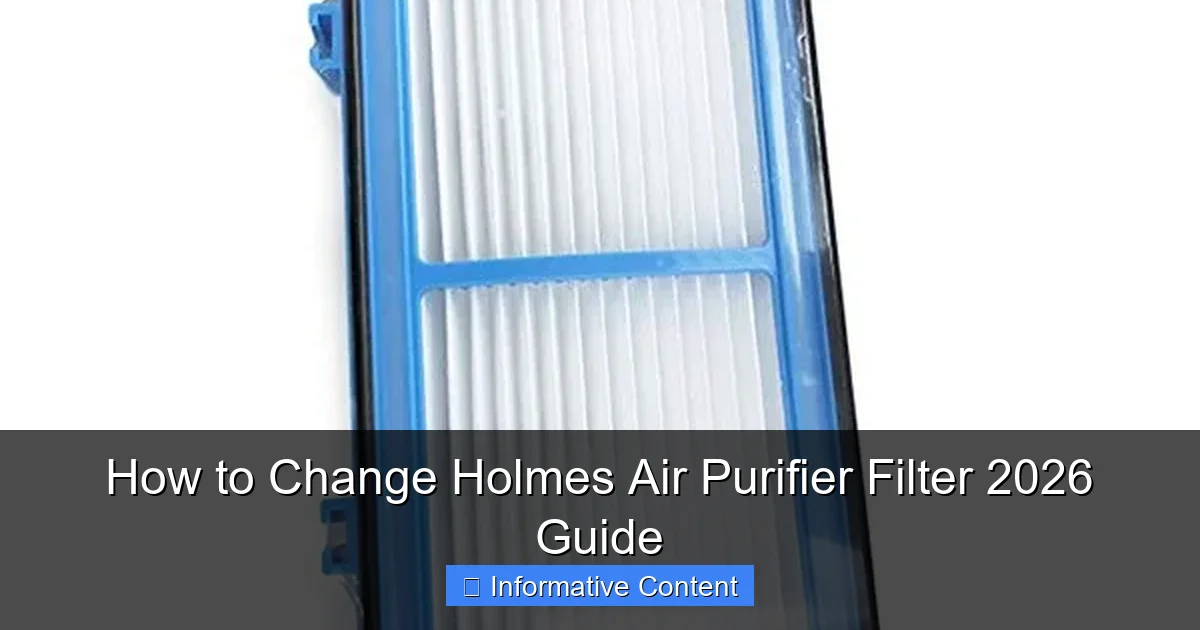
Visual guide about how to change holmes air purifier filter
Image source: images.nexusapp.co
How Often Should You Change the Filter?
Most Holmes air purifiers recommend replacing the filter every 3 to 6 months, depending on usage and air quality. If you live in a city with high pollution, have pets, or suffer from allergies, you may need to change it closer to every 3 months. On the other hand, if you use the purifier occasionally in a clean environment, you might stretch it to 6 months. But don’t just rely on the calendar—many newer Holmes models come with a filter change indicator light that turns yellow or red when it’s time for a replacement. This is your best cue.
Signs Your Filter Needs Replacing
Even without an indicator light, there are telltale signs your filter is due for a change:
- Reduced airflow: If you notice the purifier isn’t pushing out as much air as it used to, the filter is likely clogged.
- Unpleasant odors: A dirty filter can start to smell musty or stale, especially if it’s been trapping moisture or organic particles.
- Increased allergy symptoms: If you or your family members are sneezing more or experiencing worse asthma symptoms, the filter may no longer be capturing allergens effectively.
- Visible dirt or discoloration: If you can see a thick layer of gray or black buildup on the filter, it’s definitely time for a swap.
What Happens If You Don’t Change the Filter?
Ignoring a dirty filter isn’t just about reduced performance—it can actually make your indoor air worse. A saturated filter can become a breeding ground for mold and bacteria, especially in humid environments. When the purifier runs, it can blow these microbes back into your living space. Additionally, a clogged filter forces the motor to work harder, which can shorten the lifespan of your unit and increase your electricity bill. In short: changing the filter isn’t optional—it’s essential for health, efficiency, and longevity.
Identifying Your Holmes Air Purifier Model
Before you rush out to buy a new filter, it’s crucial to know exactly which model you have. Holmes makes a wide range of air purifiers, from compact desktop units to large-room tower models, and each uses a different filter type. Using the wrong filter can lead to poor performance, air leaks, or even damage to the unit.
Where to Find Your Model Number
The model number is usually located on a sticker or label on the back or bottom of the unit. It typically starts with letters like “HAP,” “HAH,” or “HFD,” followed by numbers (e.g., HAP424, HFD600). If you can’t find it on the unit, check the original packaging, user manual, or the Holmes website using your purchase receipt or serial number.
Common Holmes Air Purifier Models and Their Filters
Here are a few popular models and their compatible filters to help you get started:
| Model Number | Filter Type | Filter Life | Room Size |
|---|---|---|---|
| HAP424 | HAPF40 | 3–6 months | Up to 160 sq ft |
| HFD600 | HAPF600 | 3–6 months | Up to 254 sq ft |
| HAH600 | HAPF300 | 3–6 months | Up to 160 sq ft |
| HAP122-U | HAPF30 | 3–6 months | Up to 100 sq ft |
| HFD300 | HAPF300 | 3–6 months | Up to 160 sq ft |
Always double-check your model number before purchasing a replacement filter. You can also visit the official Holmes website or use their filter finder tool to confirm compatibility.
Original vs. Generic Filters: What’s the Difference?
You might be tempted to save a few bucks by buying a generic or third-party filter. While these can work in a pinch, they often don’t meet the same standards as genuine Holmes filters. Original filters are designed specifically for your model, ensuring proper fit, airflow, and filtration efficiency. Generic filters may be thinner, less dense, or made from lower-quality materials, which can reduce performance and even void your warranty. If you do opt for a generic filter, make sure it’s labeled as compatible with your exact model and has good customer reviews.
Step-by-Step Guide to Changing Your Holmes Air Purifier Filter
Now that you know why it’s important and which filter you need, let’s get into the actual process. Changing the filter in a Holmes air purifier is designed to be user-friendly—no tools, no complicated steps. Here’s how to do it safely and effectively.
Step 1: Turn Off and Unplug the Unit
Safety first. Always turn off your air purifier and unplug it from the wall before replacing the filter. This prevents accidental startup and protects you from electrical shock. Even if the unit seems off, there could still be residual power in the circuit.
Step 2: Locate the Filter Compartment
Most Holmes air purifiers have a front or side panel that opens to reveal the filter. Look for a latch, clip, or sliding cover. On tower models, the front grille usually pops off with a gentle tug. On desktop or compact units, the filter may be accessed from the back or bottom. If you’re unsure, consult your user manual—Holmes often includes a diagram showing the filter location.
Step 3: Remove the Old Filter
Once the compartment is open, gently pull out the old filter. It may be snug, especially if it’s been in place for a while. Avoid forcing it—wiggle it slightly if needed. Take note of how the filter is positioned (front vs. back, arrow direction, etc.) so you can install the new one correctly.
Step 4: Clean the Interior (Optional but Recommended)
While the filter is out, take a moment to wipe down the inside of the unit with a dry or slightly damp cloth. Dust and debris can accumulate around the fan or housing, reducing efficiency. Avoid using water directly on electrical components. If there’s visible mold or mildew, use a cloth lightly dampened with a mild vinegar solution (1 part vinegar to 3 parts water), then dry thoroughly before reassembling.
Step 5: Install the New Filter
Take your new Holmes filter out of the packaging. Some filters come with a plastic wrap or protective cover—remove it before installation. Check for an arrow or label indicating airflow direction (usually pointing toward the unit). Slide the filter into place, making sure it sits flat and secure. Close the compartment and ensure it clicks or locks into position.
Step 6: Reset the Filter Indicator (If Applicable)
If your model has a filter change indicator light, you’ll need to reset it after installing the new filter. This is usually done by holding down the “Filter” or “Reset” button for 3–5 seconds until the light turns green or goes off. Refer to your manual for specific instructions, as the process varies by model.
Step 7: Plug In and Test
Plug the unit back in and turn it on. Listen for smooth operation and check that air is flowing freely. If the unit seems louder than usual or isn’t working, double-check that the filter is installed correctly and the compartment is fully closed.
Tips for Maintaining Your Holmes Air Purifier
Changing the filter is just one part of keeping your air purifier in top shape. Regular maintenance ensures it runs efficiently and lasts longer. Here are some practical tips to get the most out of your Holmes unit.
Clean the Exterior and Vents Weekly
Dust and pet hair can accumulate on the exterior and intake vents, blocking airflow. Use a soft, dry cloth or a vacuum with a brush attachment to gently clean these areas once a week. Avoid using harsh chemicals or abrasive materials that could scratch the surface.
Vacuum the Pre-Filter (If Your Model Has One)
Some Holmes models include a washable pre-filter that captures larger particles like hair and dust. This filter can usually be vacuumed or rinsed under cool water every 2–4 weeks. Let it dry completely before reinstalling. Never use the unit with a wet pre-filter.
Keep the Unit in an Open Area
For optimal performance, place your air purifier at least 6–12 inches away from walls, furniture, or curtains. This allows for proper air intake and circulation. Avoid placing it in corners or enclosed spaces where airflow is restricted.
Run It Consistently
Air purifiers work best when used regularly. Even if you don’t notice immediate changes, running your Holmes unit daily—especially in high-traffic or high-pollution areas—helps maintain cleaner air over time. Set it to auto mode or use a timer to keep it running during peak allergy hours (early morning and evening).
Monitor Air Quality
Consider using an indoor air quality monitor to track pollutants like PM2.5, VOCs, and humidity. This can help you determine when to run your purifier more frequently or adjust settings. Some smart Holmes models even connect to apps that provide real-time air quality data.
Troubleshooting Common Filter Issues
Even with proper care, you might run into a few hiccups when changing or using your Holmes air purifier filter. Here’s how to handle some common problems.
Filter Doesn’t Fit Properly
If the new filter seems too big, too small, or won’t stay in place, double-check the model number. You may have ordered the wrong filter. Also, ensure the filter isn’t upside down or backwards—many have directional arrows. If the compartment feels tight, gently wiggle the filter as you insert it.
Indicator Light Won’t Reset
If the filter change light stays on after replacement, try unplugging the unit for 1–2 minutes, then plug it back in and reset the button. If that doesn’t work, consult your manual or contact Holmes customer support. Sometimes a firmware glitch or sensor issue requires professional assistance.
Unit Makes Noise After Filter Change
A new filter can sometimes cause temporary noise as the motor adjusts to the improved airflow. If the noise persists, check that the filter is seated correctly and the compartment is fully closed. Also, ensure the unit is on a flat, stable surface—vibrations can amplify sound.
Reduced Performance After Replacement
If your purifier seems less effective after changing the filter, it could be due to a defective or low-quality replacement. Try reinstalling the filter or testing with a different one. Also, make sure you’re using the correct filter type—using a lower-efficiency filter can reduce performance.
Conclusion
Changing the filter in your Holmes air purifier is one of the simplest yet most impactful things you can do for your home’s air quality. It takes just a few minutes, costs relatively little, and can make a world of difference in how you feel—especially if you’re sensitive to allergens, live in a polluted area, or have pets. By following this 2026 guide, you’ll not only extend the life of your unit but also ensure it’s working at peak efficiency to protect your health.
Remember, consistency is key. Set a calendar reminder every 3 months, keep an eye on that indicator light, and don’t wait until the air feels stale to take action. Your lungs—and your peace of mind—will thank you. And the next time you’re curled up on the couch with that book, you can breathe easy knowing your Holmes air purifier is doing its job quietly and effectively, just as it should.
Frequently Asked Questions
How do I know when to change my Holmes air purifier filter?
Most Holmes air purifiers have a filter replacement indicator light that turns on when it’s time to change the filter, typically every 6–12 months depending on usage. You may also notice reduced airflow or lingering odors as signs that the filter needs replacement.
What type of filter does my Holmes air purifier need?
Holmes air purifier models use specific filter types, usually labeled as HEPA, carbon, or pre-filters—check your user manual or the existing filter’s label for the exact model number. Always match the replacement filter to your purifier’s model to ensure proper function.
How to change Holmes air purifier filter in 5 simple steps?
Power off the unit, open the front or side panel, remove the old filter, insert the new filter with airflow arrows pointing correctly, then close the panel and reset the filter indicator if applicable. Refer to your model’s manual for detailed instructions.
Can I clean and reuse my Holmes air purifier filter?
Most Holmes filters, especially HEPA and carbon types, are not washable and should be replaced when dirty. Pre-filters can sometimes be vacuumed lightly, but replacement is recommended for optimal air quality.
Where can I buy genuine replacement filters for my Holmes air purifier?
You can purchase authentic Holmes air purifier filters directly from the Holmes website, Amazon, or major retailers like Walmart and Home Depot. Always verify compatibility with your model before buying.
Is it difficult to reset the filter indicator after changing the Holmes air purifier filter?
No—resetting the filter indicator is usually simple: press and hold the filter reset button for 3–5 seconds after installing the new filter. Check your user manual for the exact reset steps for your model.