
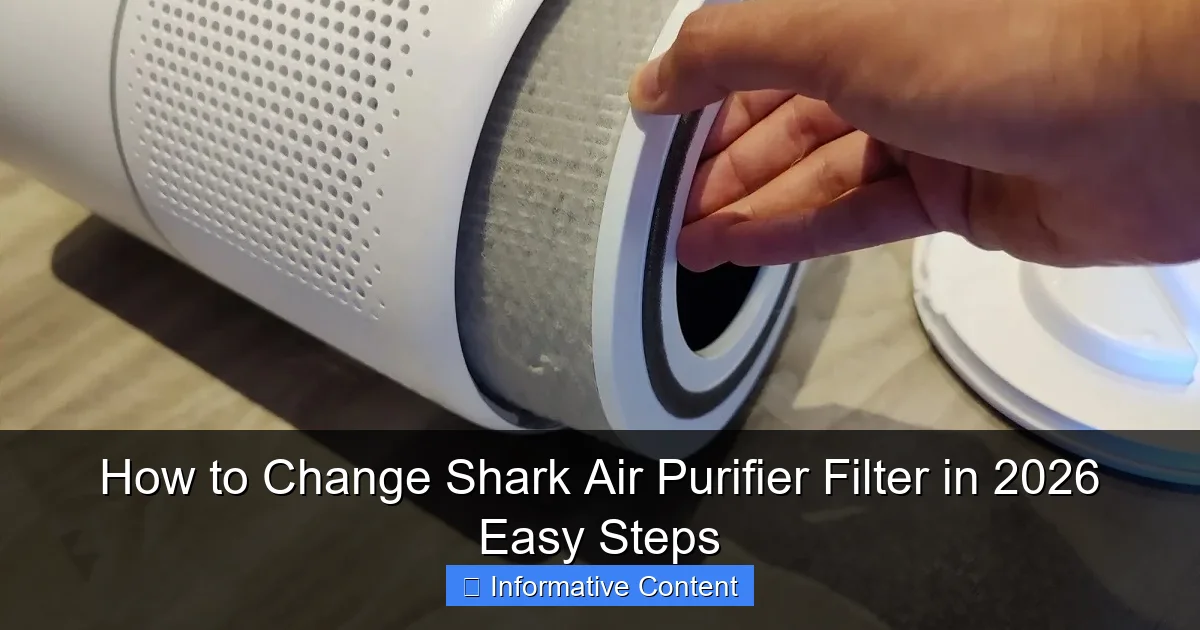
Featured image for how to change shark air purifier filter
Image source: storables.com
Changing your Shark Air Purifier filter in 2026 is quick and easy with just a few simple steps. Start by turning off and unplugging the unit, then remove the front panel to access the old filter—replace it with a genuine Shark replacement for optimal performance. Reassemble the purifier, reset the filter indicator, and enjoy cleaner, fresher air in minutes.
Key Takeaways
- Power off first: Always unplug the purifier before starting.
- Locate the filter: Check the back or side panel for the access point.
- Remove old filter: Slide it out gently to avoid debris spillage.
- Insert new filter: Align arrows and push until it clicks securely.
- Reset filter indicator: Hold the reset button for 5 seconds.
- Check airflow: Run a quick test to ensure smooth operation.
📑 Table of Contents
- Why Changing Your Shark Air Purifier Filter Matters
- Know Your Shark Air Purifier Model and Filter Type
- Gather Your Tools and Replacement Filter
- Step-by-Step Guide to Changing the Filter
- Reset the Filter Change Indicator (If Applicable)
- Maintenance Tips to Extend Filter Life and Performance
- Conclusion: Breathe Easier with a Well-Maintained Purifier
Why Changing Your Shark Air Purifier Filter Matters
Let’s face it—clean air isn’t just a luxury; it’s a necessity. Whether you’re battling seasonal allergies, dealing with pet dander, or just trying to keep your home smelling fresh, your Shark air purifier is likely one of your most trusted appliances. But here’s the thing: even the best air purifier won’t do its job if the filter isn’t changed regularly. I learned this the hard way after noticing my purifier was louder than usual and the air in my apartment felt stuffier. A quick inspection revealed a filter so clogged with dust and hair, it looked like a furry dust bunny had taken up residence. That’s when I realized how crucial it is to change the Shark air purifier filter on time.
Neglecting filter changes isn’t just about reduced performance. A dirty filter forces your purifier to work harder, increasing energy use and potentially shortening its lifespan. Worse, it can recirculate trapped allergens and pollutants back into the air. The good news? Changing the filter is one of the easiest home maintenance tasks you can do—once you know how. In this guide, I’ll walk you through every step, from checking your model to installing a new filter, with tips to make the process foolproof. Whether you own a Shark HE400, HE600, or any other model, this guide has you covered for 2026 and beyond.
Know Your Shark Air Purifier Model and Filter Type
Step 1: Identify Your Model (It Matters More Than You Think)
Before you even think about buying a new filter, you need to know your Shark air purifier model. Why? Because not all filters are created equal. For example, the Shark HE400 uses a different filter size and design than the Shark HE601 or Shark HE602. I once made the mistake of ordering a filter online without checking the model number—only to receive one that didn’t fit. Lesson learned: always verify first.
Here’s how to find your model number:
- Check the back or bottom of the purifier: Most models have a label with the model number printed clearly (e.g., “HE400,” “HE601”).
- Look in the user manual: If you still have it, the model number is usually on the cover or first page.
- Check your purchase receipt: Online retailers like Amazon or Best Buy often list the model in your order history.
Step 2: Understand the Filter Types
Shark air purifiers typically use a multi-stage filtration system, including:
- Pre-filter: Catches large particles like hair and dust. Often washable.
- True HEPA filter: Traps 99.97% of particles as small as 0.3 microns (e.g., pollen, mold spores).
- Activated carbon filter: Neutralizes odors (great for kitchens, pet areas, or smoke).
For example, the Shark HE600 series uses a combined HEPA + carbon filter, while some older models have separate filters. Knowing which type your purifier uses ensures you buy the right replacement. Pro tip: Write down your model and filter type in your phone’s notes—this saves time when reordering.
Step 3: How Often Should You Change the Filter?
Shark recommends replacing the HEPA filter every 6 to 12 months, depending on usage. But real-world factors can shorten this:
- High usage: Running the purifier 24/7 (e.g., in a smoky or allergy-prone home)? Change every 6 months.
- Low usage: Using it a few hours daily? 12 months is fine.
- Environmental factors: Pets, smokers, or dusty areas may require more frequent changes.
I set a calendar reminder every 6 months to check my filter. If it looks gray or feels gritty, I know it’s time to replace it—even if it’s been less than a year.
Gather Your Tools and Replacement Filter
What You’ll Need (Spoiler: It’s Just a Few Items)
Don’t worry—changing a Shark air purifier filter doesn’t require a toolbox. Here’s what you’ll need:
- Replacement filter: Make sure it’s compatible with your model (see Section 2).
- Vacuum with a brush attachment: For cleaning the pre-filter and interior.
- Damp cloth: To wipe down the purifier’s exterior and filter compartment.
- Flashlight: Optional, but helpful for seeing inside the filter chamber.
Pro tip: Keep a small storage bin with these items near your purifier. I keep mine in a drawer under the purifier stand—no last-minute scrambling!
Where to Buy Replacement Filters (And How to Save Money)
You have three main options for buying filters:
- Official Shark website: Guaranteed compatibility, but prices are higher.
- Online retailers (Amazon, Walmart, Best Buy): Often cheaper, but check reviews to avoid counterfeit filters.
- Local home improvement stores: Great for urgent replacements, but limited selection.
Here’s a money-saving hack: Buy filters in bulk (e.g., a 2-pack) to save 15–20% per filter. I buy a 2-pack every 18 months—one for immediate use, one as a backup. Also, sign up for Shark’s email list; they occasionally send discount codes.
How to Spot a Counterfeit Filter
Counterfeit filters are a real problem. A cheap knockoff might look identical but won’t filter air effectively. To avoid them:
- Check the packaging: Genuine Shark filters have a holographic seal and serial number.
- Read reviews: If multiple customers report poor performance, it’s likely fake.
- Buy from authorized sellers: Shark’s website lists authorized retailers.
I once bought a filter from a third-party Amazon seller. It was $10 cheaper but fell apart after a month. Stick to reputable sources!
Step-by-Step Guide to Changing the Filter
Step 1: Power Off and Unplug the Purifier
Safety first! Always unplug the purifier before opening it. I learned this after accidentally turning mine on while cleaning the filter—yikes. Even if the purifier has a “filter change” indicator light, unplugging ensures it won’t start unexpectedly.
Step 2: Remove the Front Cover
Most Shark air purifiers have a front cover that snaps or slides off. Here’s how to do it:
- For HE400/HE600 series: Press the release button on the top or sides of the cover. Gently pull it away.
- For HE601/HE602 series: Slide the cover upward or pull it straight off.
Pro tip: If the cover feels stuck, don’t force it. Check the manual for model-specific instructions. A flashlight helps you see the release mechanisms clearly.
Step 3: Remove the Old Filters
Now you’ll see the filters inside. Here’s how to remove them:
- Pre-filter: Often the first layer. Pull it straight out. If it’s washable (common in HE400 models), rinse it under water and let it dry before reinserting.
- HEPA + carbon filter: Gently pull it out by the tabs or edges. Avoid touching the HEPA material—oils from your skin can reduce its efficiency.
Example: My Shark HE601 has a combined HEPA/carbon filter. I grab it by the cardboard frame and pull it out in one smooth motion. If it’s stuck, wiggle it slightly—never pry with tools.
Step 4: Clean the Interior (Don’t Skip This!)
While the filters are out, clean the purifier’s interior:
- Vacuum dust and debris from the filter chamber.
- Wipe the interior walls with a damp cloth.
- Check for mold or mildew (rare but possible in humid climates).
I once found a spider web inside my purifier—gross! A quick vacuum fixed it. This step takes 2 minutes but prevents clogs and odors.
Step 5: Install the New Filter
Now for the fun part! Installing the new filter:
- Align the filter: Match the arrows or labels on the filter to the purifier’s interior. Most Shark filters have a “Front” label that should face outward.
- Insert gently: Slide the filter in until it clicks or feels snug. Don’t force it—misalignment can damage the purifier.
- Reinstall the pre-filter: If you removed a washable pre-filter, put it back now.
Pro tip: Write the installation date on the filter’s frame with a permanent marker. This helps track when to change it next.
Step 6: Reattach the Front Cover and Power On
Snap or slide the front cover back into place. Plug in the purifier and press the power button. You should hear a soft hum—a sign everything’s working. If the “filter change” light is still on, reset it (see Section 5).
Reset the Filter Change Indicator (If Applicable)
Why Resetting the Indicator Matters
Many Shark air purifiers have a “filter change” light that turns on after a set time (e.g., 6 months). If you don’t reset it, it’ll keep blinking—annoying, right? Resetting ensures the purifier tracks your new filter’s lifespan.
How to Reset the Indicator (Model-Specific Steps)
Here’s how to reset the indicator for popular models:
- Shark HE400/HE402: Press and hold the “Filter Reset” button for 5 seconds until the light turns off.
- Shark HE600/HE601/HE602: Press and hold the “Fan” and “Filter” buttons simultaneously for 3 seconds. The light will flash, then turn off.
- Shark HE605: Press the “Filter” button 5 times within 10 seconds.
Pro tip: If the light doesn’t reset, unplug the purifier for 1 minute, then try again. This often fixes glitches.
What If Your Purifier Doesn’t Have an Indicator?
Some older Shark models lack a filter change light. In this case, rely on visual inspection and a calendar reminder. I set a recurring reminder on my phone labeled “Check Shark Filter” every 6 months.
Maintenance Tips to Extend Filter Life and Performance
Clean the Pre-Filter Monthly (It’s a Game-Changer)
If your purifier has a washable pre-filter, clean it every 4 weeks. Here’s how:
- Rinse it under cool water.
- Let it air dry completely (1–2 hours).
- Reinsert it.
Doing this can extend your HEPA filter’s life by 20–30%. I clean mine on the first Sunday of every month—no exceptions.
Optimize Purifier Placement for Better Airflow
Where you place your purifier affects filter life. Avoid:
- Cramped spaces: Keep at least 1 foot from walls or furniture.
- High-dust areas: Don’t place it directly under a ceiling fan or in a dusty attic.
- Humid areas: Bathrooms and kitchens can promote mold growth on filters.
I keep my purifier in the living room, 3 feet from the couch. This gives it room to “breathe” and reduces filter clogging.
Use a Schedule to Stay on Track
Create a filter maintenance schedule. Example:
| Task | Frequency | Example |
|---|---|---|
| Clean pre-filter | Monthly | First Sunday of every month |
| Inspect HEPA filter | Every 3 months | Check for discoloration or clogs |
| Replace HEPA filter | Every 6–12 months | Set a calendar reminder |
| Vacuum purifier exterior | Quarterly | Use a brush attachment |
Sticking to this schedule has kept my purifier running smoothly for years. You can adapt it to your needs!
When to Consider a Professional Inspection
If you notice:
- Unusual noises (e.g., grinding or rattling)
- Reduced airflow
- Persistent odors
…it might be time for a professional check. While rare, motor or fan issues can mimic filter problems. Contact Shark support for troubleshooting.
Conclusion: Breathe Easier with a Well-Maintained Purifier
Changing your Shark air purifier filter is one of the simplest yet most impactful things you can do for your home’s air quality. It takes less than 15 minutes, costs a fraction of the purifier’s price, and ensures you’re getting the clean air you paid for. I’ve turned it into a routine—like changing my car’s oil or replacing the batteries in my smoke detector. And honestly? The peace of mind is worth it.
Remember, a dirty filter isn’t just inefficient—it’s a health risk. By following the steps in this guide, you’re not just maintaining an appliance; you’re protecting your family’s lungs. So, grab that new filter, set a reminder, and give your Shark purifier the TLC it deserves. Your nose (and your sinuses) will thank you. Here’s to cleaner air in 2026 and beyond!
Frequently Asked Questions
How do I know when to change my Shark air purifier filter?
Most Shark air purifiers have a filter replacement indicator light that turns on when it’s time to change the filter. You should also replace the filter every 6 to 12 months, depending on usage and air quality.
What type of filter does my Shark air purifier use?
Shark air purifiers typically use a combination HEPA and activated carbon filter designed to capture dust, allergens, odors, and pollutants. Check your model’s manual or the filter label to confirm the exact filter type needed.
Can I clean and reuse the Shark air purifier filter?
No, the Shark air purifier filter is not washable or reusable. Attempting to clean it can damage the filtration layers and reduce performance. Always replace it with a genuine Shark replacement filter.
How often should I replace the filter in my Shark air purifier?
For optimal performance, replace the Shark air purifier filter every 6 to 12 months. Homes with pets, smokers, or high pollution may require more frequent changes—check the indicator light for guidance.
Where can I buy a replacement filter for my Shark air purifier?
You can purchase genuine Shark air purifier filters directly from the Shark website, Amazon, or major retailers like Walmart and Best Buy. Always verify compatibility with your specific model before buying.
Is it difficult to change the filter in a Shark air purifier?
No, changing the filter in a Shark air purifier is simple and takes just a few minutes. Open the front or side panel, remove the old filter, insert the new one, and close the panel—no tools required.