
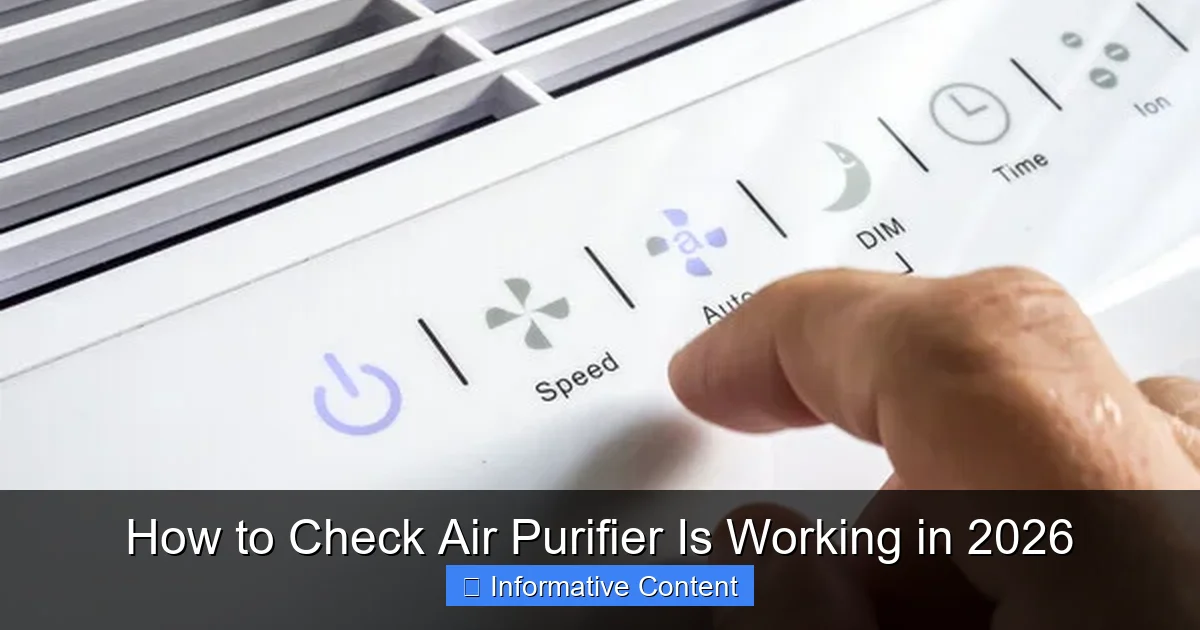
Featured image for how to check air purifier is working
Image source: homeairadvisor.com
Ensuring your air purifier is working effectively in 2026 starts with monitoring its real-time performance using built-in air quality sensors and smart app alerts. Check for consistent airflow, listen for unusual noises, and replace filters as recommended to maintain peak efficiency. Regular maintenance and periodic testing with an external air quality meter can confirm your purifier is truly cleaning the air—not just running quietly in the corner.
Key Takeaways
- Check the indicator lights: Ensure the purifier’s status lights show active filtration and proper mode.
- Monitor air quality sensors: Use real-time data to verify if pollutant levels are decreasing.
- Inspect filters regularly: Replace clogged or dirty filters to maintain peak performance.
- Test airflow strength: Feel for consistent, strong airflow from the purifier’s vents.
- Track allergy symptoms: Notice reduced sneezing or congestion as a sign of effectiveness.
- Use a particle counter: Measure airborne particles before and after running the purifier.
- Verify noise levels: Unusual sounds may signal motor or fan issues needing attention.
📑 Table of Contents
- How to Check Air Purifier Is Working in 2026
- 1. Listen, Look, and Feel: The Basic Sensory Checks
- 2. Monitor the Built-in Indicators and Smart Features
- 3. Use a Separate Air Quality Monitor for Accuracy
- 4. Perform a Real-World “Stress Test”
- 5. Maintain Your Purifier to Keep It Working
- 6. Know When to Replace or Upgrade
How to Check Air Purifier Is Working in 2026
Let’s be real: buying an air purifier feels like a win for your health. You’ve done the research, read the specs, maybe even splurged on a high-end model. But here’s the thing—no matter how shiny the box is or how many filters it promises to have, none of that matters if the purifier isn’t actually doing its job. I remember the first time I bought one. I placed it proudly in my living room, turned it on, and assumed I was breathing cleaner air. A few weeks later, I started wondering—is this thing even working? That moment sparked my journey into learning how to check air purifier is working, and honestly, it’s not as obvious as you’d think.
In 2026, air purifiers have evolved with smart sensors, AI-driven modes, and real-time air quality feedback. But technology doesn’t eliminate human oversight. Whether you’ve had your unit for six months or just unboxed it, knowing how to verify its performance is essential. This guide walks you through practical, no-nonsense ways to check if your air purifier is actually cleaning the air—not just making a pleasant hum. We’ll cover everything from simple visual checks to using tech tools, and even what to do if things aren’t working right. Because at the end of the day, clean air shouldn’t be a guess—it should be a guarantee.
1. Listen, Look, and Feel: The Basic Sensory Checks
Is It Making the Right Sounds?
Your air purifier isn’t supposed to be silent, but it shouldn’t sound like a jet engine either. When you turn it on, listen for a steady, smooth hum—especially on the lowest setting. A faint whoosh of air is normal. But if you hear grinding, rattling, or intermittent buzzing, that’s a red flag. A friend of mine once had a purifier that started making a high-pitched squeal after a month. Turns out, a small piece of plastic from the packaging had gotten stuck in the fan. Not dangerous, but definitely affecting performance.

Visual guide about how to check air purifier is working
Image source: airpurifierissues.com
Also, pay attention to changes over time. If the sound gets louder or more erratic, it could mean dust buildup in the motor or a failing fan. A simple test: run it on the same setting in the same spot for a few days. Note the sound. If it changes, investigate.
Check the Airflow
One of the easiest ways to check air purifier is working is by feeling the airflow. Turn it on high and hold your hand near the intake and exhaust vents. You should feel a strong, consistent pull of air at the front (intake) and a smooth outflow at the back or top (exhaust). If the airflow feels weak or stops and starts, the fan may be clogged or malfunctioning.
Pro tip: Place a piece of lightweight tissue or a feather near the exhaust. It should flutter or be drawn slightly toward the airflow. If it doesn’t move at all, the fan isn’t pulling air properly. This is especially important for purifiers with HEPA filters—if the fan can’t push air through the dense filter, the system fails.
Inspect the Exterior and Vents
Look closely at the intake and exhaust vents. Are they covered in dust or pet hair? Even a thin layer can reduce efficiency. Wipe them down weekly with a microfiber cloth. Also, check if the unit is placed correctly. Most purifiers need at least 6–12 inches of clearance on all sides to pull air efficiently. I once had mine tucked into a corner behind a couch—great for aesthetics, terrible for performance. Once I moved it to an open spot, the airflow improved instantly.
2. Monitor the Built-in Indicators and Smart Features
Use the Air Quality Sensor (If Your Model Has One)
Many 2026 air purifiers come with built-in air quality sensors that display real-time PM2.5, VOC, or humidity levels. These are your first digital clue that the purifier is working. But here’s the catch: sensors can lie. I learned this the hard way when my purifier’s LED stayed green for weeks, even after I burned dinner and the kitchen smelled like smoke. The sensor didn’t react—probably because it was dusty or outdated.
To test the sensor: light a match or candle (safely, in a well-ventilated area), blow it out, and let the smoke linger. Within 30–60 seconds, the sensor should detect the particles and change color (usually to yellow or red). If it doesn’t, the sensor might be faulty or dirty. Clean it gently with a dry cotton swab, as per the manual.
Check the Filter Replacement Indicator
Most purifiers have a filter life indicator—either a timer or a sensor that estimates usage. But don’t rely on it blindly. I’ve had models that claimed the HEPA filter had 3 months left, only to find it completely black and clogged when I checked. The indicator is a guide, not gospel.
To check air purifier is working via the filter: manually inspect the pre-filter (the first line of defense) every 2–4 weeks. It should be white or light gray. If it’s dark gray or brown, it’s saturated and needs cleaning or replacing. The HEPA and carbon filters should be inspected monthly, especially if you have pets, smoke, or live in a polluted area. A clogged filter means the purifier is working harder but cleaning less.
Use the App or Smart Controls
If your purifier connects to Wi-Fi or a smartphone app (common in 2026 models), use it. The app often shows detailed air quality trends, filter life, and even usage patterns. I love checking mine after a cleaning session—the app shows a spike in PM2.5, followed by a rapid drop as the purifier kicks in. That’s a clear sign it’s doing its job.
But again, don’t trust the app alone. Compare its data with your own observations. If the app says “excellent air quality” but your allergies are acting up, there might be a disconnect. Also, ensure the app is updated—outdated software can give false readings.
3. Use a Separate Air Quality Monitor for Accuracy
Why You Need a Third-Party Monitor
Built-in sensors are convenient, but they’re not always accurate. They’re often calibrated for general use, not your specific environment. That’s why using a separate air quality monitor is one of the most reliable ways to check air purifier is working. Think of it as a second opinion.
I use a portable PM2.5 monitor that I move around the house. After turning on the purifier in a room, I take readings at 5, 15, and 30-minute intervals. A good purifier should reduce PM2.5 levels by 50–80% within 30 minutes, depending on room size and starting conditions. For example, in my 12×12 ft bedroom, a 150 µg/m³ starting level dropped to 30 µg/m³ in 20 minutes—excellent performance.
How to Conduct the Test
- Choose a room with known pollution sources (e.g., cooking area, pet zone, or near a window with traffic).
- Close all doors and windows.
- Turn on the air purifier to medium or high setting.
- Place the monitor 3–5 feet away from the purifier, at breathing height (about 3–4 feet off the ground).
- Record PM2.5, PM10, VOC, and humidity levels every 5–10 minutes for 30–60 minutes.
Look for a steady decline in particle counts. If levels plateau or rise, the purifier may not be effective. Also, note how long it takes to reach “good” air quality (below 35 µg/m³ for PM2.5).
What to Look For in a Monitor
Not all air quality monitors are equal. For best results, choose one with:
- True laser particle sensors (not infrared)
- Real-time data display
- VOC and CO2 detection (optional but helpful)
- Portable design
Popular options in 2026 include the Airthings View Plus, Awair Element, and Kaiterra Laser Egg. They’re not cheap, but if you’re serious about clean air, they’re worth every penny.
4. Perform a Real-World “Stress Test”
Test It During High-Pollution Events
The best way to check air purifier is working is to see how it handles a real challenge. Create a controlled “pollution event” to stress-test your unit. Here are a few safe methods:
- Cooking test: Fry something with strong fumes (like onions or bacon) in a closed kitchen. Turn on the purifier and monitor how quickly it clears the smoke and odor.
- Pet dander test: Brush your pet in the room and let the purifier run. Use your monitor to see if dander levels drop.
- Incense or candle test: Light a stick of incense (not too much—just a few seconds). Blow it out and let the smoke linger. A good purifier should clear it within 15–20 minutes.
I did the incense test last winter. My purifier cleared the smoke in 12 minutes—impressive for a 200 sq ft room. But my old model took over 45 minutes. The difference? A newer fan design and a fresh HEPA filter.
Compare Before and After
Keep a simple log: write down the starting air quality (from your monitor), the event, and the time it takes to return to baseline. Do this monthly. Over time, you’ll spot trends. If your purifier used to clear smoke in 10 minutes but now takes 30, it’s time for maintenance or a filter change.
Check for Ozone (If Applicable)
Some purifiers use ionizers or UV-C lights, which can produce trace ozone—a lung irritant. If your model has these features, use an ozone monitor during the stress test. Ozone levels should stay below 50 ppb (the EPA’s safe limit). I once had an ionizer that spiked ozone to 80 ppb. I disabled it immediately and switched to a fan-only mode.
5. Maintain Your Purifier to Keep It Working
Clean the Pre-Filter Regularly
The pre-filter catches large particles like dust, hair, and pet fur. If it’s clogged, the HEPA filter works harder and fails faster. Most pre-filters are washable—rinse with water, let dry completely, then reinstall. Do this every 2–4 weeks, depending on use. I set a phone reminder every 3 weeks to clean mine. It takes 5 minutes, but it makes a huge difference.
Replace Filters on Time
Even if the indicator says “ok,” replace filters based on actual usage, not just time. A HEPA filter in a home with two cats and a smoker will clog faster than one in a dust-free apartment. Check the manual for recommended lifespans (usually 6–12 months), but inspect them monthly. A dark, brittle HEPA filter or a carbon filter that smells musty means it’s time to swap it out.
Pro tip: Buy genuine replacement filters. Third-party filters may fit, but they often don’t seal properly, letting unfiltered air slip through. I tried a cheap HEPA once—my monitor showed no improvement in PM2.5. Back to the brand-name filter it was.
Clean the Interior and Sensors
Over time, dust can build up inside the unit, especially around the fan and sensors. Once a year, turn off and unplug the purifier. Use a soft brush or compressed air to clean the fan blades and sensor ports. Avoid water or harsh chemicals. This simple step can restore 20–30% of performance.
6. Know When to Replace or Upgrade
Signs Your Purifier Is Failing
Even with perfect maintenance, air purifiers don’t last forever. Here’s when to consider replacing yours:
- It takes over 45 minutes to clear a small pollution event
- The fan is loud or inconsistent
- Filters are expensive or hard to find
- It lacks modern features like smart sensors or app control
- You’ve moved to a larger home and it’s underpowered
My first purifier lasted 5 years. By year 4, it struggled to keep up with my toddler’s dusty playroom. I upgraded to a model with a higher CADR (Clean Air Delivery Rate) and a smart sensor. The difference was night and day.
When to Upgrade (Instead of Repair)
Some repairs aren’t worth it. If the fan motor fails or the circuit board dies, the cost may exceed a new unit. In 2026, many brands offer trade-in programs or recycling options. I traded in my old model and got 20% off a new one. Win-win.
Also, consider upgrading if your needs change. New parents, allergy sufferers, or people in wildfire-prone areas may benefit from advanced features like auto-mode, air quality alerts, or integration with smart home systems.
Compare Performance with a Data Table
| Test Method | What to Measure | Expected Result (Good Purifier) | Red Flag |
|---|---|---|---|
| Airflow Test | Hand near exhaust, tissue flutter | Strong, consistent airflow | Weak or no airflow |
| Sensor Response | Color change after smoke/odor | Changes within 30–60 seconds | No change after 2 minutes |
| PM2.5 Drop (Monitor) | Levels after 30 minutes | 50–80% reduction | Less than 30% drop |
| Noise Level | Sound on low setting | Smooth hum, no rattling | Grinding, buzzing, or squealing |
| Filter Inspection | Color and texture of pre-filter | Light gray or white | Dark, clogged, or smelly |
Clean air is one of the most important things we can provide for ourselves and our families. But an air purifier is only as good as its performance—and performance needs to be verified. By using a mix of sensory checks, smart features, third-party monitors, and real-world tests, you can confidently check air purifier is working in 2026. Don’t assume. Don’t guess. Test, observe, and act.
Remember, it’s not about having the most expensive model. It’s about having a unit that’s maintained, monitored, and trusted. Whether you’re fighting pet dander, city smog, or seasonal allergies, knowing your purifier is doing its job gives you peace of mind. And in a world where air quality is increasingly uncertain, that peace is priceless. So go ahead—light that match, check that filter, and trust your senses. Your lungs will thank you.
Frequently Asked Questions
How can I tell if my air purifier is actually working?
Check for airflow from the vents and listen for consistent fan noise. Most air purifiers have indicator lights or app notifications that confirm active filtration and sensor detection.
Are there visible signs to check air purifier is working properly?
Yes—look for dust accumulation on pre-filters or a reduction in odors and allergens over time. Some models display real-time air quality changes via LED color indicators or digital readouts.
Can I use a separate device to verify my air purifier is working?
Absolutely. Use an air quality monitor (like a PM2.5 sensor) to measure particle levels before and after running your purifier. A significant drop in pollutants confirms it’s functioning effectively.
Why does my air purifier run constantly but air still feels dirty?
This could indicate a clogged filter, incorrect placement, or a malfunctioning sensor. Check the filter status and ensure the purifier is sized appropriately for your room.
How often should I check air purifier is working to maintain performance?
Inspect filters monthly and test airflow every 2 weeks. Regularly monitor air quality trends to catch performance drops early, especially during high-pollen or wildfire seasons.
Do air purifiers have built-in tools to confirm they’re working?
Many 2026 models include self-diagnostic modes, filter life timers, and Wi-Fi alerts. Refer to your unit’s manual to enable these features and verify operation remotely via app.