
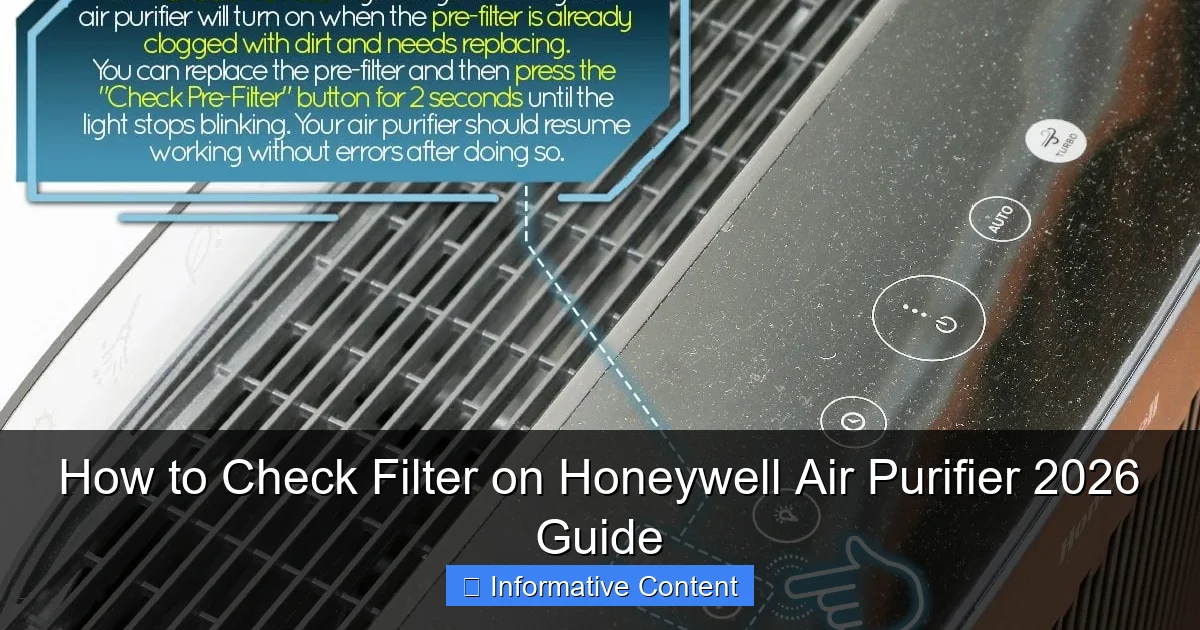
Featured image for how to check filter on honeywell air purifier
Image source: hvacseer.com
Regularly checking your Honeywell air purifier’s filter is essential for maintaining peak performance and indoor air quality. In this 2026 guide, we show you exactly how to locate, inspect, and assess the filter in under five minutes—ensuring your unit runs efficiently and traps allergens, dust, and pollutants effectively. Don’t wait for warning lights; proactive checks save time, energy, and costly replacements.
Key Takeaways
- Power off first: Always unplug the unit before checking filters for safety.
- Locate filter compartment: Find the latch or panel on the side or back of the purifier.
- Inspect filter condition: Look for discoloration, dust buildup, or damage to determine replacement needs.
- Check pre-filter monthly: Clean or replace the pre-filter every 3 months to extend main filter life.
- Reset filter indicator: After replacement, hold the filter button for 5 seconds to reset the alert.
- Use genuine Honeywell filters: Avoid third-party filters to maintain optimal performance and warranty.
📑 Table of Contents
- How to Check Filter on Honeywell Air Purifier 2026 Guide
- Why Checking Your Honeywell Air Purifier Filter Matters
- How Often Should You Check the Filter?
- Step-by-Step Guide to Checking the Filter
- What to Do If the Filter Needs Replacing
- Common Mistakes to Avoid When Checking Filters
- Maintenance Tips to Keep Your Air Purifier Running Smoothly
- Filter Replacement Schedule by Model (2026 Guide)
- Conclusion
How to Check Filter on Honeywell Air Purifier 2026 Guide
So, you’ve got a Honeywell air purifier humming quietly in the corner of your living room, bedroom, or home office—doing its best to keep your air clean and your family breathing easier. That’s great! But here’s the thing: even the most reliable air purifiers need a little TLC to keep performing at their best. And one of the most important—and often overlooked—parts of that maintenance? Checking the filter.
I’ll be honest—I used to forget about my air purifier’s filter for months. I’d notice it wasn’t cleaning the air as well as it used to, or worse, it started making a weird noise. Only then would I remember: “Oh right, the filter!” Sound familiar? You’re not alone. Many people assume that because their Honeywell air purifier is running, it’s working perfectly. But filters get clogged with dust, pet dander, pollen, and other airborne particles over time. When that happens, the purifier has to work harder, uses more energy, and ultimately becomes less effective. That’s why knowing how to check the filter on your Honeywell air purifier is essential—not just for performance, but for your health and your wallet.
In this guide, I’ll walk you through everything you need to know about checking the filter on your Honeywell air purifier in 2026. Whether you’re a first-time owner or a seasoned pro, I’ll share practical tips, step-by-step instructions, and even some insider knowledge to help you keep your unit running smoothly. We’ll cover how often to check, what to look for, how to access the filter, and when it’s time to replace it. By the end, you’ll feel confident maintaining your air purifier like a pro—no guesswork, no stress.
Why Checking Your Honeywell Air Purifier Filter Matters
Let’s start with the “why.” Why should you even bother checking the filter? After all, your Honeywell air purifier seems to be working just fine, right? Well, here’s the truth: a dirty filter is like trying to breathe through a wet paper towel. It slows everything down and makes the system work harder than it should. Over time, this can lead to reduced air quality, higher energy bills, and even damage to the internal components of your purifier.

Visual guide about how to check filter on honeywell air purifier
Image source: honeywellstore.com
Impact on Air Quality
Your air purifier’s job is to trap pollutants—dust, smoke, mold spores, pet dander, and more. But if the filter is clogged, it can’t capture new particles effectively. In fact, a dirty filter might even start releasing trapped particles back into the air, which defeats the whole purpose. Think of it like a sponge: once it’s full, it can’t absorb any more water. The same goes for your filter. If it’s packed with debris, it’s no longer cleaning your air—it’s just recirculating what’s already there.
I learned this the hard way when my dog started shedding more than usual. I didn’t check the filter for over four months, and one day I noticed a musty smell in the room. Turns out, the filter was so clogged with fur and dust that it couldn’t trap new particles, and the old ones were starting to break down and release odors. A quick filter check and replacement fixed the issue immediately. Lesson learned: regular checks aren’t optional—they’re essential.
Energy Efficiency and Long-Term Costs
Another reason to check your filter regularly? Energy efficiency. When the filter is dirty, the fan has to work harder to pull air through. This increases energy consumption, which shows up on your electricity bill. According to the U.S. Department of Energy, HVAC systems (including air purifiers) can account for nearly half of a home’s energy use. A clogged filter can increase that usage by up to 15%, depending on the model and usage.
Let’s break that down: if your Honeywell air purifier normally uses 50 watts per hour and runs 12 hours a day, that’s 600 watt-hours daily. At $0.12 per kWh, that’s about $0.07 per day. But with a dirty filter, that usage could jump to 690 watt-hours—adding nearly $0.02 per day. Over a year, that’s an extra $7.30 just because of a dirty filter. Multiply that by multiple purifiers or higher electricity rates, and the cost adds up fast.
Extending the Life of Your Air Purifier
Beyond air quality and energy costs, regular filter checks help extend the life of your Honeywell air purifier. When the motor has to work harder due to a clogged filter, it generates more heat and wears out faster. Over time, this can lead to premature failure—meaning you’ll need to replace the entire unit sooner than expected. Replacing a filter every 3–6 months is far cheaper than buying a new $200–$500 air purifier every few years.
I’ve had my Honeywell True HEPA Air Purifier for over five years now, and it still runs like new. Why? Because I check the filter every two months and replace it when needed. I also clean the pre-filter monthly. It’s a small habit, but it’s made a huge difference in performance and longevity.
How Often Should You Check the Filter?
Now that you know why checking the filter matters, let’s talk about how often you should do it. The answer isn’t one-size-fits-all—it depends on several factors, including your environment, usage, and the type of filter your Honeywell model uses.
General Recommendations
Honeywell recommends checking the filter every 2–3 months under normal conditions. However, this can vary. If you live in a dusty area, have pets, or suffer from allergies, you may need to check it monthly. On the other hand, if you use the purifier infrequently or in a clean environment, you might get away with checking it every 4–6 months.
Here’s a simple rule of thumb: if you can’t see through the filter when holding it up to a light, it’s time to replace it. This visual check is one of the easiest ways to assess filter condition without any tools or guesswork.
Factors That Affect Filter Lifespan
- Pets: If you have cats or dogs, especially long-haired breeds, pet dander and fur can clog the filter faster. I recommend checking monthly if you have pets.
- Smoking: Smoking indoors drastically reduces filter life. Tar and smoke particles are sticky and hard to remove, so filters in homes with smokers may need replacement every 1–2 months.
- Allergies or Asthma: If someone in your household has allergies or asthma, you’re likely running the purifier more often and at higher speeds, which increases filter wear.
- Seasonal Changes: Pollen season (spring and fall) and high humidity (summer) can increase airborne particles. During these times, check your filter more frequently.
- Room Size and Usage: Larger rooms or high-traffic areas (like living rooms) may require more frequent checks than smaller, less-used spaces (like a guest bedroom).
Using the Filter Indicator Light (If Available)
Many newer Honeywell air purifiers come with a built-in filter replacement indicator. This light—usually yellow or red—tells you when it’s time to check or replace the filter. While this feature is helpful, don’t rely on it completely. Sometimes the light can be inaccurate due to sensor issues or delayed responses. It’s still a good idea to do a manual check every couple of months, even if the light hasn’t come on.
For example, my Honeywell HPA300 has a filter change indicator, but I once noticed the filter was visibly dirty two weeks before the light came on. I replaced it early, and the difference in air quality was noticeable. So, use the light as a guide, but trust your eyes and nose too.
Step-by-Step Guide to Checking the Filter
Alright, let’s get practical. Here’s exactly how to check the filter on your Honeywell air purifier. The process is similar across most models, but I’ll include tips for common variations. Always refer to your user manual for model-specific instructions, but this general guide will work for most units.
Step 1: Turn Off and Unplug the Unit
Safety first! Before you do anything, make sure the air purifier is turned off and unplugged from the wall. This prevents accidental activation and protects you from electric shock. I learned this the hard way when I once tried to remove a filter while the unit was still plugged in—thankfully, nothing happened, but it was a close call.
Step 2: Locate the Filter Compartment
Most Honeywell air purifiers have a front or side panel that opens to access the filter. Look for a latch, button, or sliding cover. On models like the HPA100 or HPA200, the front grille usually pops open with a gentle push or pull. On larger units like the HPA300, you may need to slide the cover sideways or lift it upward.
Pro tip: If you’re not sure where the filter is, check the user manual or look for a small icon of a filter on the unit. Honeywell often labels the filter access point clearly.
Step 3: Remove the Pre-Filter (If Applicable)
Many Honeywell models have a washable pre-filter that captures large particles like dust and pet hair. This is usually the first layer you’ll see when you open the compartment. Gently pull it out—it should come free with little resistance.
Inspect the pre-filter for visible dirt, hair, or debris. If it’s dirty, rinse it under cool water and let it air dry completely before reinserting. Never put a wet pre-filter back into the unit—it can cause mold or damage the motor.
Step 4: Remove the Main HEPA Filter
Behind the pre-filter is the main HEPA (High-Efficiency Particulate Air) filter. This is the heart of your air purifier and the one that captures the smallest particles. Carefully slide it out, holding it by the edges to avoid touching the filter material.
Now, inspect the filter. Hold it up to a light source—can you see through it? If not, it’s time to replace it. Also, look for discoloration (gray or black spots), odor, or visible buildup. A clean filter should be white or light gray and odorless.
Step 5: Check the Carbon Filter (If Present)
Some Honeywell models include a carbon filter for odor and gas removal. This filter is usually located behind the HEPA filter and may be attached with Velcro or a clip. Remove it and check for signs of wear. Carbon filters don’t last as long as HEPA filters—typically 3–6 months—and should be replaced when they appear saturated or start to smell musty.
Step 6: Reassemble and Test
Once you’ve inspected all filters, reinsert them in the correct order: pre-filter first, then carbon (if applicable), then HEPA. Make sure each filter is seated properly and the cover is securely closed. Plug the unit back in and turn it on. Listen for unusual noises and check that the fan is running smoothly.
If everything looks and sounds good, you’re all set! If you replaced the filter, reset the filter indicator (if your model has one) by holding the filter button for 3–5 seconds.
What to Do If the Filter Needs Replacing
So, you’ve checked the filter and it’s dirty—now what? Don’t panic. Replacing a filter is simple and affordable, especially when you know what to look for and where to buy.
How to Choose the Right Replacement Filter
Honeywell uses specific filter types for different models. The most common are:
- True HEPA Filter (e.g., HRF-R1, HRF-R2): Captures 99.97% of particles as small as 0.3 microns. Best for allergies and general air cleaning.
- Carbon Pre-Filter (e.g., HRF-A1): Washable and reusable. Traps large particles and extends HEPA filter life.
- Odor Reducing Filter (e.g., HRF-D1): Combines HEPA and carbon layers to remove odors and gases.
Always check your model number (usually on the back or bottom of the unit) and match it to the correct filter. You can find this information in the user manual or on Honeywell’s official website. Buying the wrong filter won’t fit and could damage your purifier.
Where to Buy Genuine Filters
While third-party filters may be cheaper, I strongly recommend using genuine Honeywell filters. They’re designed specifically for your model, ensuring optimal performance and safety. Third-party filters may not fit properly or meet the same efficiency standards, which can void your warranty.
You can buy genuine filters directly from Honeywell’s website, Amazon, Home Depot, or other authorized retailers. Prices typically range from $20 to $50, depending on the model. Consider buying in bulk or signing up for a subscription to save money over time.
DIY Filter Cleaning (When Appropriate)
Only the pre-filter should be cleaned—never the HEPA or carbon filters. HEPA filters are not washable and will lose efficiency if rinsed. Carbon filters absorb gases and can’t be cleaned at all.
To clean the pre-filter, rinse it under cool water, gently scrub with a soft brush if needed, and let it air dry for at least 24 hours. Never use soap, hot water, or a dryer. Reinstall only when completely dry.
Common Mistakes to Avoid When Checking Filters
Even with the best intentions, it’s easy to make mistakes when checking your air purifier filter. Here are some common pitfalls and how to avoid them.
Ignoring the Pre-Filter
Many people skip the pre-filter and go straight to the HEPA filter. Big mistake! The pre-filter captures large particles and protects the HEPA filter from clogging too quickly. Neglecting it means your HEPA filter will wear out faster and need replacement more often.
Using the Wrong Filter Type
Buying a generic or incompatible filter might seem like a money-saver, but it can cause poor performance, leaks, or even damage to the motor. Always double-check the model number and buy the correct filter.
Not Resetting the Filter Indicator
If your Honeywell model has a filter change light, don’t forget to reset it after replacing the filter. Otherwise, the light will keep blinking, and you won’t know when the next replacement is due. Most models require you to hold the filter button for a few seconds to reset.
Replacing the Filter Too Late
Waiting until the filter is completely black or the unit stops working is too late. A clogged filter reduces efficiency and can damage the motor. Replace it as soon as it’s visibly dirty or the indicator light comes on.
Maintenance Tips to Keep Your Air Purifier Running Smoothly
Checking the filter is just one part of air purifier maintenance. Here are a few extra tips to keep your Honeywell unit in top shape.
- Clean the exterior monthly: Wipe down the unit with a damp cloth to remove dust and prevent buildup.
- Vacuum the air intake and outlet: Use a soft brush attachment to remove dust from vents.
- Keep the unit elevated: Place it on a stand or table to improve airflow and reduce floor dust intake.
- Run it regularly: Even if you’re not home, run the purifier on low for a few hours daily to maintain air quality.
- Monitor air quality: Use an air quality monitor to track particle levels and adjust usage accordingly.
Filter Replacement Schedule by Model (2026 Guide)
| Model | Filter Type | Recommended Check Frequency | Replacement Frequency |
|---|---|---|---|
| HPA100 | HRF-R1 (HEPA), HRF-A1 (Pre-Filter) | Every 2 months | Every 6–12 months |
| HPA200 | HRF-R2 (HEPA), HRF-A1 (Pre-Filter) | Every 2 months | Every 6–12 months |
| HPA300 | HRF-R3 (HEPA), HRF-A1 (Pre-Filter) | Every 2 months | Every 6–12 months |
| HAKXXL1 | HRF-D1 (Odor Reducing) | Every 1–2 months | Every 3–6 months |
Conclusion
Checking the filter on your Honeywell air purifier might seem like a small task, but it has a big impact on your air quality, energy bills, and the lifespan of your unit. By following the steps in this guide, you’ll ensure your purifier is always working at peak performance—keeping your home cleaner, healthier, and more comfortable.
Remember, a little maintenance goes a long way. Set a calendar reminder every two months, keep an eye on the filter indicator, and don’t wait until you notice a problem. With regular checks and timely replacements, your Honeywell air purifier will continue to deliver fresh, clean air for years to come.
So, grab your user manual, unplug your unit, and give that filter a good look. Your lungs—and your wallet—will thank you.
Frequently Asked Questions
How do I check the filter on my Honeywell air purifier?
To check the filter on your Honeywell air purifier, first turn off and unplug the unit. Open the front or side panel (depending on your model) and carefully remove the filter to inspect it for dirt, dust, or discoloration.
How often should I check the Honeywell air purifier filter?
It’s recommended to check the filter on your Honeywell air purifier every 3 months. However, if you use it frequently or in a dusty environment, inspect it monthly to ensure optimal performance.
What does the filter indicator light mean on a Honeywell air purifier?
The filter indicator light on your Honeywell air purifier signals when it’s time to check or replace the filter. A blinking or red light typically means the filter is dirty and needs attention or replacement.
Can I clean the Honeywell air purifier filter instead of replacing it?
Some Honeywell models have washable pre-filters that can be cleaned with water and dried thoroughly. However, the main HEPA filter is usually not washable and should be replaced when dirty to maintain air quality.
How do I know which filter to buy for my Honeywell air purifier?
Check your air purifier’s model number (often found on the back or bottom) and refer to Honeywell’s official website or user manual. This ensures you purchase the correct replacement filter for your specific model.
Why is my Honeywell air purifier not working well even after checking the filter?
If performance is still poor after checking the filter, ensure it’s properly reinstalled and not damaged. Also, verify that the unit is the right size for the room and that vents aren’t blocked.