

Featured image for how to clean a dyson air purifier
Image source: aircaring.com
Keeping your Dyson air purifier running efficiently starts with regular cleaning—don’t overlook this essential maintenance step. In 2026, expert-revealed tips emphasize cleaning the filters every 3–6 months, wiping down the exterior and air vents with a microfiber cloth, and using a soft brush to remove dust from internal components without damaging sensitive parts. Proper cleaning not only extends your purifier’s lifespan but also ensures it delivers cleaner, healthier air consistently.
Key Takeaways
- Unplug first: Always disconnect power before cleaning for safety.
- Wipe exterior weekly: Use a microfiber cloth to remove dust and grime.
- Clean filters monthly: Rinse or vacuum filters to maintain air quality.
- Inspect for clogs: Check vents and airflow paths for blockages.
- Replace filters annually: Ensure peak performance with timely replacements.
- Use gentle cleaners: Avoid harsh chemicals to protect internal components.
📑 Table of Contents
- How to Clean a Dyson Air Purifier in 2026: Expert Tips Revealed
- Why Cleaning Your Dyson Air Purifier Matters
- What You’ll Need to Clean Your Dyson Air Purifier
- Step-by-Step Guide: How to Clean a Dyson Air Purifier
- Model-Specific Cleaning Tips for 2026 Dyson Purifiers
- How Often Should You Clean Your Dyson Air Purifier?
- Expert Tips to Keep Your Dyson Purifier Running Like New
- Final Thoughts: A Clean Purifier Is a Happy Purifier
How to Clean a Dyson Air Purifier in 2026: Expert Tips Revealed
It’s a crisp morning in 2026, and you walk into your living room, taking a deep breath of fresh, clean air. Your Dyson air purifier hums quietly in the corner, doing its job without a fuss. You’ve owned it for over a year now, and it’s been a game-changer—especially during allergy season or when wildfire smoke rolls into town. But lately, you’ve noticed the airflow isn’t as strong as it used to be, and there’s a faint musty smell when it kicks on. Sound familiar?
Don’t worry—you’re not alone. Even the most advanced air purifiers, like those from Dyson, need regular maintenance to keep performing at their best. Over time, dust, pet dander, pollen, and even mold can build up inside the machine, reducing efficiency and potentially releasing unpleasant odors back into your home. The good news? Cleaning your Dyson air purifier isn’t as complicated as it might seem. In fact, with the right tools and a little know-how, you can keep your unit running like new—without voiding the warranty or damaging delicate components.
In this guide, we’ll walk you through everything you need to know about how to clean a Dyson air purifier in 2026. From step-by-step instructions to expert maintenance tips, we’ve got you covered. Whether you own a Dyson Pure Cool, Pure Hot+Cool, or one of their newer smart models, these cleaning methods are safe, effective, and designed to extend the life of your investment. So grab a microfiber cloth and let’s get started—your lungs (and your Dyson) will thank you.
Why Cleaning Your Dyson Air Purifier Matters
You might think, “It’s an air purifier—doesn’t it clean itself?” Not quite. While Dyson purifiers are built with advanced filtration systems that trap pollutants, they still rely on airflow and mechanical parts that can get clogged or dirty over time. Think of it like a vacuum cleaner: even though it sucks up dirt, the filters and brushes still need regular cleaning to keep working properly.
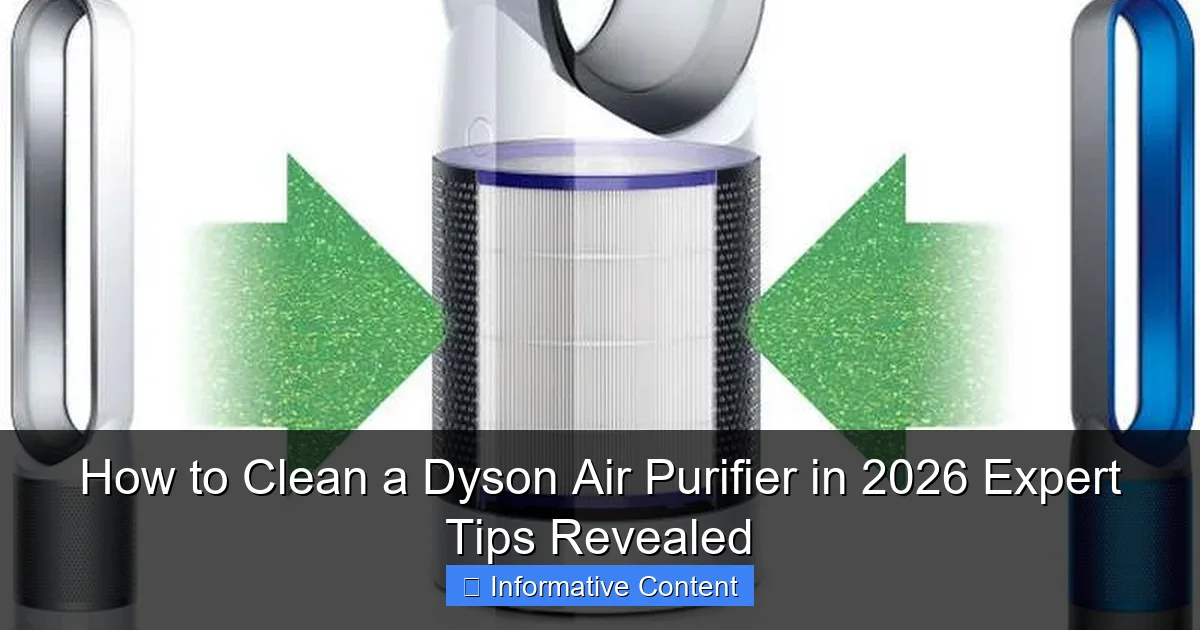
Visual guide about how to clean a dyson air purifier
Image source: wordlesstech.com
Improved Air Quality and Performance
The primary reason to clean your Dyson air purifier is to maintain optimal air quality. When filters become saturated with dust and debris, they can’t capture new pollutants as effectively. This means allergens, bacteria, and even odors may start circulating back into your home. A clean purifier, on the other hand, delivers cleaner, fresher air—exactly what you bought it for.
Performance is another big factor. A clogged filter or blocked fan can cause your purifier to work harder, leading to louder operation, reduced airflow, and higher energy consumption. In fact, Dyson estimates that a dirty filter can reduce airflow by up to 50%, significantly impacting efficiency. Regular cleaning helps your unit run smoothly and quietly, just as it did on day one.
Extending the Lifespan of Your Device
Dyson air purifiers are built to last, but like any electronic device, they benefit from proper care. Dust buildup inside the motor or on internal sensors can lead to overheating or malfunctions over time. By cleaning your purifier every few months (or more often in high-pollution environments), you reduce the risk of premature wear and tear.
Consider this: replacing a Dyson filter can cost between $60 and $100, depending on the model. While filters are designed to last 12 months under normal use, cleaning them regularly—and keeping the rest of the unit dust-free—can help you get the most out of that investment. Plus, a well-maintained purifier is less likely to need costly repairs down the line.
Preventing Odors and Mold Growth
One of the most common complaints from Dyson owners is a musty or sour smell coming from the machine. This usually happens when moisture gets trapped in the filter or inside the unit, creating a breeding ground for mold and bacteria. This is especially true in humid climates or if you use your purifier in a damp room like a basement.
Cleaning your purifier regularly helps prevent this issue. By removing accumulated dust and ensuring proper airflow, you reduce the chances of mold forming. And if you do notice a smell, it’s often a sign that it’s time for a deep clean—or possibly a filter replacement.
Bottom line: cleaning your Dyson air purifier isn’t just about aesthetics. It’s about performance, longevity, and your health. A little maintenance goes a long way in keeping your home’s air clean and your purifier running like a champ.
What You’ll Need to Clean Your Dyson Air Purifier
Before you start disassembling your Dyson, it’s important to gather the right tools. The good news? You probably already have most of these items at home. Dyson designs their purifiers with user-friendly maintenance in mind, so you won’t need any specialized equipment—just a few basics to get the job done safely and effectively.
Essential Cleaning Supplies
Here’s a quick checklist of what you’ll need:
- Microfiber cloths – These are gentle on surfaces and great for wiping down the exterior and internal components without scratching.
- Soft-bristled brush – A small brush (like an old toothbrush or a dedicated electronics cleaning brush) helps dislodge dust from tight spaces.
- Mild dish soap – For cleaning removable parts like the outer shell or fan blades. Avoid harsh chemicals or abrasive cleaners.
- Warm water – Used for rinsing washable components. Never submerge the entire unit or electrical parts in water.
- Vacuum with a brush attachment – Helpful for sucking up loose dust from the exterior and around the air intake.
- Compressed air (optional) – Useful for blowing dust out of hard-to-reach areas like the sensor ports or fan housing.
Optional but Helpful Tools
While not strictly necessary, these extras can make the cleaning process easier:
- White vinegar – A natural disinfectant that can help remove odors and light mineral buildup. Mix with water (50/50) for a gentle cleaning solution.
- Isopropyl alcohol (70%) – Great for sanitizing surfaces and removing sticky residues. Use sparingly and avoid contact with plastic parts that may degrade.
- Filter cleaning brush – Some Dyson models come with a small brush specifically for cleaning the HEPA filter. If yours didn’t include one, a soft paintbrush works too.
- Flashlight – Helps you see into dark corners and check for dust buildup inside the unit.
Safety First: What to Avoid
When cleaning your Dyson air purifier, there are a few things you should never do:
- Never use water on the motor or electrical components. The base and fan housing contain sensitive electronics. Wipe only with a dry or slightly damp cloth.
- Don’t soak the HEPA or carbon filters. These are not washable. Attempting to rinse them can damage the delicate filter media and reduce effectiveness.
- Avoid bleach, ammonia, or strong solvents. These can degrade plastic parts and leave behind toxic fumes that your purifier might circulate.
- Don’t force parts apart. Dyson units are designed to be user-serviceable, but if a component doesn’t come off easily, double-check the manual or look for hidden clips.
With the right tools and a cautious approach, cleaning your Dyson air purifier is a safe and straightforward task. Now that you’re prepared, let’s dive into the actual cleaning process.
Step-by-Step Guide: How to Clean a Dyson Air Purifier
Now for the main event: actually cleaning your Dyson air purifier. The process varies slightly depending on your model, but the core steps remain the same. Whether you have a tower-style Pure Cool or a compact Pure Hot+Cool, these instructions will help you restore your unit to peak condition.
Step 1: Turn Off and Unplug the Unit
Before you do anything, make sure your Dyson is completely powered off and unplugged from the wall. This is a critical safety step—even if the machine appears off, there could still be residual power in the system. Unplugging ensures you won’t accidentally trigger the fan or damage internal components while cleaning.
Pro tip: If your model has a remote control, remove the batteries or keep it away from water to avoid damage.
Step 2: Remove and Clean the Outer Shell
Most Dyson purifiers have a removable outer shell or front grille that covers the fan and filter. To remove it:
- Look for release buttons or clips on the sides or bottom of the unit.
- Gently press or slide them to release the cover.
- Lift the shell away from the base.
Once removed, wipe the inside and outside of the shell with a damp microfiber cloth. If there’s stubborn grime, use a drop of mild dish soap. Rinse and let it air dry completely before reattaching.
While the shell is off, use a vacuum with a brush attachment to suck up any loose dust around the air intake and fan area. This prevents debris from getting pushed deeper into the machine.
Step 3: Clean the Fan Blades
The fan is the heart of your purifier, and dust buildup on the blades can throw it off balance, causing noise and reduced performance. To clean it:
- Use a soft-bristled brush to gently sweep dust off the blades.
- For stuck-on debris, lightly dampen a cloth with water and wipe carefully.
- Never spray water directly onto the fan or motor.
If your model has a visible fan guard, you can remove it (if designed to be removable) for deeper cleaning. Otherwise, use compressed air to blow dust out from behind the guard.
Step 4: Clean or Replace the Filters
This is the most important step in maintaining your Dyson air purifier. Dyson uses a combination of HEPA and activated carbon filters to trap particles and odors. Over time, these filters become saturated and need attention.
For non-washable filters (most models):
- Remove the filter by twisting or sliding it out of its housing.
- Use a soft brush or vacuum to remove surface dust.
- Check the filter for discoloration or damage. If it’s dark gray or smells musty, it’s time to replace it.
- Never wash or rinse these filters—it can ruin the filtration material.
For washable pre-filters (some newer models):
- Remove the pre-filter (usually a mesh layer behind the main filter).
- Rinse it under lukewarm water until clean.
- Let it air dry for at least 24 hours before reinstalling.
- Do not use soap or heat to dry.
Dyson recommends replacing the HEPA and carbon filters every 12 months, or sooner if you live in a high-pollution area or have pets. Always use genuine Dyson filters to ensure compatibility and performance.
Step 5: Wipe Down the Interior and Sensors
With the filter and shell removed, you’ll have access to the interior of the unit. Use a dry microfiber cloth to wipe down any visible surfaces. Pay special attention to the air quality sensor—a small port usually located near the base.
Dust buildup on the sensor can cause inaccurate readings, leading your purifier to run unnecessarily or fail to detect pollution. Gently clean the sensor port with a cotton swab or compressed air.
Step 6: Reassemble and Test
Once everything is clean and dry, reassemble your Dyson in reverse order:
- Reinstall the filter(s).
- Snap the outer shell back into place.
- Plug the unit back in and turn it on.
Run the purifier on a low setting for 10–15 minutes to ensure everything is working properly. Listen for unusual noises and check that airflow feels strong and consistent.
And that’s it! Your Dyson air purifier is now clean, efficient, and ready to keep your air fresh.
Model-Specific Cleaning Tips for 2026 Dyson Purifiers
While the general cleaning process is similar across Dyson models, there are some nuances to keep in mind depending on which purifier you own. In 2026, Dyson offers a range of air purifiers, each with unique designs and features. Here’s how to clean some of the most popular models.
Dyson Pure Cool (TP Series)
The Dyson Pure Cool is a tower-style purifier that also functions as a fan. Its sleek design makes it a favorite, but the narrow air intake can trap dust easily.
- Remove the front grille by pressing the release buttons on the sides.
- Clean the fan blades with a brush—be gentle, as they’re close to the motor.
- The HEPA filter is located behind the grille. Twist to remove and brush off dust.
- Use compressed air to clean the air quality sensor near the base.
Pro tip: If you use the fan function frequently, clean the exterior more often to prevent dust from being blown back into the room.
Dyson Pure Hot+Cool (HP Series)
This model combines heating, cooling, and purification, making it versatile but slightly more complex to clean.
- The filter compartment is accessed from the back. Slide out the cover and remove the filter.
- Check the heating element for dust—use a dry cloth only.
- The fan is located in the base. Clean it carefully to avoid damaging the heating components.
- Wipe the temperature and air quality sensors with a cotton swab.
Note: Never clean the heating element with water or moisture. Always ensure the unit is completely cool before cleaning.
Dyson Purifier Humidify+Cool (PH Series)
One of Dyson’s newer models, this unit adds humidification to the mix. Cleaning requires extra care due to the water tank and humidifying components.
- Empty and rinse the water tank after each use to prevent mold.
- Use a 50/50 vinegar-water solution to descale the tank monthly.
- Clean the humidifying wick (if removable) with water only—no soap.
- Wipe the mist outlet with a damp cloth to prevent mineral buildup.
Important: Always unplug the unit before cleaning the water tank or humidifying system. Never let water enter the electrical base.
Dyson Purifier Big+Quiet (BP Series)
Designed for large spaces, this model has a larger filter and more powerful fan, but the cleaning process is straightforward.
- The filter is accessed from the top. Lift the cover and remove the cylindrical filter.
- Brush off dust and check for damage.
- The fan is in the base—clean with a brush and compressed air.
- Wipe the exterior with a microfiber cloth to maintain its sleek finish.
Pro tip: Due to its size, this model may need cleaning every 2–3 months in high-traffic areas.
No matter which model you own, always refer to your user manual for specific instructions. Dyson’s website also offers video guides for each model, which can be helpful for visual learners.
How Often Should You Clean Your Dyson Air Purifier?
Now that you know how to clean your Dyson air purifier, the next question is: how often should you do it? The answer depends on several factors, including your environment, usage habits, and the model you own.
General Cleaning Schedule
Here’s a recommended cleaning frequency for most Dyson purifiers:
| Component | Cleaning Frequency | Notes |
|---|---|---|
| Exterior & Shell | Every 2–4 weeks | Wipe with a damp cloth to remove dust and fingerprints. |
| Fan Blades | Every 1–2 months | Use a brush or compressed air to remove buildup. |
| Pre-Filter (if washable) | Every 1–2 months | Rinse under water and air dry completely. |
| HEPA & Carbon Filters | Every 6–12 months | Replace when dirty or as recommended by Dyson. |
| Interior & Sensors | Every 3–6 months | Wipe with a dry cloth; use compressed air for sensors. |
Factors That Affect Cleaning Frequency
Your cleaning schedule may need adjustments based on your lifestyle and environment:
- Pets: If you have cats or dogs, pet hair and dander can clog filters faster. Clean every 2–3 weeks and replace filters every 6–8 months.
- Allergies or Asthma: If you or a family member has respiratory issues, more frequent cleaning ensures optimal air quality.
- Smoking or Cooking: Smoke and grease particles can saturate filters quickly. Clean monthly and consider using an additional carbon filter.
- High-Pollution Areas: If you live near busy roads, industrial zones, or wildfire-prone regions, increase cleaning frequency.
- Humid Climates: Moisture increases the risk of mold. Clean the unit and filters more often, especially in summer.
Signs It’s Time to Clean
Even with a schedule, it’s good to watch for warning signs that your purifier needs attention:
- Reduced airflow or weak fan speed.
- Unusual noises (grinding, rattling, or whining).
- Musty or sour odors when the unit is running.
- Visible dust or debris around the air intake.
- The air quality indicator shows poor readings despite clean surroundings.
When in doubt, it’s better to clean a little too often than not enough. A well-maintained purifier is a happy purifier.
Expert Tips to Keep Your Dyson Purifier Running Like New
Cleaning your Dyson air purifier is just one part of the equation. To get the most out of your investment, here are some expert-backed tips to keep it performing at its best in 2026 and beyond.
Use Genuine Dyson Filters
It might be tempting to buy cheaper third-party filters, but they often don’t meet Dyson’s strict standards. Genuine filters are designed to work seamlessly with your purifier’s sensors and airflow system. Using knockoff filters can lead to poor performance, inaccurate readings, and even damage to the motor.
Pro tip: Sign up for Dyson’s filter replacement reminder service. They’ll notify you when it’s time for a new filter based on your usage.
Run Your Purifier Regularly
Even if you’re not actively purifying the air, running your Dyson on a low setting for a few hours a day helps keep internal components dust-free and prevents moisture buildup. This is especially important in humid climates or if you live in a basement.
Keep It Elevated
Place your purifier on a stable, elevated surface—like a table or stand—rather than directly on the floor. This improves airflow and reduces the amount of dust and pet hair it sucks in from carpeting.
Monitor Air Quality
Many 2026 Dyson models come with built-in air quality sensors and app connectivity. Use the Dyson Link app to track pollution levels and adjust settings accordingly. If the app shows high particle counts, it’s a good sign that your filter is working hard—and may need cleaning or replacing soon.
Avoid Obstructions
Keep at least 6–12 inches of space around your purifier to ensure proper airflow. Don’t place it behind furniture, curtains, or in tight corners. Blocked airflow forces the fan to work harder and reduces efficiency.
Store Properly When Not in Use
If you plan to store your purifier for an extended period (e.g., during a move or seasonal break), clean it thoroughly first. Remove and replace the filter if it’s near the end of its life, and store the unit in a cool, dry place. Cover it with a cloth to prevent dust accumulation.
By following these tips, you’ll not only extend the life of your Dyson air purifier but also ensure it delivers clean, healthy air year after year.
Final Thoughts: A Clean Purifier Is a Happy Purifier
Cleaning your Dyson air purifier might not be the most exciting chore on your to-do list, but it’s one of the most important. A well-maintained purifier doesn’t just look better—it works better, lasts longer, and keeps your home’s air truly clean. In 2026, with rising pollution levels and increasing awareness of indoor air quality, taking care of your purifier is more relevant than ever.
From removing dust and debris to replacing filters and cleaning sensors, each step plays a vital role in your purifier’s performance. And the best part? It only takes about 15–30 minutes every few months. That’s a small investment of time for a big return in air quality and peace of mind.
So the next time you walk into a room and take a deep breath of fresh air, remember: that clean feeling is thanks to your diligence. Keep up the good work, and your Dyson will keep doing what it does best—purifying your world, one breath at a time.
Frequently Asked Questions
How do I clean a Dyson air purifier properly?
To clean a Dyson air purifier, start by unplugging the unit and removing the filter. Wipe the exterior and internal surfaces with a soft, dry cloth, and use a vacuum to remove dust from the vents. Never submerge the machine in water or use harsh chemicals.
Can I wash the filter in my Dyson air purifier?
No, you should never wash the HEPA or carbon filter in a Dyson air purifier. These filters are not washable—instead, gently tap or vacuum the outer surface to remove loose debris and replace them as recommended by Dyson, typically every 12 months.
How often should I clean my Dyson air purifier?
Clean the exterior and vents of your Dyson air purifier every 1–2 weeks to maintain optimal performance. The filter should be checked monthly and replaced annually, or sooner if the machine alerts you or airflow decreases.
What tools do I need to clean a Dyson air purifier?
You only need a soft microfiber cloth, a vacuum with a brush attachment, and compressed air (optional). These tools help safely remove dust from the exterior, vents, and around the filter housing without damaging sensitive components.
How do I clean the inside of my Dyson air purifier?
Use a vacuum with a brush attachment to gently remove dust from the internal vents and fan area. For stubborn debris, lightly wipe with a dry cloth—never use liquids or disassemble the unit beyond the filter compartment.
Why is cleaning my Dyson air purifier important in 2026?
Regular cleaning ensures your Dyson air purifier runs efficiently, maintains air quality, and extends its lifespan. In 2026, with increased indoor pollutants and smart features, keeping your unit clean helps it perform at peak accuracy and energy efficiency.