
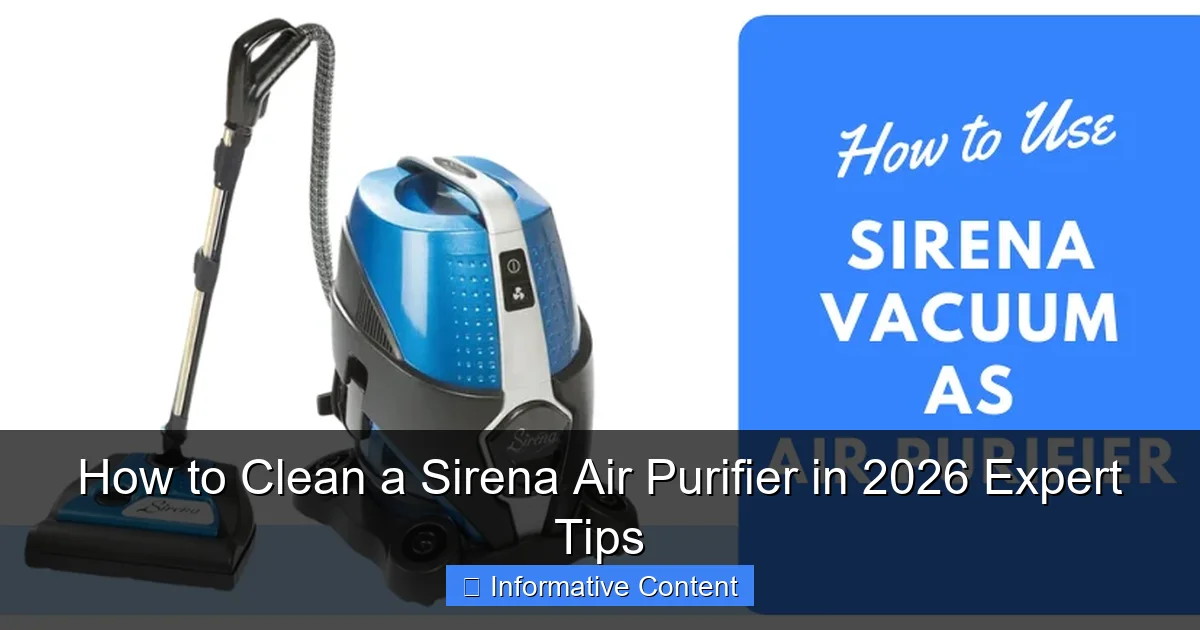
Featured image for how to clean a sirena air purifier
Image source: airpurifierfaqs.com
Always unplug your Sirena Air Purifier before cleaning to ensure safety and prevent damage. For optimal performance in 2026, wipe the exterior with a microfiber cloth, rinse the pre-filter monthly, and deep-clean the HEPA filter every 3–6 months using gentle vacuuming or water (if model-approved). Follow the updated manufacturer guidelines to extend filter life and maintain peak air quality.
Key Takeaways
- Turn off and unplug the Sirena air purifier before cleaning for safety.
- Wipe the exterior weekly with a damp, lint-free cloth to prevent dust buildup.
- Clean or replace filters every 3–6 months based on usage and model guidelines.
- Use a soft brush to gently remove debris from the pre-filter and fan blades.
- Never submerge components in water—moisture can damage internal electronics.
- Check the UV-C light monthly and wipe with a dry cloth if dusty.
- Reassemble carefully to ensure proper airflow and optimal performance after cleaning.
📑 Table of Contents
- Why Keeping Your Sirena Air Purifier Clean Matters
- Understanding Your Sirena Air Purifier’s Components
- Step-by-Step Guide: How to Clean a Sirena Air Purifier
- Deep Cleaning and Maintenance Schedule for 2026
- Common Mistakes to Avoid When Cleaning Your Sirena
- Expert Tips to Maximize Your Sirena’s Performance
- Filter Replacement Schedule and Cost Comparison (2026)
- Final Thoughts: Clean Your Sirena, Breathe Better
Why Keeping Your Sirena Air Purifier Clean Matters
Imagine this: You’ve just spent a small fortune on a sleek, high-tech Sirena air purifier, proudly placing it in your living room. You expect crisp, clean air—only to notice a faint musty smell a few weeks later. Or worse, the fan starts sounding like a helicopter taking off. Sound familiar? You’re not alone. Many people assume air purifiers are “set it and forget it” devices. But like any appliance that works hard behind the scenes, the Sirena needs regular cleaning to keep doing its job. And in 2026, with rising air pollution and indoor allergens, maintaining your purifier isn’t just about performance—it’s about your health.
Cleaning your Sirena air purifier isn’t just about wiping down the exterior or swapping out a filter. It’s about understanding how each component interacts with the air in your home. Dust, pet dander, pollen, and even cooking smoke get trapped inside, and if left unchecked, they can clog filters, reduce airflow, and even breed mold. I learned this the hard way after my Sirena started making a strange grinding noise. A quick inspection revealed a layer of dust so thick it looked like a tiny dust bunny colony had taken up residence. That’s when I realized: a clean air purifier isn’t just more effective—it’s quieter, longer-lasting, and better for your lungs. So, whether you’ve had your Sirena for months or are a new owner, this guide will walk you through how to clean a Sirena air purifier in 2026, with expert tips to keep it running like new.
Understanding Your Sirena Air Purifier’s Components
Before diving into cleaning, it helps to know what you’re working with. The Sirena air purifier (especially the 2024 and 2025 models, which remain popular in 2026) uses a multi-stage filtration system designed to capture everything from microscopic particles to odors. Understanding each part ensures you clean the right things—and avoid damaging delicate components.

Visual guide about how to clean a sirena air purifier
Image source: cdnp0.stackassets.com
1. Pre-Filter: The First Line of Defense
The pre-filter is the outermost layer, often a mesh or foam screen. It catches large particles like dust, hair, and lint. Think of it as the “bouncer” at the club—only letting smaller, more dangerous particles through to the inner filters. Over time, it gets clogged, which forces the main filters to work harder. Cleaning the pre-filter monthly is one of the easiest ways to extend the life of your Sirena.
2. True HEPA Filter: The Allergen Hunter
This is the star of the show. The True HEPA filter removes 99.97% of particles as small as 0.3 microns—including pollen, mold spores, and even some bacteria. Unlike the pre-filter, the HEPA filter is not washable. Attempting to rinse it will ruin its structure and reduce its effectiveness. Instead, you’ll need to replace it every 6–12 months, depending on air quality and usage.
3. Activated Carbon Filter: The Odor Neutralizer
Behind the HEPA filter lies the activated carbon filter. It absorbs volatile organic compounds (VOCs), smoke, cooking smells, and pet odors. It’s usually a thin layer of carbon granules sandwiched between mesh screens. Like the HEPA filter, it’s not washable. However, you can gently vacuum it to remove surface dust and extend its life slightly. Replacement is recommended every 6–8 months.
4. Internal Fan and Airflow Channels
The fan pulls air through the filters and pushes clean air back into the room. Over time, dust and debris can accumulate on the fan blades and inside the airflow ducts. If left uncleaned, this buildup reduces airflow, increases noise, and strains the motor. This is a common culprit behind that “helicopter” sound I mentioned earlier.
5. Exterior and Control Panel
The outside of your Sirena collects dust, fingerprints, and even pet hair (if you have a curious cat). While it doesn’t affect performance directly, a clean exterior makes the unit look better and prevents dust from being pulled back into the system.
Pro tip: Always check your model’s user manual. While most Sirena models share similar components, some newer versions (like the Sirena Pro 2025) have smart sensors and removable filter cassettes that change the cleaning process slightly.
Step-by-Step Guide: How to Clean a Sirena Air Purifier
Now that you know what’s inside, let’s get to the heart of the matter: how to clean a Sirena air purifier effectively and safely. Follow these steps every 2–4 weeks for routine maintenance, and do a deep clean every 3–6 months depending on usage.
Step 1: Turn Off and Unplug the Unit
Safety first! Always power down your Sirena and unplug it from the wall before cleaning. Even if it has a “clean mode,” never open the filter compartment while it’s running. This protects you from accidental contact with the fan and prevents dust from being blown into your face.
Step 2: Remove and Clean the Pre-Filter
Locate the pre-filter—usually behind a front or side panel. Most Sirena models have a simple latch or slide mechanism. Once removed:
- Rinse it under cool running water. Avoid hot water, which can warp the mesh.
- Use a soft brush (like an old toothbrush) to gently scrub away stubborn dust.
- If it’s very dirty, soak it in a bowl of water with a drop of mild dish soap for 10–15 minutes.
- Rinse thoroughly and let it air dry completely (at least 2 hours) before reinstalling.
Example: My pre-filter once had a layer of pet hair so thick I could wring it out like a sponge. A quick rinse and brush brought it back to life—no replacement needed.
Step 3: Vacuum the HEPA and Carbon Filters (Optional)
While you can’t wash the HEPA and carbon filters, you can gently vacuum them to remove surface dust. Use a soft brush attachment on your vacuum cleaner and run it over the filter surface for 30 seconds to a minute. Do this every 4–6 weeks.
Important: Don’t press hard or use a strong vacuum. You could damage the delicate fibers in the HEPA filter. If the filter looks gray or feels stiff, it’s time to replace it.
Step 4: Clean the Interior and Fan
This step is often skipped but is crucial for performance. With the filters removed:
- Use a microfiber cloth or soft brush to wipe down the interior walls and airflow channels.
- For the fan blades, use a cotton swab or compressed air (hold the fan in place to prevent spinning).
- If there’s visible dust buildup, a damp cloth can help—just don’t let water drip inside.
Tip: I keep a small cleaning kit with a microfiber cloth, cotton swabs, and a mini vacuum attachment just for my Sirena. It makes deep cleaning a breeze.
Step 5: Wipe Down the Exterior and Control Panel
Use a dry or slightly damp microfiber cloth to wipe the outside. For fingerprints or sticky spots, use a 50/50 mix of water and white vinegar. Avoid harsh cleaners or abrasive pads, which can scratch the surface.
For the control panel, use a cotton swab dipped in isopropyl alcohol (70%) to clean around buttons. This prevents dust from getting into the electronics.
Step 6: Reassemble and Test
Once everything is dry, reinsert the pre-filter, then the HEPA and carbon filters. Make sure they’re seated properly and the compartment is fully closed. Plug the unit back in and turn it on. Listen for unusual noises—if the fan still sounds rough, you may need to clean it again or check for obstructions.
Deep Cleaning and Maintenance Schedule for 2026
Routine cleaning is great, but every few months, your Sirena needs a deeper refresh. Think of it like a spa day for your purifier. Here’s a recommended cleaning and maintenance schedule tailored for 2026’s air quality challenges (think wildfire smoke, urban pollution, and seasonal allergens).
Weekly (Quick Maintenance)
- Wipe the exterior with a dry microfiber cloth.
- Check the pre-filter for visible dust. If it looks gray or clogged, clean it early.
- Listen for changes in fan noise or airflow. Early detection prevents bigger issues.
Monthly (Standard Cleaning)
- Clean the pre-filter (rinse and dry).
- Vacuum the HEPA and carbon filters.
- Wipe down the interior with a dry cloth.
- Clean the control panel with a cotton swab and alcohol.
Every 3–6 Months (Deep Clean)
- Remove and inspect all filters. Look for discoloration, tears, or stiffness.
- Clean the fan blades and airflow ducts with compressed air or a soft brush.
- Wipe the entire interior with a slightly damp cloth (wring it out well).
- Check for mold or mildew, especially if you live in a humid area. If present, replace filters immediately and disinfect the interior with a vinegar solution (1:1 with water).
Every 6–12 Months (Filter Replacement)
Replace the HEPA and carbon filters. Set a reminder on your phone or calendar. Many 2025–2026 Sirena models have a filter life indicator, but don’t rely on it 100%. High-pollution areas may require more frequent changes.
Real-life example: I live near a construction site, so I replace my HEPA filter every 6 months instead of 12. The difference in air quality is noticeable—less sneezing, fewer headaches.
Common Mistakes to Avoid When Cleaning Your Sirena
Even with the best intentions, it’s easy to make mistakes that can shorten your purifier’s lifespan or reduce its effectiveness. Here are the top pitfalls I’ve seen (and made myself).
1. Washing the HEPA Filter
This is the #1 mistake. HEPA filters are made of delicate fibers that trap particles through electrostatic attraction and mechanical filtration. Water washes away the charge and can collapse the fibers, rendering the filter useless. I once tried rinsing mine “just to get the dust off.” Big mistake. The unit barely worked afterward. Learn from my error: never wash a HEPA filter.
2. Using Harsh Chemicals
Strong cleaners like bleach or ammonia can leave behind residues that get blown into your air. They can also degrade plastic components. Stick to mild soap, water, vinegar, or isopropyl alcohol.
3. Forgetting to Dry Filters Completely
Reinstalling a damp pre-filter can lead to mold growth. Always let it air dry for at least 2 hours—overnight is better. If you’re in a hurry, use a fan to speed up drying.
4. Ignoring the Fan and Airflow Channels
It’s easy to focus only on the filters, but dust buildup on the fan blades can unbalance the motor and cause noise. I ignored mine for months, and the fan started vibrating. A quick clean with compressed air fixed it—but it could have led to costly repairs.
5. Skipping the Control Panel
Dust and grime on the buttons can interfere with sensor readings (especially on smart models). A quick swipe with a cotton swab and alcohol keeps it responsive.
6. Not Replacing Filters on Time
A clogged filter doesn’t just reduce airflow—it can cause the motor to overheat. I once delayed replacing my carbon filter for two extra months. The unit ran louder, and the air smelled faintly of old smoke. Lesson learned: set a reminder.
Expert Tips to Maximize Your Sirena’s Performance
Cleaning is just one part of the equation. To get the most out of your Sirena air purifier in 2026, here are some expert-backed tips I’ve gathered from HVAC professionals and long-term users.
Use the Right Settings for Your Space
Most Sirena models have multiple fan speeds. Use “Auto” mode if available—it adjusts based on air quality. In high-pollution areas, run it on medium-high 24/7. For bedrooms, “Sleep” mode keeps it quiet at night.
Optimize Placement
Place your Sirena at least 6 inches from walls and furniture to ensure proper airflow. Avoid corners or behind curtains. I keep mine in the center of my living room, away from direct sunlight (which can warp the plastic).
Monitor Indoor Air Quality
Pair your Sirena with an air quality monitor (like the Awair or Kaiterra). This helps you see when pollution spikes (e.g., cooking, pets, or outdoor smoke) and adjust the purifier accordingly.
Pre-Clean the Air When Possible
Reduce the load on your purifier by:
- Using doormats to trap outdoor dust.
- Vacuuming with a HEPA vacuum cleaner.
- Washing bedding weekly to remove allergens.
Keep a Cleaning Log
Track when you clean or replace filters. I use a simple notebook, but a phone app works too. This helps you spot patterns—like needing more frequent cleans during pollen season.
Consider a Second Purifier
If you have a large home or multiple pets, one Sirena may not be enough. I added a second unit for my basement, and the air quality difference is dramatic.
Bonus tip: In 2026, some Sirena models support smart home integration (Google Home, Alexa). Set up routines to turn it on when you leave the house or during peak pollution times.
Filter Replacement Schedule and Cost Comparison (2026)
Below is a quick reference table for Sirena filter replacements, based on average usage and 2026 pricing. Costs may vary by region and retailer.
| Filter Type | Replacement Frequency | Average Cost (USD) | Notes |
|---|---|---|---|
| Pre-Filter | Clean monthly; replace every 2–3 years | $15–$25 | Washable; replace if torn or discolored |
| True HEPA Filter | Every 6–12 months | $40–$60 | Replace sooner in high-pollution areas |
| Activated Carbon Filter | Every 6–8 months | $30–$45 | Replace if odors return |
| Combo HEPA + Carbon (some models) | Every 8–12 months | $70–$90 | Convenient but more expensive per filter |
Note: Buying filters in bulk (e.g., a 2-pack) can save 10–20%. Check Sirena’s official website for subscription options—some offer free shipping and discounts.
Final Thoughts: Clean Your Sirena, Breathe Better
Cleaning your Sirena air purifier isn’t a chore—it’s an investment in your health and comfort. In 2026, with air quality challenges on the rise, a well-maintained purifier does more than freshen the air. It reduces allergens, neutralizes odors, and creates a safer indoor environment for you and your loved ones. By following the steps in this guide, you’ll not only learn how to clean a Sirena air purifier effectively, but you’ll also extend its lifespan, save money on repairs, and enjoy quieter, more efficient performance.
Remember: consistency is key. A quick wipe here, a filter vacuum there—it all adds up. And when you take the time to care for your Sirena, it will take care of you. So grab that microfiber cloth, set a reminder on your phone, and give your purifier the attention it deserves. Your lungs will thank you.
Frequently Asked Questions
How do I clean the Sirena air purifier filter?
To clean the Sirena air purifier filter, first turn off and unplug the unit. Remove the front panel and take out the washable pre-filter, then rinse it gently under lukewarm water and let it air dry completely before reinserting.
How often should I clean my Sirena air purifier?
It’s recommended to clean the Sirena air purifier’s exterior and pre-filter every 2–4 weeks, depending on usage and air quality. For optimal performance, check the filter monthly and clean or replace it as needed.
Can I use soap to clean the Sirena air purifier parts?
Yes, you can use a mild soap and water to clean the washable pre-filter of your Sirena air purifier. Avoid harsh chemicals or abrasive scrubbers, as they may damage the filter material.
How do I clean the inside of the Sirena air purifier?
Use a soft, dry cloth or a vacuum with a brush attachment to gently remove dust from the interior vents and fan area. Never spray liquids directly into the unit to avoid damaging internal components.
Is the Sirena air purifier filter replaceable or reusable?
The Sirena air purifier features a reusable washable pre-filter that can be cleaned and reused multiple times. However, if it becomes damaged or overly worn, it should be replaced to maintain air purification efficiency.
What’s the best way to maintain my Sirena air purifier in 2026?
Regular cleaning, proper placement away from dust sources, and timely filter maintenance are key to keeping your Sirena air purifier running efficiently in 2026. Follow the manufacturer’s guidelines for long-term performance and air quality benefits.