
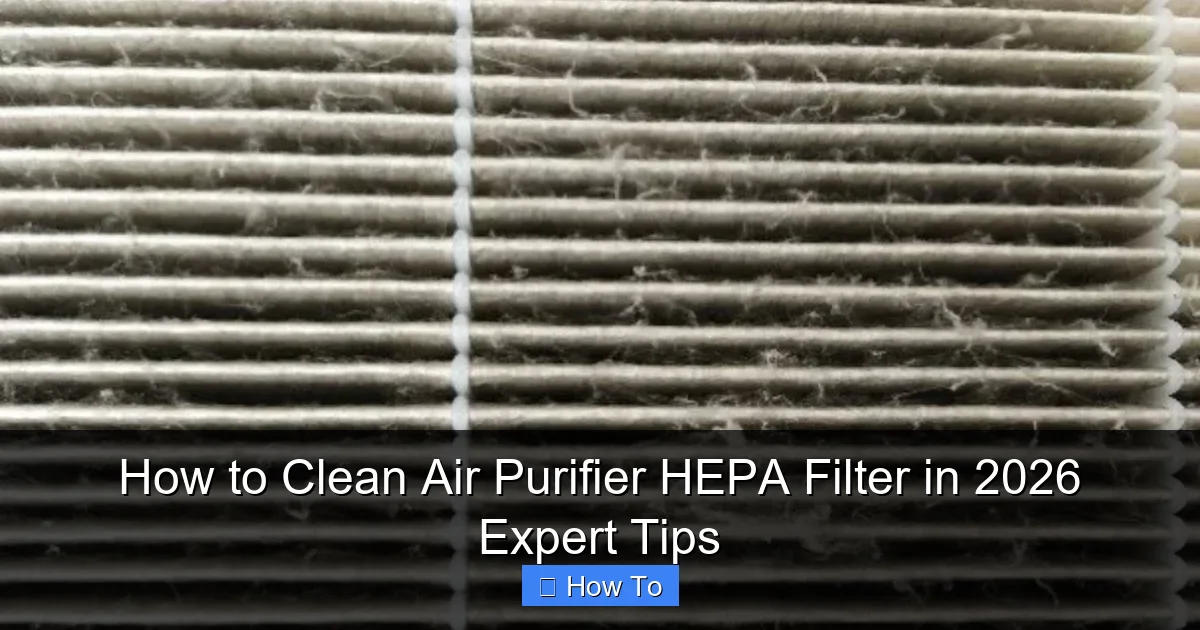
Featured image for how to clean air purifier hepa filter
Image source: smartairfilters.com
Never rinse or wash a true HEPA filter with water—this can permanently damage its delicate fibers and reduce efficiency. Instead, use a soft brush or vacuum with a brush attachment to gently remove dust and debris every 2–3 months, ensuring optimal performance and longer filter life. For 2026 models with washable pre-filters, clean those separately to maintain peak air purifier function.
How to Clean Air Purifier HEPA Filter in 2026 Expert Tips
Key Takeaways
- Turn off and unplug your air purifier before cleaning for safety.
- Vacuum the filter gently to remove surface dust without damaging fibers.
- Never rinse HEPA filters with water—they’re not designed to get wet.
- Replace filters as recommended—cleaning can’t restore lost efficiency over time.
- Check manufacturer guidelines for model-specific cleaning instructions and schedules.
- Use a soft brush for stubborn debris on reusable HEPA-style filters.
Why This Matters / Understanding the Problem
Let’s be honest: air purifiers are like silent guardians in our homes, quietly tackling dust, pollen, pet dander, and even viruses. But what happens when the HEPA filter—the heart of your purifier—starts choking on its own success?
I learned this the hard way. A few years ago, I noticed my purifier was louder, my allergies worse, and the air smelled… stale. My doctor asked if I’d changed my filters lately. *Cue the shame.* Turns out, a clogged filter doesn’t just fail to clean the air—it can actually recirculate trapped particles. Not cool.
That’s why knowing how to clean air purifier HEPA filter in 2026 expert tips isn’t just a maintenance hack—it’s a health essential. But here’s the catch: HEPA filters aren’t like your kitchen sponge. You can’t just toss them in soapy water. Done wrong, you’ll ruin the filter (and your purifier’s performance). Done right, you’ll save money, breathe easier, and extend your device’s lifespan. Let’s fix this.
What You Need
Before diving in, gather these tools. Trust me, skipping steps here leads to frustration (and maybe a trip to the hardware store mid-process).
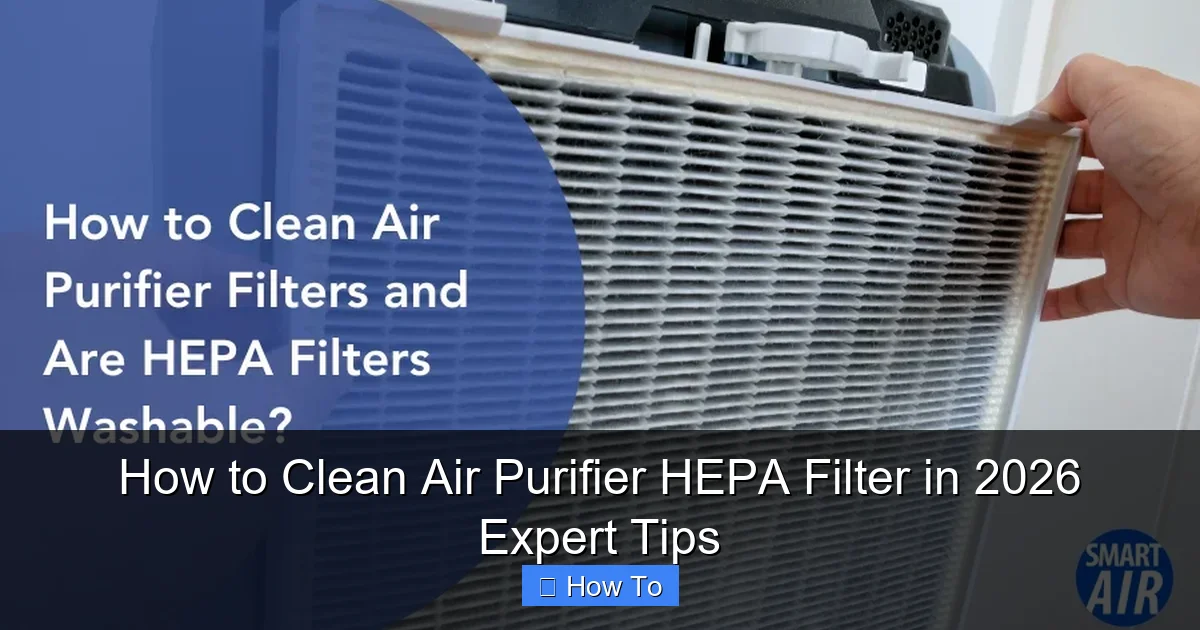
Visual guide about how to clean air purifier hepa filter
Image source: smartairfilters.com
- Soft-bristled brush (a clean toothbrush works in a pinch)
- Vacuum cleaner with a brush or upholstery attachment (avoid high suction)
- Microfiber cloth (lint-free)
- Compressed air can (optional, for stubborn debris)
- Owner’s manual (seriously, don’t skip this)
- Timer or calendar app (to track cleaning dates)
- Gloves (if you’re allergic to dust)
Pro tip: Check your purifier’s model. Some brands (like Dyson or Molekule) have washable pre-filters or smart sensors that alert you when cleaning is due. But the HEPA filter? That’s the main event. And remember: how to clean air purifier HEPA filter in 2026 expert tips starts with understanding your device’s quirks.
Step-by-Step Guide to How to Clean Air Purifier HEPA Filter in 2026 Expert Tips
Let’s walk through this together. I’ll share what’s worked for me over 5 years of owning three different purifiers (yes, I’m a bit of an air quality nerd).
Step 1: Power Down & Unplug
First things first: turn off and unplug your purifier. I know it’s obvious, but I’ve rushed this and nearly zapped myself. No one needs that drama.
Wait 10 minutes for the device to cool if it’s been running. Some models (like Honeywell) have internal fans that stay hot. Safety first.
Step 2: Remove the HEPA Filter
Every purifier is different, but most have a side or front panel you pop off. My Coway unit has a magnetic cover—easy. Your LG might need a screwdriver. Always consult your manual.
Here’s a red flag: If the filter feels glued in or requires excessive force, stop. You’re likely missing a latch or screw. Forcing it tears the delicate HEPA fibers.
Warning: Never shake or tap the HEPA filter. The pleated paper-like material is fragile. A single puncture ruins it.
Step 3: Inspect for Damage
Hold the filter up to a light. Look for:
- Tears or holes (even tiny ones)
- Discoloration (black or brown patches mean mold/bacteria)
- Frayed edges (from rough handling)
If you spot any of these, replace the filter. Cleaning won’t fix structural damage. I learned this after trying to “save” a filter with a pinhole—it worsened my asthma for weeks.
Step 4: Gently Vacuum the Surface
Attach the brush or upholstery tool to your vacuum. Use low suction (high power can rip the HEPA material). Gently run the vacuum over both sides of the filter, following the pleats.
Imagine you’re petting a cat—firm but gentle. Spend 1–2 minutes per side. You’ll see dust and hair pile up on the vacuum nozzle. That’s your success metric.
No vacuum? Use the compressed air can. Hold it 6 inches away and blast air along the pleats (never perpendicular). This dislodges deep debris without touching the filter.
Step 5: Brush Away Stubborn Debris
Got pet hair or sticky pollen? Use your soft-bristled brush. Again, follow the pleats. Don’t press hard—think “dusting a bookshelf,” not “scrubbing a pan.”
For corners, use the brush’s tip. My cat’s fur loves hiding in the filter’s edges. A toothbrush’s angled head works perfectly here.
Step 6: Wipe the Frame & Housing
While the filter’s out, clean the purifier’s interior. Use a dry microfiber cloth to wipe the filter compartment and fan blades. If there’s grime, dampen the cloth slightly—but never spray water inside the device.
Why? Moisture + electronics = disaster. I once wiped my purifier’s sensor with a wet rag. It took a week to dry out and recalibrate.
Step 7: Air-Dry (If Needed)
If you used a damp cloth, let the filter compartment air-dry for 10 minutes. Never use a hairdryer or heater—heat warps the filter’s frame.
Meanwhile, set the HEPA filter on a clean towel. Let it sit for 15–20 minutes to shed loose dust. This prevents “dust clouds” when you reinsert it.
Step 8: Reinstall the Filter
Check the filter’s airflow arrow (usually marked on the frame). It must point toward the fan, not the intake. I’ve seen people reverse this—it cuts efficiency by 30%.
Slide the filter back in smoothly. No force needed. If it sticks, double-check the alignment. Once seated, close the panel securely.
Step 9: Reset & Test
Plug in your purifier. Some models (like Blueair) have a “reset filter” button. Press it to recalibrate the sensor. Others need a manual reset via the app or a 10-second button hold.
Turn it on. Listen for unusual noises. Run it for 30 minutes. If the airflow sounds weak, the filter might be misaligned or damaged. Recheck everything.
Finally, set a reminder. I use my phone’s calendar: “Clean HEPA filter – every 3 months.” Consistency is key for how to clean air purifier HEPA filter in 2026 expert tips to work long-term.
Pro Tips & Common Mistakes to Avoid
Let’s talk real talk—what I’ve messed up so you don’t have to.
Pro Tip 1: Clean in a well-lit area. I once missed a tear because my laundry room was dim. Now I use a headlamp. Works like a charm.
Pro Tip 2: Label your filters. If you have multiple purifiers, mark the HEPA filter with the model number and install date. No more guessing.
Pro Tip 3: Use a vacuum with a HEPA bag. Regular vacuums can release fine particles back into the air. I upgraded to a Dyson V15 after realizing my old Bissell was making my allergies worse.
Common Mistake 1: Washing the HEPA Filter
I’ve seen forums where people rinse HEPA filters under the sink. *Facepalm.* Water destroys the electrostatic charge that traps microscopic particles. Even if it looks clean, it’s useless. Save the water for your pre-filter (if your model has one).
Common Mistake 2: Overcleaning
HEPA filters are designed to be replaced, not endlessly cleaned. I tried cleaning mine monthly for a year. By month 10, the pleats were collapsing. Now I clean every 3 months and replace annually. Balance is everything.
Common Mistake 3: Ignoring the Pre-Filter
The pre-filter catches large debris (hair, dust bunnies) so the HEPA can focus on fine particles. If you skip cleaning it, the HEPA clogs faster. I wash my pre-filter every 2 weeks—it’s a game-changer.
Common Mistake 4: Using Chemicals
No vinegar, no baking soda, no “natural cleaners.” These leave residues that degrade the HEPA material. I once used a lemon-scented wipe—the smell lingered for days, and the filter’s efficiency dropped.
Common Mistake 5: Forgetting the Fan
Your purifier’s fan blades collect dust too. If they’re grimy, airflow slows. Wipe them monthly with a dry microfiber cloth. It’s a tiny step with big payoff.
FAQs About How to Clean Air Purifier HEPA Filter in 2026 Expert Tips
You’ve got questions. I’ve got answers—from years of trial, error, and a few “why did I do that?” moments.
Q: Can I clean a HEPA filter with water?
Nope. Water ruins the electrostatic charge that captures ultrafine particles. I learned this after “rinsing” a filter—it never worked right again. Stick to vacuuming and brushing. If you’re desperate, some manufacturers sell washable HEPA-like filters (e.g., Winix), but they’re not true HEPA. Check your manual.
Q: How often should I clean my HEPA filter?
Every 3 months is ideal. But adjust based on:
- Pet owners: Clean every 2 months (pet hair is a filter’s nemesis)
- High-pollen areas: Clean every 2.5 months
- Smokers: Clean every 2 months + replace annually
- Low-traffic homes: Every 4 months
Pro tip: Set a recurring reminder. I use Google Calendar with a 1-day warning. No more “I’ll do it tomorrow” procrastination.
Q: My filter smells musty. Can I clean it?
Musty smells mean mold or bacteria. Vacuuming won’t help—it’s embedded in the fibers. Replace the filter ASAP. While you’re at it, clean the purifier’s housing with a damp cloth (no chemicals) to kill spores. I keep a spare filter for emergencies.
Q: Can I use a hairdryer to dry the filter?
Never. Heat warps the frame and damages the HEPA material. Let it air-dry. If you’re impatient, use a fan on low. I’ve waited 20 minutes for a filter to dry—it’s worth it.
Q: How do I know when to replace the HEPA filter?
Watch for these signs:
- Reduced airflow (even after cleaning)
- Persistent odors (not just dust)
- Increased noise (the fan works harder)
- Visible damage (tears, discoloration)
Most filters last 12–24 months. I replace mine annually—even if it looks fine. Prevention beats crisis.
Q: What if my purifier doesn’t have a HEPA filter?
Some use activated carbon (for odors) or ionizers (for particles). These need different care. Carbon filters can’t be cleaned—they’re replaced every 3–6 months. Ionizers? Wipe the plates monthly with a dry cloth. Always check your manual.
Q: Can I clean the filter while it’s in the purifier?
Technically yes, but it’s risky. Loose debris can fall into the fan or electronics. I once vacuumed a filter in place and sucked a screw into the motor. $100 repair later, I learned my lesson. Remove it first.
Final Thoughts
Cleaning your HEPA filter isn’t glamorous, but it’s one of the easiest ways to protect your health and wallet. A clean filter means:
- Better air quality (fewer allergy triggers)
- Lower energy bills (efficient airflow = less fan strain)
- Longer purifier lifespan (no overworking the motor)
- Savings on replacements (you’ll need fewer new filters)
Remember: how to clean air purifier HEPA filter in 2026 expert tips isn’t about perfection. It’s about consistency. Start with one cleaning, then build the habit. Set a reminder, grab your vacuum, and give your filter a little love. Your lungs will thank you.
And if you ever doubt yourself? Revisit this guide. I’ll be here, sipping my allergy-free tea, cheering you on.