

Featured image for how to clean the ionic air purifier
Image source: cleancrispair.com
Regular cleaning of your ionic air purifier is essential to maintain peak performance and ensure it effectively removes airborne pollutants. In 2026, the best method involves safely turning off and unplugging the unit, then gently wiping the ionizing wires and collector plates with a soft, dry cloth or a mild cleaning solution to prevent dust buildup and ozone inefficiency. Following the manufacturer’s updated guidelines ensures longevity and optimal air quality in your home.
How to Clean the Ionic Air Purifier in 2026
Key Takeaways
- Turn off and unplug the purifier before cleaning to ensure safety.
- Clean ionizing wires monthly with a soft brush to maintain efficiency.
- Wipe collection plates weekly using a damp cloth for optimal performance.
- Use only mild cleaners—avoid harsh chemicals that can damage components.
- Let parts air dry completely before reassembling the unit.
- Replace worn parts promptly to prevent reduced air purification.
Why This Matters / Understanding the Problem
Let’s be real—air purifiers are like the quiet heroes of our homes. They work 24/7, silently pulling dust, pet dander, and even airborne viruses out of the air. But here’s the catch: if you don’t clean them regularly, they stop working efficiently. And if you’re using an ionic air purifier, which relies on electrostatic plates and charged ions to trap pollutants, a dirty unit can actually release those particles back into your space.
I learned this the hard way. A few months ago, I noticed a strange smell in my bedroom—like stale dust and ozone. My allergies flared up, even though my purifier was on. After some digging, I found the culprit: my ionic air purifier hadn’t been cleaned in over six months. The plates were caked with grime, and the ionizer was working overtime, creating more ozone than clean air. That’s when I realized: knowing how to clean the ionic air purifier in 2026 isn’t just a chore—it’s essential for your health and your machine’s performance.
Unlike HEPA filters that you replace, ionic purifiers use metal plates and emitters that need regular cleaning. Over time, these parts collect microscopic particles, reducing airflow and efficiency. Plus, if you skip cleaning, you risk:
- Reduced air quality (your purifier becomes a dust factory)
- Higher energy use (it works harder to do the same job)
- Unpleasant odors (especially if mold or bacteria grow on damp plates)
- Potential ozone overproduction (a concern for asthma sufferers)
So, whether you’re using a top-of-the-line model or a budget-friendly unit, learning how to clean the ionic air purifier in 2026 will save you money, improve your air, and extend your purifier’s life. And the good news? It’s easier than you think.
What You Need
Before we dive into the cleaning process, let’s gather your supplies. The good news? You probably already have most of these at home.

Visual guide about how to clean the ionic air purifier
Image source: cleanairwater.co.nz
- Microfiber cloth (lint-free, gentle on metal plates)
- Distilled water (tap water leaves mineral deposits—bad for ionizers)
- Mild dish soap (unscented, no bleach or ammonia)
- Soft-bristled brush (an old toothbrush works great)
- Compressed air can (optional, for dust in hard-to-reach spots)
- Rubber gloves (to protect your hands from grime)
- Small bowl or container (for soaking plates)
- Paper towels (for drying)
- Owner’s manual (for disassembly guidance—don’t skip this!)
Pro Tip: Never use vinegar, alcohol, or abrasive cleaners. These can corrode the metal plates or damage the ionizing wires. I once used vinegar on a plate—ended up with pitting and a weak ionizer. Learn from my mistake!
Also, check your model. Some ionic purifiers (like the Winix 5500-2 or Sharp FU-A80E-W) have hybrid systems with pre-filters or carbon layers. If yours does, you’ll need to handle those separately. But for the core ionic components, the supplies above are all you need.
Now that you’re prepped, let’s get into the nitty-gritty of how to clean the ionic air purifier in 2026.
Step-by-Step Guide to How to Clean the Ionic Air Purifier in 2026
Step 1: Unplug the Unit and Let It Rest
First things first: turn off and unplug your purifier. I know it sounds obvious, but I’ve seen people skip this step and end up with a shock (or a fried circuit). Even if the unit is off, it can still hold a charge—especially in electrostatic models.
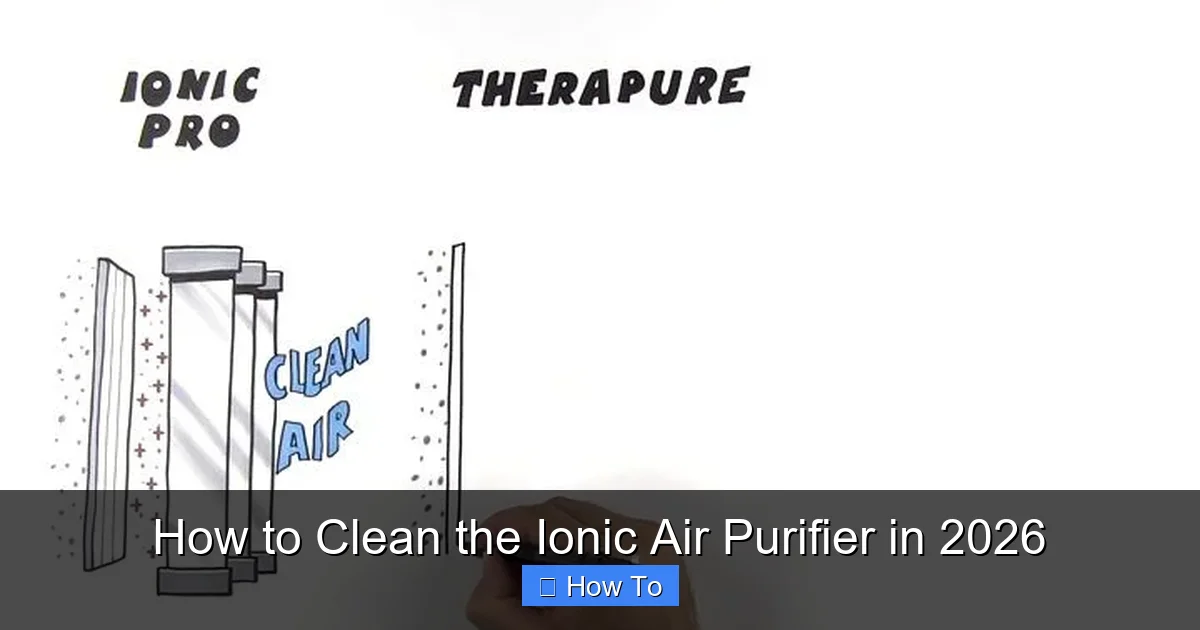
Visual guide about how to clean the ionic air purifier
Image source: i.pinimg.com
After unplugging, let it sit for 10–15 minutes. Why? The internal capacitors can store electricity, and you don’t want to touch metal plates while they’re charged. This is especially important for older models or units with high-voltage ionizers.
Safety Note: If your purifier has a “high voltage” or “ionization” warning label, treat it like a live wire until it’s fully discharged. Better safe than sorry!
Step 2: Open the Purifier and Remove the Collection Plates
Now, it’s time to get inside. Every model is different, but most ionic purifiers have a front or top panel that slides or snaps off. Check your manual—some units have screws, others use clips.
Once you’re in, look for the collection plates. These are usually flat, metal grids or rods (sometimes labeled “collector,” “plate,” or “electrode”). They’re the part that attracts and holds dust. Carefully remove them. They might be heavy or sticky with grime—don’t force anything.
Pro tip: Take a photo before removing anything. It’ll help you remember how to reassemble. I once spent 20 minutes trying to figure out which plate went where—don’t be like me.
If your unit has an ionizing wire (a thin, taut wire near the plates), leave it in place for now. We’ll clean it separately in Step 4.
Step 3: Soak and Clean the Collection Plates
This is where the magic happens. Fill your bowl with warm water and a few drops of mild dish soap. Submerge the plates and let them soak for 10–15 minutes. This loosens the gunk so you don’t have to scrub too hard.
After soaking, use your soft-bristled brush (or toothbrush) to gently scrub both sides. Focus on the edges and corners—that’s where dust builds up. For stubborn spots, let the plate soak a bit longer. Never use steel wool or scouring pads. They’ll scratch the metal and ruin the electrostatic charge.
Rinse thoroughly with distilled water. Tap water has minerals that can leave spots or corrode the plates over time. Then, dry the plates completely with a microfiber cloth. Any moisture left behind can lead to mold or electrical issues.
Warning: If the plates are bent or warped, don’t try to flatten them. A bent plate won’t collect dust properly and can damage the ionizer. Time for a replacement (check your manual for part numbers).
Step 4: Clean the Ionizing Wires and Emitters
Now, let’s tackle the ionizing wires. These are the thin, delicate wires (or needles) that release charged ions to attract dust to the plates. They’re fragile, so handle with care.
Use a dry microfiber cloth to wipe them gently. If there’s heavy buildup, dampen the cloth slightly with distilled water—but never spray the wires directly. For tight spaces, use compressed air to blow out dust. Don’t touch the wires with your fingers or a brush. Oils from your skin can interfere with ionization.
If your purifier has emitter needles (common in models like the Airfree or OION), use a cotton swab dipped in distilled water to clean the tips. Again, dry thoroughly.
Why this matters: dirty ionizing wires mean fewer ions, which means less dust collected. Your purifier will run longer and less efficiently.
Step 5: Wipe Down the Interior and Exterior
While the plates are drying, clean the inside of the purifier. Use a microfiber cloth to wipe down the housing, fans, and any other surfaces. For dust in crevices, use compressed air or a dry brush.
For the exterior, use a cloth dampened with distilled water and a drop of soap. Wipe the vents, buttons, and casing. Dry immediately to avoid water damage. Never spray cleaner directly on the unit—moisture can seep into electronics.
If your purifier has a pre-filter (a foam or mesh screen that traps large particles), vacuum it or rinse it with water. Let it dry completely before reinserting.
Step 6: Reassemble and Test
Once everything is dry (this is crucial—never reassemble wet parts), put the purifier back together. Insert the plates, reattach the ionizing wires (if removed), and close the panel.
Plug the unit back in and turn it on. Listen for unusual noises—grinding or buzzing could mean a plate is misaligned or a wire is touching metal. If it runs smoothly, great! Let it run for 1–2 hours to test performance.
Pro tip: Place a white sheet of paper near the outlet vent. If dust starts collecting on it within an hour, your purifier is working. If not, double-check the plates and wires.
Step 7: Set a Cleaning Schedule
Cleaning once won’t cut it. For optimal performance, clean your ionic air purifier every 2–4 weeks, depending on usage. If you:
- Live in a dusty area or have pets, clean every 2 weeks.
- Use the purifier daily, aim for every 3 weeks.
- Only use it occasionally, every 4–6 weeks is fine.
Set a reminder on your phone or calendar. I use a sticky note on the purifier itself: “Clean every 3 weeks!” It’s simple but effective.
Pro Tips & Common Mistakes to Avoid
After cleaning dozens of ionic purifiers (my own and friends’), I’ve picked up a few hard-earned lessons. Here’s what to watch for:
Visual guide about how to clean the ionic air purifier
Image source: d2z1w4aiblvrwu.cloudfront.net
- Don’t rush the drying process. Moisture is the enemy. I once put a slightly damp plate back in—within a week, I smelled mildew. Not fun.
- Label your plates if they look identical. Some models have “positive” and “negative” plates. Swapping them can reduce efficiency.
- Check for ozone smells. A faint, metallic odor is normal, but a strong, sharp smell could mean the ionizer is overworking (often due to dirty plates). Clean it and see if the smell fades.
- Don’t ignore the pre-filter. Even if your purifier is ionic, a clogged pre-filter blocks airflow. Clean or replace it monthly.
- Use distilled water, not tap. Tap water’s minerals can build up on plates, reducing their ability to collect dust. Distilled is cheap and widely available.
- Keep the manual handy. Every model has quirks. For example, the Sharp FP-F50E-W has a specific wire tension that can be damaged if forced.
My Biggest Mistake: I once used a hairdryer to speed up drying. The heat warped the plastic housing and damaged the ionizing wires. Now I air-dry everything overnight. Patience pays off!
FAQs About How to Clean the Ionic Air Purifier in 2026
Q: How often should I clean my ionic air purifier?
A: For most homes, every 2–4 weeks is ideal. If you have pets, allergies, or live in a dusty area, go for every 2 weeks. For light use, every 4–6 weeks works. The key is consistency—don’t wait until it’s caked with dust. Regular cleaning keeps it running like new and makes each session easier.
Q: Can I use vinegar or alcohol to clean the plates?
A: No, please don’t. Vinegar is acidic and can corrode metal plates, while alcohol can damage the electrostatic coating. I learned this after using vinegar on a plate—it started pitting and lost 30% of its efficiency. Stick to mild soap and distilled water. It’s safer and just as effective.
Q: Why does my purifier smell bad after cleaning?
A: A bad smell usually means residual moisture or leftover grime. If you smell mildew, the plates weren’t dried thoroughly. If it’s a sharp, ozone-like odor, the ionizer might be overworking (often due to incomplete cleaning). Let it run for a few hours. If the smell persists, re-clean and double-check for moisture.
Q: My purifier is making a buzzing noise. Is that normal?
A: A faint hum is normal, but loud buzzing could mean a plate is bent or touching metal. Open it up and check the alignment. Also, ensure the ionizing wire isn’t loose or vibrating. If the noise doesn’t stop, consult your manual or contact support. Don’t ignore it—it could damage the motor.
Q: Can I run my purifier without the collection plates?
A: Absolutely not. The plates are essential. Without them, the ionizer still releases ions, but there’s nothing to collect the dust. Your room will get dirtier, and the ionizer will overwork, possibly overheating. Always reassemble fully.
Q: How do I know if my ionizing wire needs replacement?
A: If the wire is broken, frayed, or coated in thick grime that won’t clean off, it’s time to replace it. Most manufacturers sell replacement wires (check your model number). A weak wire means fewer ions, which means less dust collected. If your purifier isn’t trapping dust like it used to, this could be why.
Q: Is cleaning an ionic purifier worth it, or should I just buy a HEPA model?
A: It depends! Ionic purifiers are great for large spaces and quiet operation, but they need more maintenance than HEPA filters. If you’re forgetful or hate cleaning, a HEPA model might be better. But if you’re willing to do quick cleanings, an ionic purifier can last 5+ years and save you money (no filter replacements). It’s about what fits your lifestyle.
Final Thoughts
Cleaning your ionic air purifier might seem like a hassle, but it’s one of the most rewarding home maintenance tasks you can do. A clean purifier means cleaner air, fewer allergens, and a longer-lasting machine. And honestly? It takes less than 30 minutes once you get the hang of it.
Remember, how to clean the ionic air purifier in 2026 isn’t just about following steps—it’s about consistency and care. Set a schedule, use the right tools, and pay attention to your purifier’s performance. If it starts smelling, buzzing, or underperforming, don’t ignore it. A little attention now can save you from expensive repairs or poor air quality later.
So, grab your microfiber cloth, unplug that purifier, and give it some love. Your lungs (and your wallet) will thank you. And hey, if you’re ever in doubt, refer back to this guide. I’ve been there—covered in dust, wondering if I’d ever get it right. But now, my purifier runs like a dream, and my allergies are a thing of the past. You can do it too.
Happy cleaning!