

Featured image for how to freshen up an air purifier
Image source: i.pinimg.com
Regular maintenance is the key to maximizing your air purifier’s performance in 2026—start by replacing or cleaning filters every 3–6 months to ensure optimal air quality. Wipe down the exterior, vacuum intake vents, and use odor-neutralizing inserts or essential oil pads (if compatible) to eliminate stale smells and boost freshness without damaging internal components.
“`html
How to Freshen Up an Air Purifier in 2026 for Cleaner Air
Let’s be real—your air purifier has been quietly doing its job for months (or maybe even years), filtering out dust, pollen, pet dander, and that mysterious smell from last week’s burnt popcorn. But have you ever stopped to think: Is it still working as well as it should?
Over time, even the best air purifiers start to lose their spark. Filters get clogged, fans get dusty, and that “fresh air” feeling starts to fade. If you’ve noticed your home doesn’t smell as crisp or your allergies are acting up again, it might be time to give your purifier some TLC.
In this guide, I’ll walk you through exactly how to freshen up an air purifier in 2026 for cleaner air—no jargon, no fluff, just real, practical steps I’ve used in my own home. Whether you’re a first-time owner or a seasoned clean-air enthusiast, this is your go-to checklist to keep your purifier running smoothly and your indoor air truly fresh.
Key Takeaways
- Replace filters regularly to maintain optimal air purification performance.
- Clean the exterior weekly with a damp cloth to prevent dust buildup.
- Vacuum internal components monthly to remove trapped particles and debris.
- Use activated carbon filters to neutralize odors and volatile organic compounds.
- Run the purifier consistently to ensure continuous air quality improvement.
- Check for firmware updates to access the latest efficiency features.
- Position the unit correctly for maximum airflow and effectiveness.
Why This Matters / Understanding the Problem
Air purifiers aren’t “set it and forget it” devices. Think of them like your vacuum cleaner—they collect gunk over time, and if you don’t maintain them, they stop working efficiently. A neglected purifier can’t capture pollutants effectively, which means you’re breathing in more allergens, odors, and even mold spores than you realize.
Here’s the kicker: many people assume that because their purifier is still running, it’s doing its job. But a clogged filter or dusty fan can reduce airflow by up to 50%, according to studies from the EPA. That’s like trying to drink through a straw that’s half-blocked—frustrating and ineffective.
Plus, if you’ve got pets, live in a city, or suffer from allergies, your purifier works harder. That means it needs more frequent attention. Freshening up your air purifier isn’t just about performance—it’s about your health, your comfort, and getting the most out of your investment.
And let’s not forget the smell. A dirty purifier can actually start to emit odors, especially if moisture gets trapped in the filter. Suddenly, instead of freshening your air, it’s making it worse. Yikes.
So, whether you’re prepping for spring allergies, trying to eliminate cooking smells, or just want to breathe easier, knowing how to freshen up an air purifier in 2026 for cleaner air is essential. It’s one of those small habits that makes a big difference.
What You Need
Before we dive in, let’s gather the essentials. Don’t worry—you probably already have most of these at home.
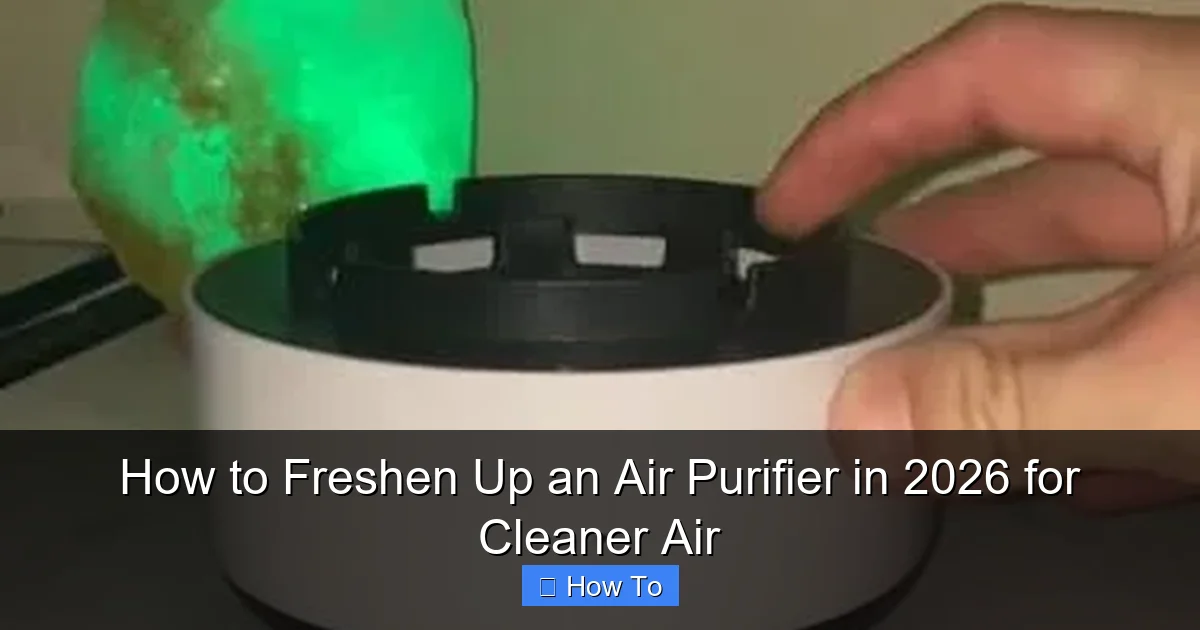
Visual guide about how to freshen up an air purifier
Image source: i.pinimg.com
- Replacement filters (check your model—HEPA, carbon, or combo)
- Microfiber cloth (lint-free is best)
- Soft-bristle brush (an old toothbrush works great)
- Vacuum cleaner with a brush attachment
- Mild dish soap and warm water (for washable parts)
- Compressed air can (optional, for tight spots)
- Timer or calendar reminder (to stay on schedule)
Pro tip: Always check your user manual first. Some models have specific cleaning instructions or proprietary filters. If you’ve lost yours, most manufacturers post PDFs online—just search your model number.
Step-by-Step Guide to How to Freshen Up an Air Purifier in 2026 for Cleaner Air
Now, let’s get into the nitty-gritty. I’ll break this down into simple, doable steps so you can freshen up your air purifier like a pro—without breaking a sweat.
Visual guide about how to freshen up an air purifier
Image source: images.nexusapp.co
Step 1: Turn Off and Unplug the Unit
First things first: safety. Always turn off and unplug your air purifier before you start cleaning. I learned this the hard way once when I accidentally triggered the power button with a wet cloth. Not fun.
Even if you think it’s off, unplugging ensures there’s no risk of electric shock—especially if you’re using water or cleaning near vents. This step takes 10 seconds but could save you a lot of trouble.
While you’re at it, move the purifier to a well-lit, open area. A kitchen counter or table works great. You’ll want space to lay out parts and avoid making a mess.
Step 2: Remove and Inspect the Filters
Now, locate the filter compartment. Most models have a front or side panel that slides or snaps open. If you’re not sure, check the manual or look for a latch or arrow indicator.
Carefully remove the filters. Most air purifiers have at least two: a pre-filter (which catches large particles like hair and dust) and a HEPA filter (which traps fine particles like pollen and smoke). Some also include a carbon filter for odors.
Here’s what to look for:
- Pre-filter: Should be visibly dirty but not caked. If it’s gray or black, it’s time to clean or replace.
- HEPA filter: Should still be white or light gray. If it’s dark or smells musty, replace it—HEPA filters aren’t washable.
- Carbon filter: Usually black and thin. If it’s saturated or smells sour, it’s done.
I once waited too long to replace my HEPA filter and noticed a weird smell. Turns out, mold had started growing inside. Gross. Don’t let that happen to you.
Step 3: Clean or Replace the Pre-Filter
The pre-filter is your first line of defense, so it gets the dirtiest. But the good news? It’s usually washable.
If yours is removable and labeled “washable,” rinse it under cool water. Use a soft brush to gently scrub away dust. Avoid hot water—it can warp the material.
Let it air dry completely before reinstalling. I usually set mine on a towel near a window. Never put it back while damp—moisture breeds mold, and that’s the opposite of fresh air.
If your pre-filter isn’t washable or looks damaged, replace it. Most last 3–6 months, depending on usage. I have two cats, so I replace mine every 3 months like clockwork.
Step 4: Replace the HEPA and Carbon Filters
HEPA filters can’t be cleaned—they’re designed to trap particles permanently. Once they’re full, they’re done. Most need replacing every 6–12 months.
Check your model’s recommendations. Some high-end purifiers have indicator lights that tell you when it’s time. If yours doesn’t, mark your calendar when you install a new one.
When replacing, make sure the new filter is the exact model number. Using the wrong size can cause leaks and reduce efficiency. I once bought a generic filter that didn’t fit snugly—my purifier sounded like a jet engine and didn’t clean the air well.
For carbon filters, same rule: replace when saturated. They’re great for smoke, cooking smells, and VOCs, but they don’t last forever. If your home still smells like last night’s curry, it might be time for a new one.
Step 5: Clean the Interior and Fan Blades
Now that the filters are out, take a peek inside. You’ll likely see dust buildup on the fan blades, vents, and housing.
Use your vacuum’s brush attachment to gently suck up loose dust. Be careful not to scratch any surfaces.
For stubborn grime, wipe with a microfiber cloth dampened with mild soapy water. Wring it out well—no dripping. Then dry immediately with a dry cloth.
If there’s dust in tight spaces, a can of compressed air works wonders. Just hold the can upright and spray in short bursts. I use this trick for the fan blades—they’re hard to reach with a cloth.
Never use harsh chemicals or abrasive sponges. They can damage plastic parts or leave residues that affect air quality.
Step 6: Wipe Down the Exterior
Your purifier might look clean on the outside, but dust loves to settle on top and around the vents. Use a dry or slightly damp microfiber cloth to wipe the entire surface.
Pay extra attention to the air intake and output vents. Blocked vents reduce airflow and make your purifier work harder. I once found a sock stuck in the intake—don’t ask how it got there.
If your model has a display or touch controls, clean those gently. Avoid spraying liquid directly on the screen. Instead, dampen the cloth first.
This step takes two minutes but makes a huge difference in how your purifier looks and performs.
Step 7: Reassemble and Test
Once everything is dry, put the filters back in the correct order. Most units have labels or arrows showing the right direction.
Close the compartment securely. A loose panel can cause noise or reduce efficiency.
Plug the purifier back in and turn it on. Listen for unusual sounds—grinding, rattling, or weak airflow. If something seems off, double-check the filter installation.
Run it on the highest setting for 10–15 minutes to flush out any dust from cleaning. Then switch to your usual setting.
Take a deep breath. Does the air smell fresher? That’s the sound of success.
Pro Tips & Common Mistakes to Avoid
After maintaining several air purifiers over the years, I’ve learned a few things the hard way. Here’s what to keep in mind.

Visual guide about how to freshen up an air purifier
Image source: c1.iggcdn.com
Pro Tip: Set a reminder on your phone or calendar to check your filters every 3 months. I use Google Calendar with a recurring event. It’s saved me from forgetting more times than I’d like to admit.
Warning: Never wash a HEPA filter. I tried it once, thinking I could save money. Big mistake. The filter fell apart, and I had to buy a new one anyway. Stick to replacing it.
Common Mistake: Using generic filters to save money. They might fit, but they often don’t seal properly or filter as well. Invest in OEM (original equipment manufacturer) filters for the best results.
Pro Tip: If you have pets, clean the pre-filter monthly. Pet hair clogs filters fast. I vacuum mine every 4 weeks like clockwork.
Warning: Don’t run your purifier in a damp area like a bathroom. Moisture can damage the motor and promote mold growth inside the unit.
Another thing: don’t assume a “washable HEPA” filter is truly washable. Some brands market them that way, but they still degrade over time. Check the manual—most recommend replacing them annually, even if cleaned.
And finally, location matters. Keep your purifier at least 6 inches away from walls or furniture. Good airflow is key to effective purification.
FAQs About How to Freshen Up an Air Purifier in 2026 for Cleaner Air
Got questions? I’ve got answers. Here are the most common ones I hear from friends and readers.
Q: How often should I clean my air purifier?
A: It depends on usage. In general, clean the pre-filter every 1–3 months, replace HEPA filters every 6–12 months, and wipe the exterior monthly. If you have pets or live in a dusty area, go on the shorter end of that range.
Q: Can I vacuum the HEPA filter instead of replacing it?
A: Technically, yes—but it’s not recommended. Vacuuming can damage the delicate fibers and reduce efficiency. Plus, it doesn’t remove embedded odors. Replacement is the safest bet.
Q: My purifier still smells bad after cleaning. What’s wrong?
A: It could be mold inside the unit or a saturated carbon filter. Try replacing the carbon filter and cleaning the interior thoroughly. If the smell persists, there may be moisture trapped—let it dry completely before use.
Q: Do I need to clean my air purifier if I don’t use it often?
A: Yes! Dust still settles on the filters and interior, even when off. Aim to clean it at least twice a year, even if it’s not running daily.
Q: Can I use essential oils in my air purifier?
A: No—unless your model specifically says it’s safe. Most purifiers aren’t designed for oils, and they can damage filters or leave residues. Use a diffuser instead.
Q: How do I know if my air purifier is working properly?
A: Listen for consistent fan noise, feel air flowing from the vents, and notice if odors or allergies improve. Some models have air quality sensors that give real-time feedback.
Q: Is it worth buying a smart air purifier?
A: If you want reminders, remote control, or air quality tracking, yes. But for basic cleaning, a standard model works just fine. Focus on maintenance first.
Final Thoughts
Freshening up your air purifier isn’t just a chore—it’s a small act of self-care. Every time you clean or replace a filter, you’re investing in cleaner air, better sleep, and fewer allergy symptoms.
And honestly, it’s easier than you think. With the right tools and a little routine, how to freshen up an air purifier in 2026 for cleaner air becomes second nature. You don’t need to be a tech expert or spend hours on it. Just 20–30 minutes every few months can make a world of difference.
So grab your microfiber cloth, check those filters, and give your purifier the love it deserves. Your lungs—and your nose—will thank you.
Now go breathe easy.
“`